February 11, 2026
New Mini Apps: Bitspenda, Chapsmart, Swoop, and MoneyBadger
Three new mini apps were added to the Fedi Mini Apps Catalog in January. For communities around the world building circular Bitcoin economies, this means more ways to make Bitcoin useful day-to-day.
Bitspenda
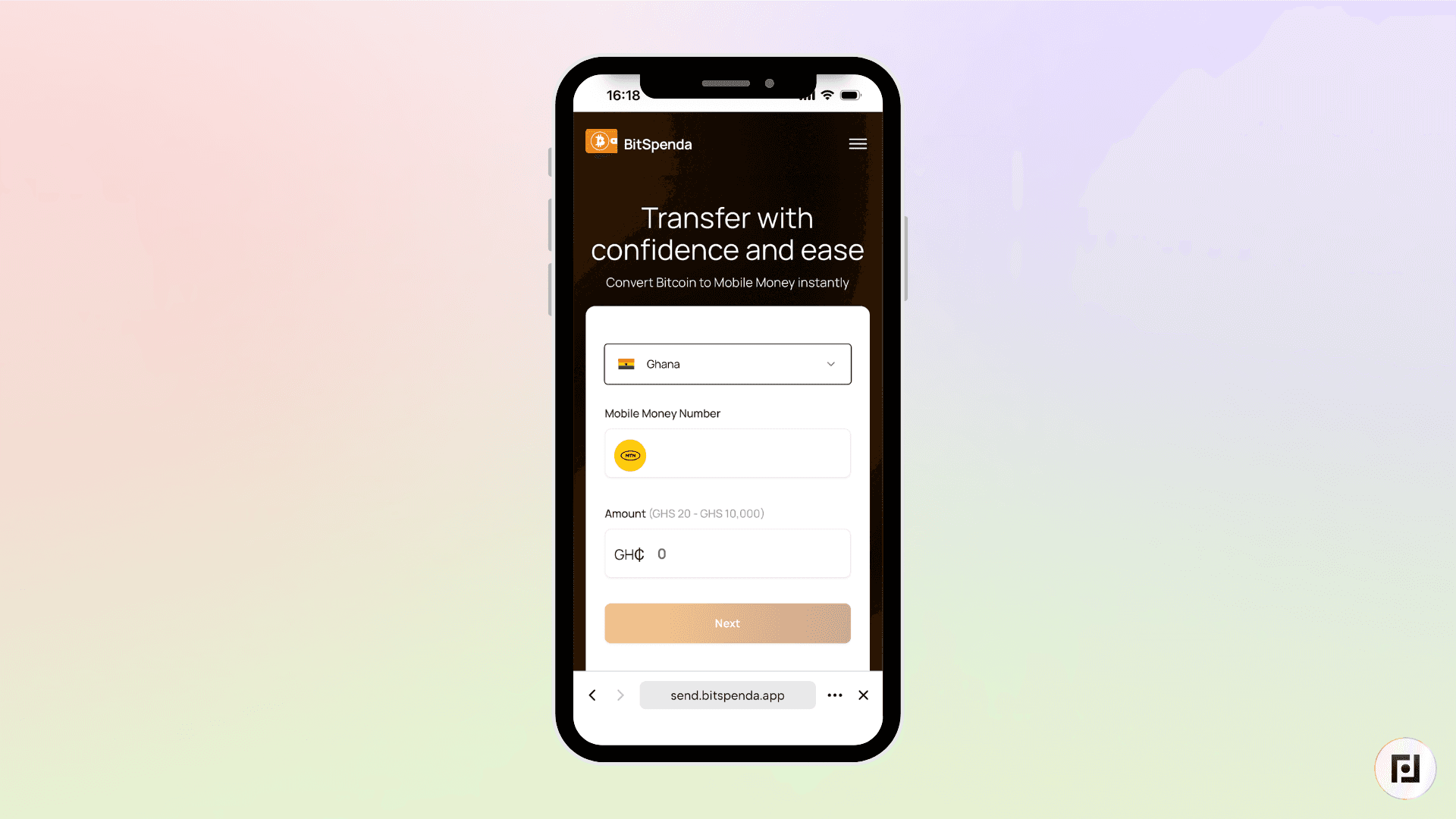
The hardest part of living on Bitcoin is finding places to actually spend it. Bitspenda solves this by connecting your Bitcoin to everyday purchases at major retailers, both online and in physical stores.
Bitspenda allows you to spend your bitcoin to send fiat to the mobile money wallet of vendors. Currently, Bitspends offers this service in Ghana, Nigeria, and Kenya. It’s non-KYC, and you don’t need to create an account on Bitspenda to use their service.
Chapsmart
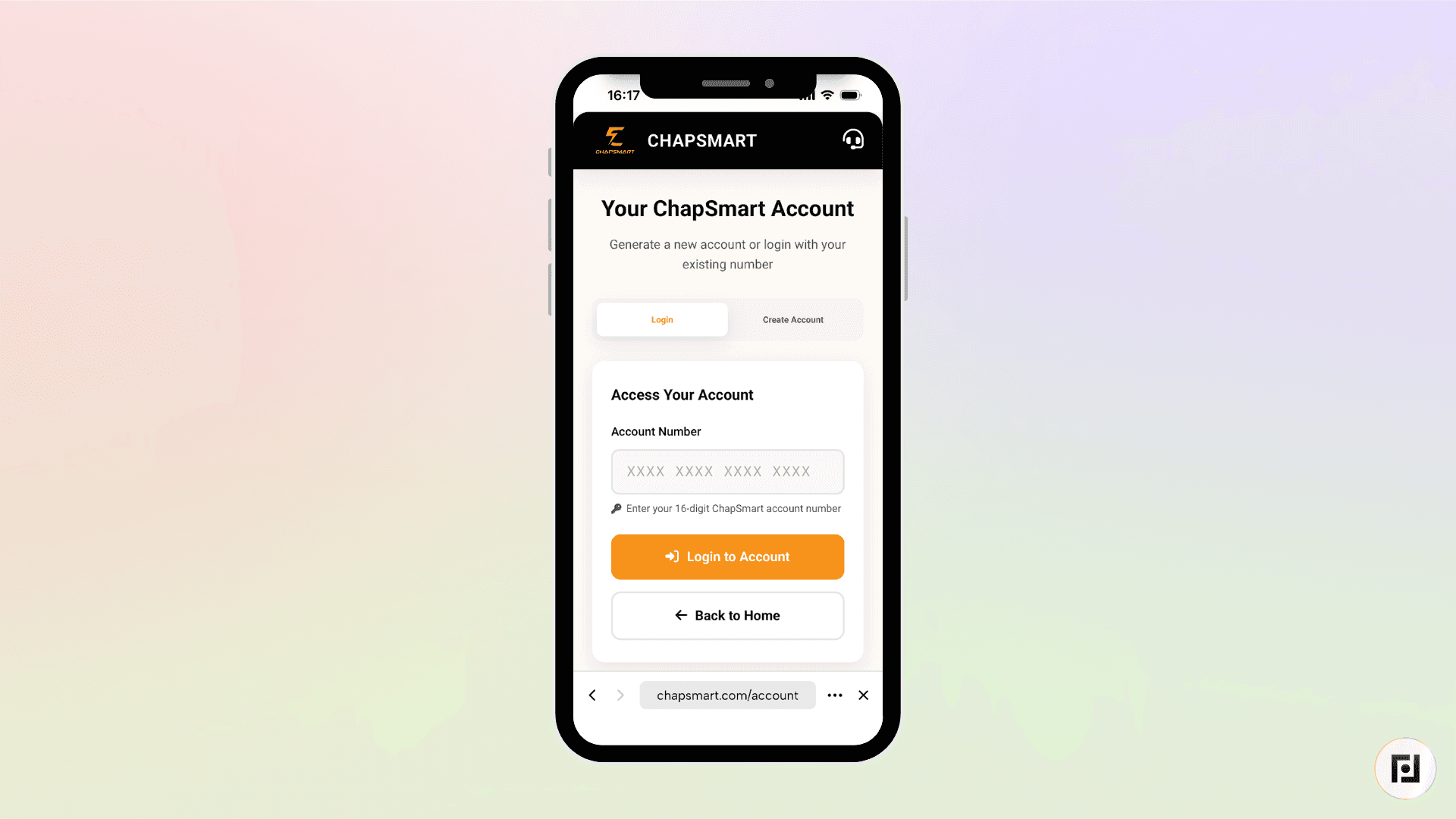
Just like Bitspenda, Chapsmart is also a KYC-free solution that allows you to pay vendors in Tanzania with bitcoin. The vendor receives money in their mobile money wallets.
However, unlike Bitspenda, you need to generate a Chapsmart account number. This 16-digit number is how you will log in to Chapsmart and start making transactions. You need to keep your Chapsmart account number safe to keep making transactions on Chapsmart. All transactions are encrypted end-to-end for extra privacy.
Swoop
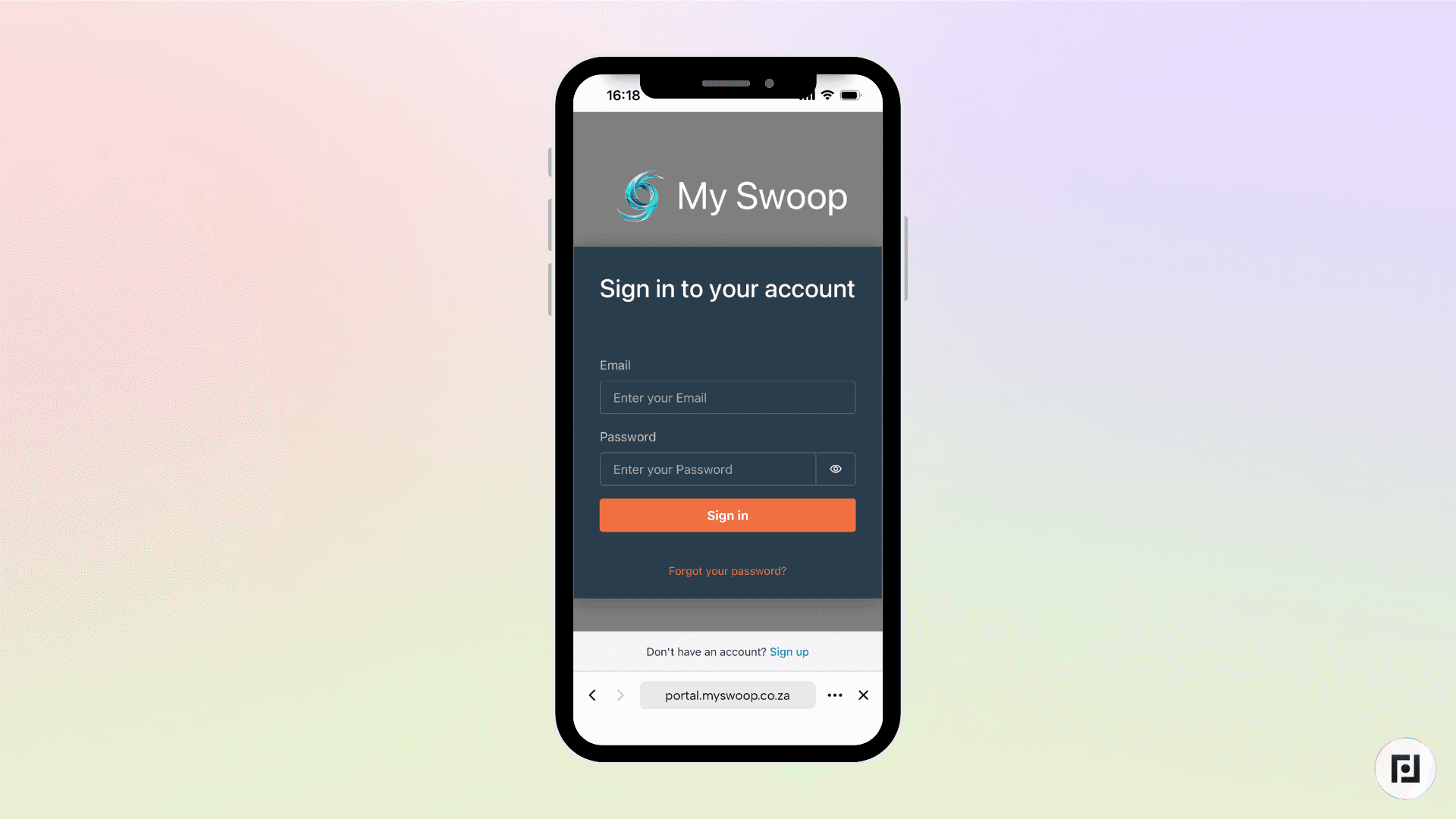
Getting Bitcoin into and out of local currency shouldn't cost you 5–10% in fees. For communities in South Africa and across the continent, Swoop provides instant Bitcoin-to-ZAR conversions with competitive rates.
Swoop supports deposits into major South African banks like FNB, Standard Bank, and Capitec.
MoneyBadger
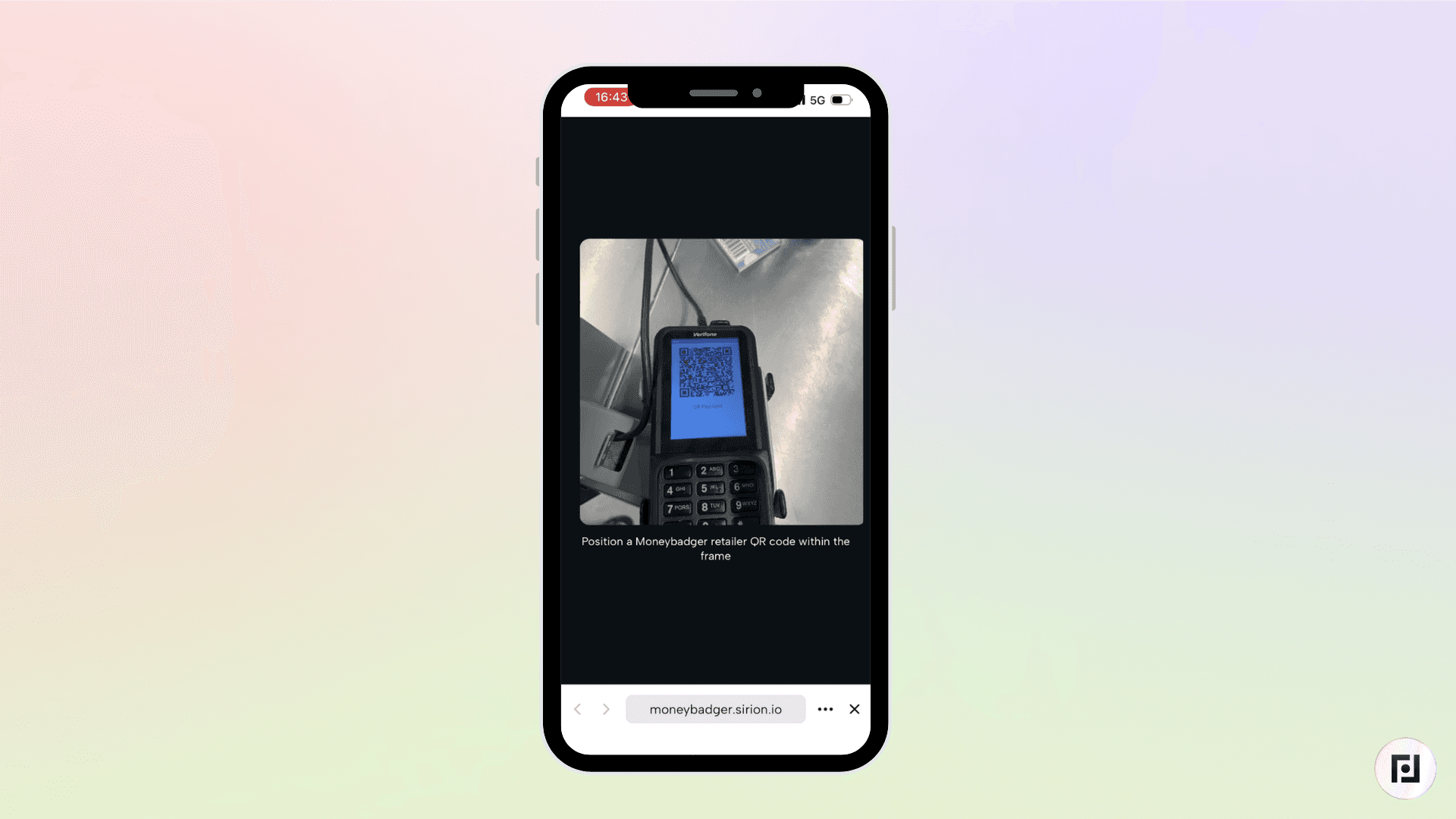
The hardest part of living on Bitcoin is finding merchants who actually accept it. MoneyBadger solves this by building partnerships with stores across South Africa that want to accept Bitcoin.
MoneyBadger as a mini app on Fedi that connects directly to your Fedi wallet. To pay, you scan the merchant's QR code, confirm the amount, and complete the transaction just like any other digital payment.
How to Add These Mini Apps to your Fedi
Adding BitSpenda, Chapsmart and Swoop is simple. Let's walk through the process.
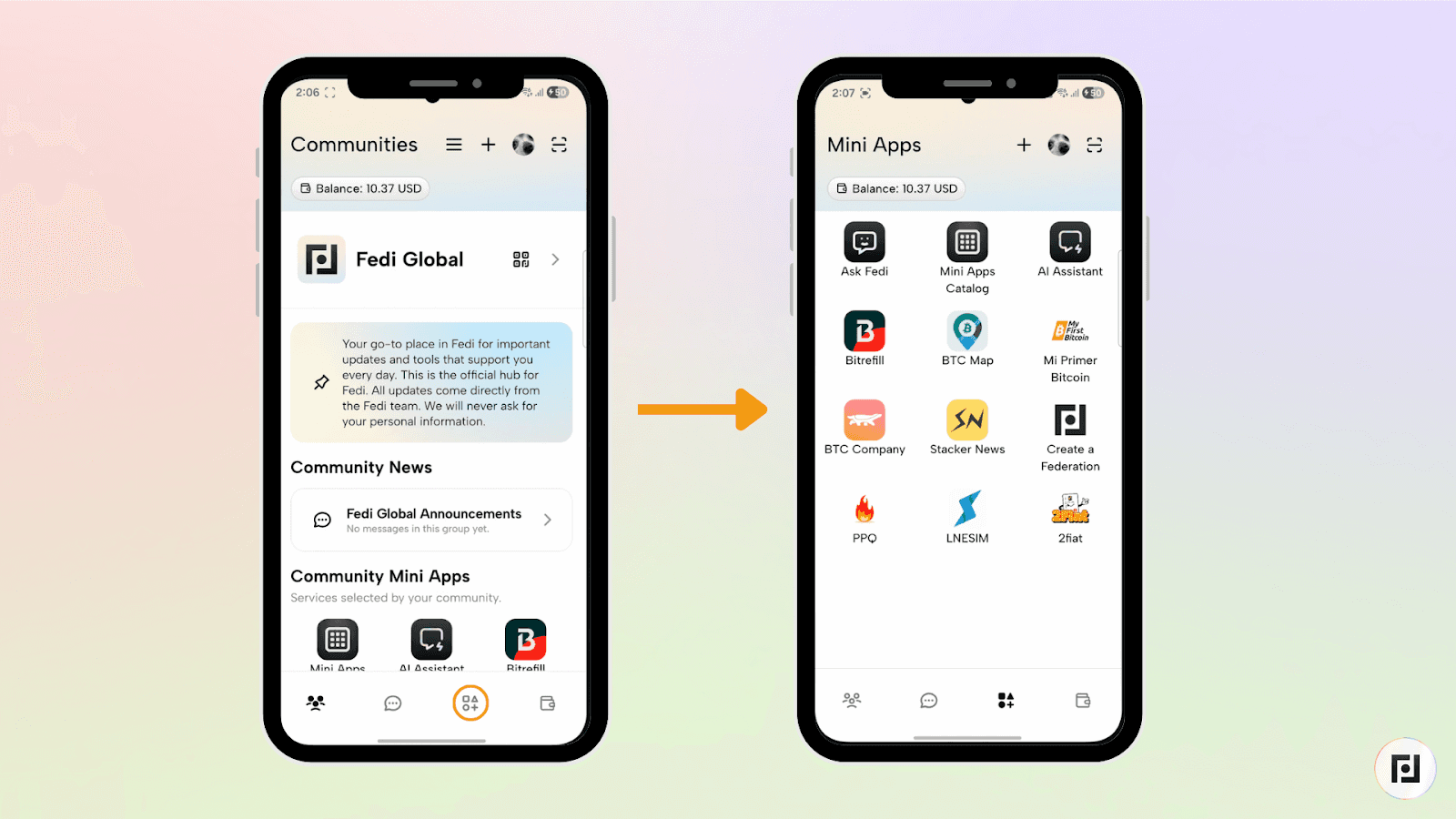
Step 1: Click the Mini Apps button at the bottom-right of your screen to access your personal Mini Apps.
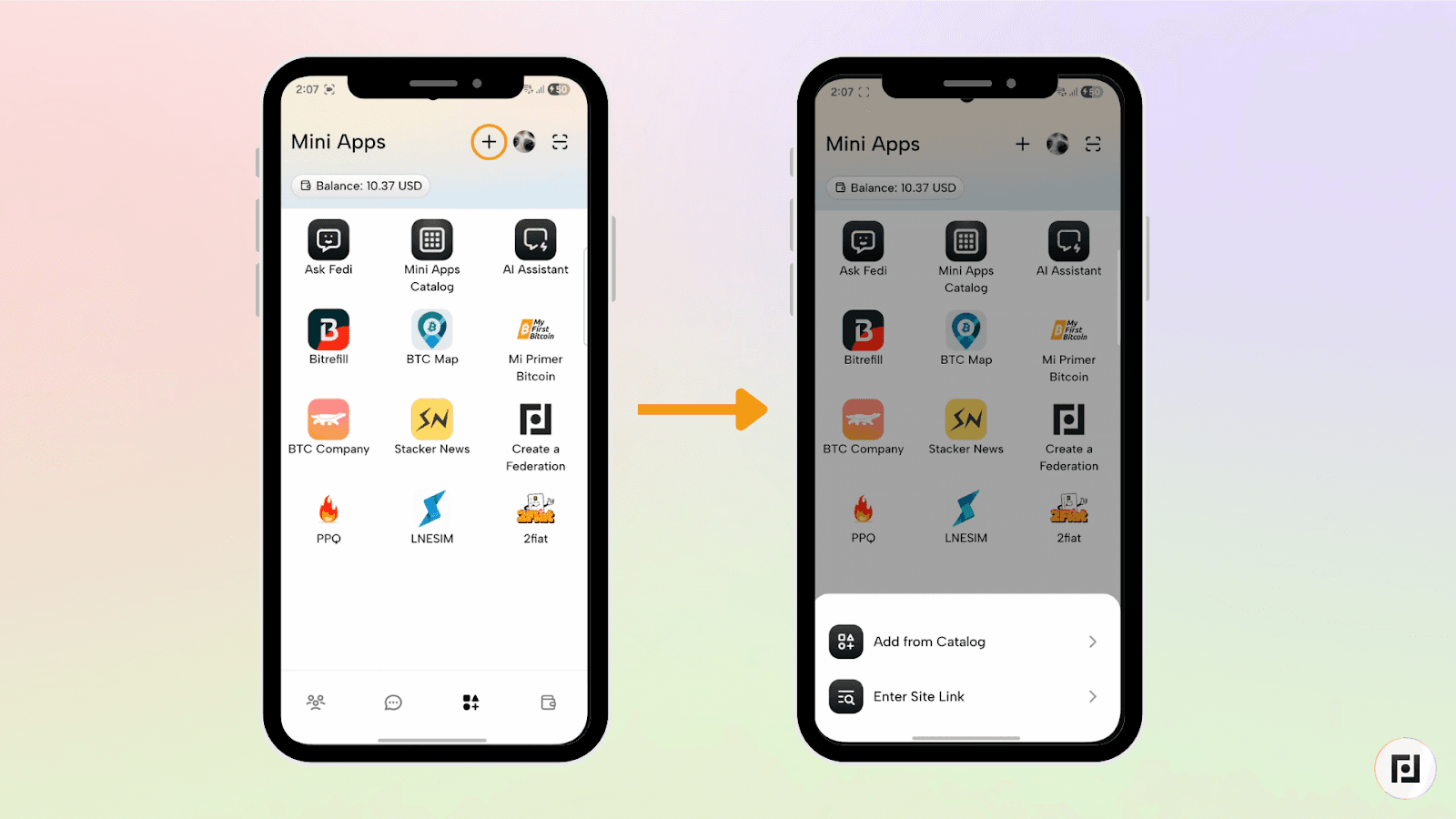
Step 2: Click the plus sign (+) at the top right of the screen.
Step 3: You will see two options: “Add from Catalog” and “Enter Site Link”.
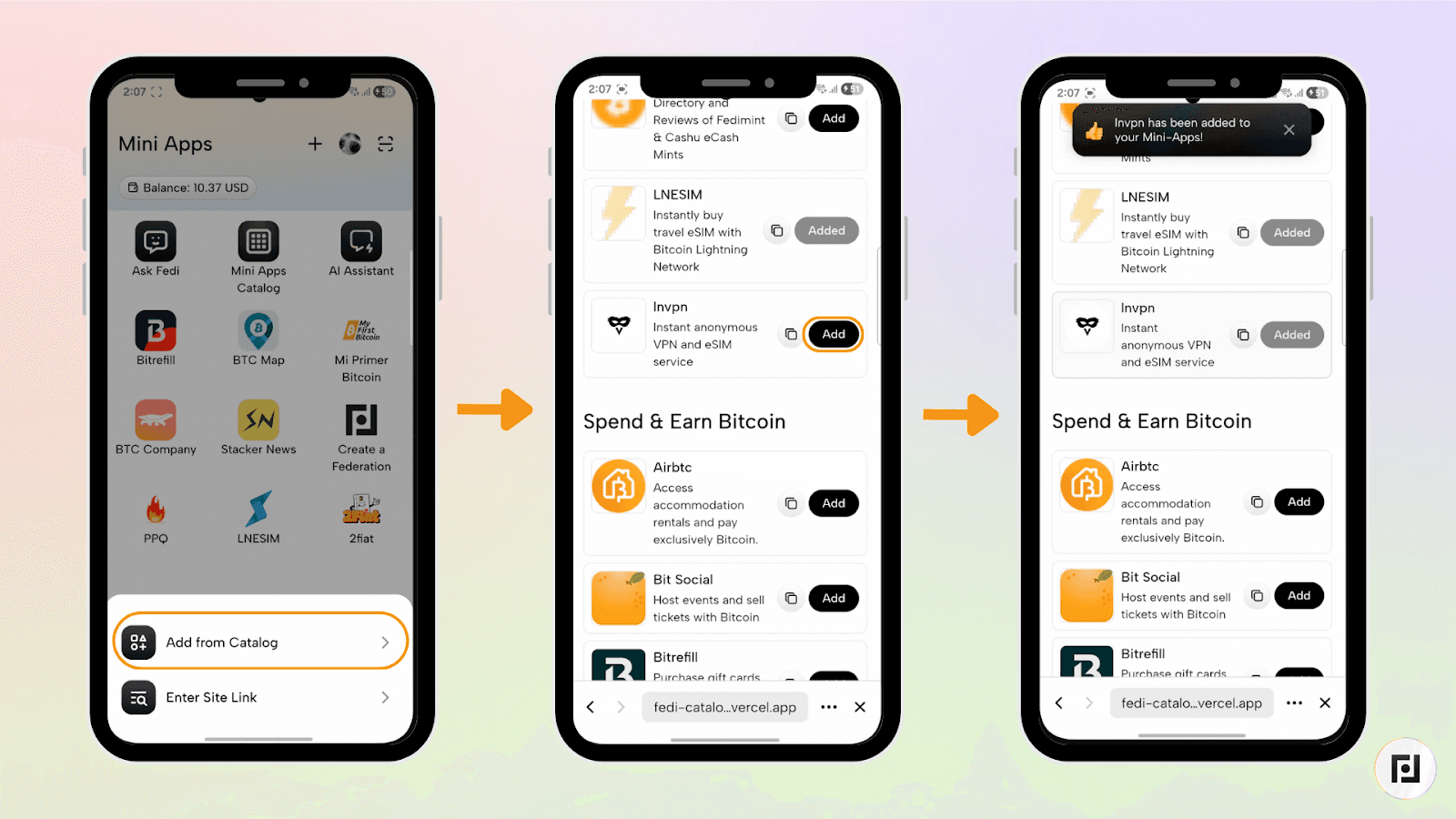
With “Add from Catalog”, you can browse through the Fedi Mini App Catalog and click the “Add” button next to the Mini App of your choice. The Mini App gets automatically added to your list of personal Mini Apps.
You can also use the search functionality to find Bitspenda, Chapsmart, Swoop, and MoneyBadger and click the “Add” button.
You can add multiple mini apps and rearrange them to customize your Fedi experience.
What's Next?
The Fedi Mini Apps Catalog is community-driven. Suggest other web apps we should add to the Fedi Mini App Catalog that would be valuable for communities around the world.
