March 9, 2026
The Boltz Mini App Makes Sending Sats Across Bitcoin Layers Easy
Bitcoin is composed of multiple layers, and sending satoshis (sats) between them can often be difficult.
The Boltz Mini App simplifies the process, though, which is why we’re happy to say that you can now use Boltz as a Fedi Mini App!
How Fedi Users Can Use Boltz
Because Fedi has native Lightning Network support, most Fedi users will likely use Boltz to make a payment to the base layer of Bitcoin, sometimes referred to as an “on-chain” payment, from their Fedi wallet.
“A typical Fedi user would use Boltz to take their satoshis and actually spend them to an on-chain address, whether that’s depositing them to an exchange or paying an online merchant or a friend that just accepts bitcoin on-chain,” said Kilian Rausch, CEO of Boltz.
Rausch also pointed out that Fedi users may have to sometimes send sats to Bitcoin sidechains or to other layers of Bitcoin and highlighted that they can use Boltz for this, too.
“With Boltz, you can also send sats to other layers,” explained Rausch. “We support Liquid and Rootstock, as well.
How To Add Boltz To Your Fedi Wallet
Step 1: Click on the “Mini Apps” button at the bottom of your Fedi screen.
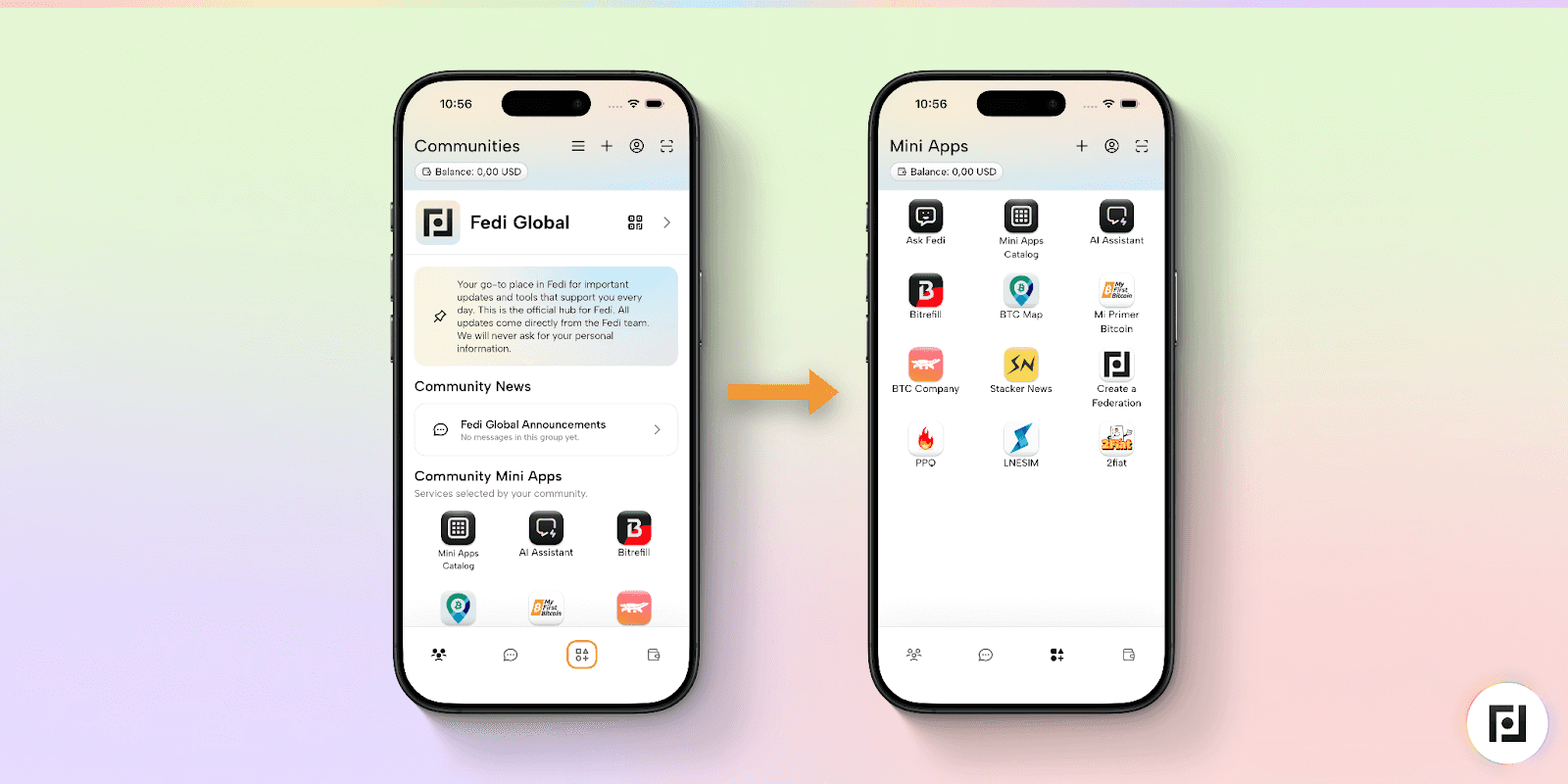
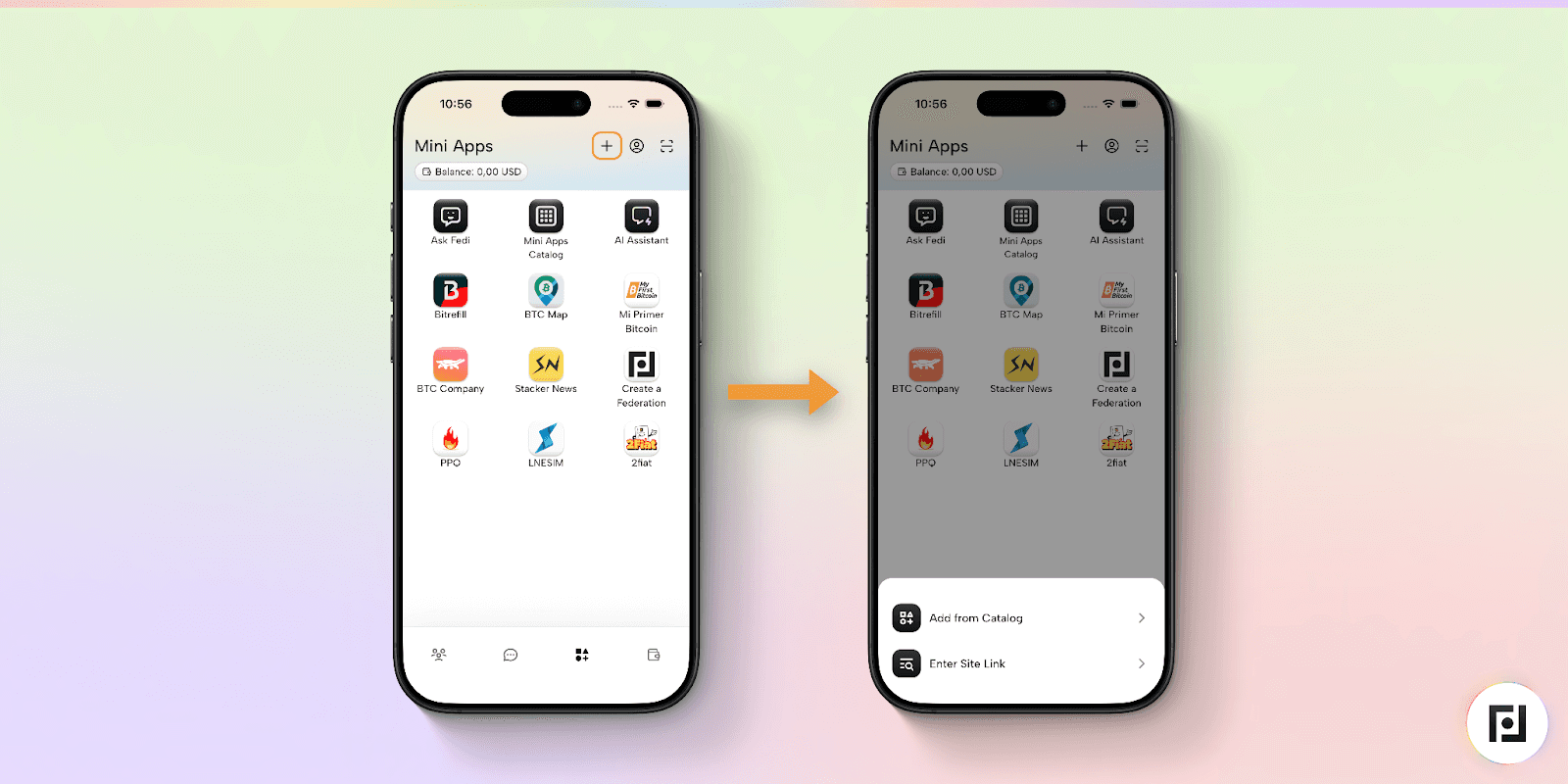
Step 2: Tap the “Mini Apps Catalogue” button.
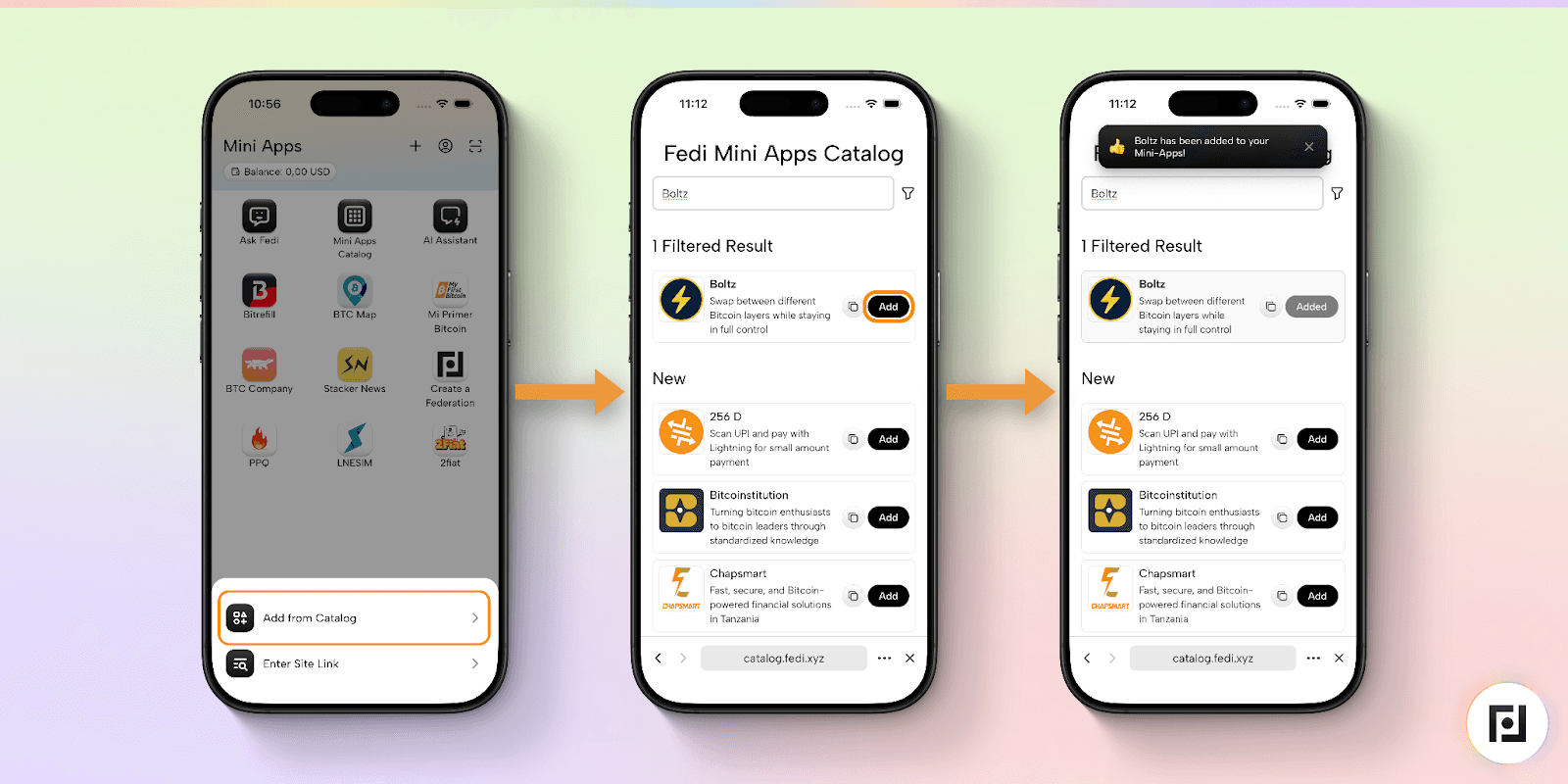
Step 3: Type either “Boltz” into the search bar and click the black “Add” button for the app you’d like.
How To Send Sats Across Layers With Boltz
When you click on the Boltz Mini App, you’ll be brought to a page entitled “Create Atomic Swap”. (Rausch noted that “Atomic” is simply a technical term and not something to be afraid of.)
From there, you’ll select the layer you’re looking to send from and the layer you’re looking to send to. Boltz defaults to the Lightning-to-Bitcoin (on-chain) pair.
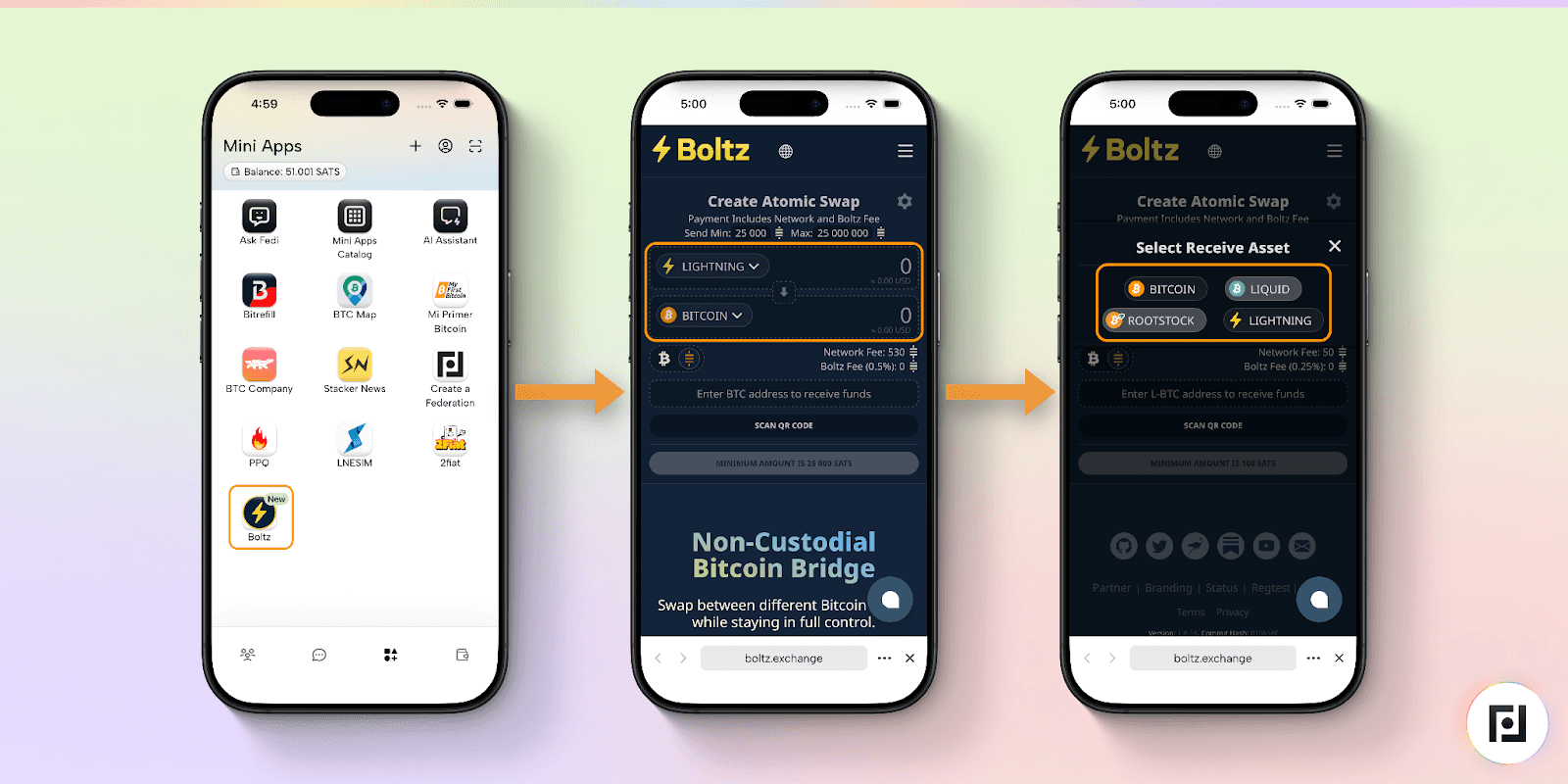
Please note that Boltz requires that you send a minimum of 25,000 sats between layers and that you’ll have to pay a Bitcoin network fee as well as a small Boltz fee, both of which are indicated before you send your sats.
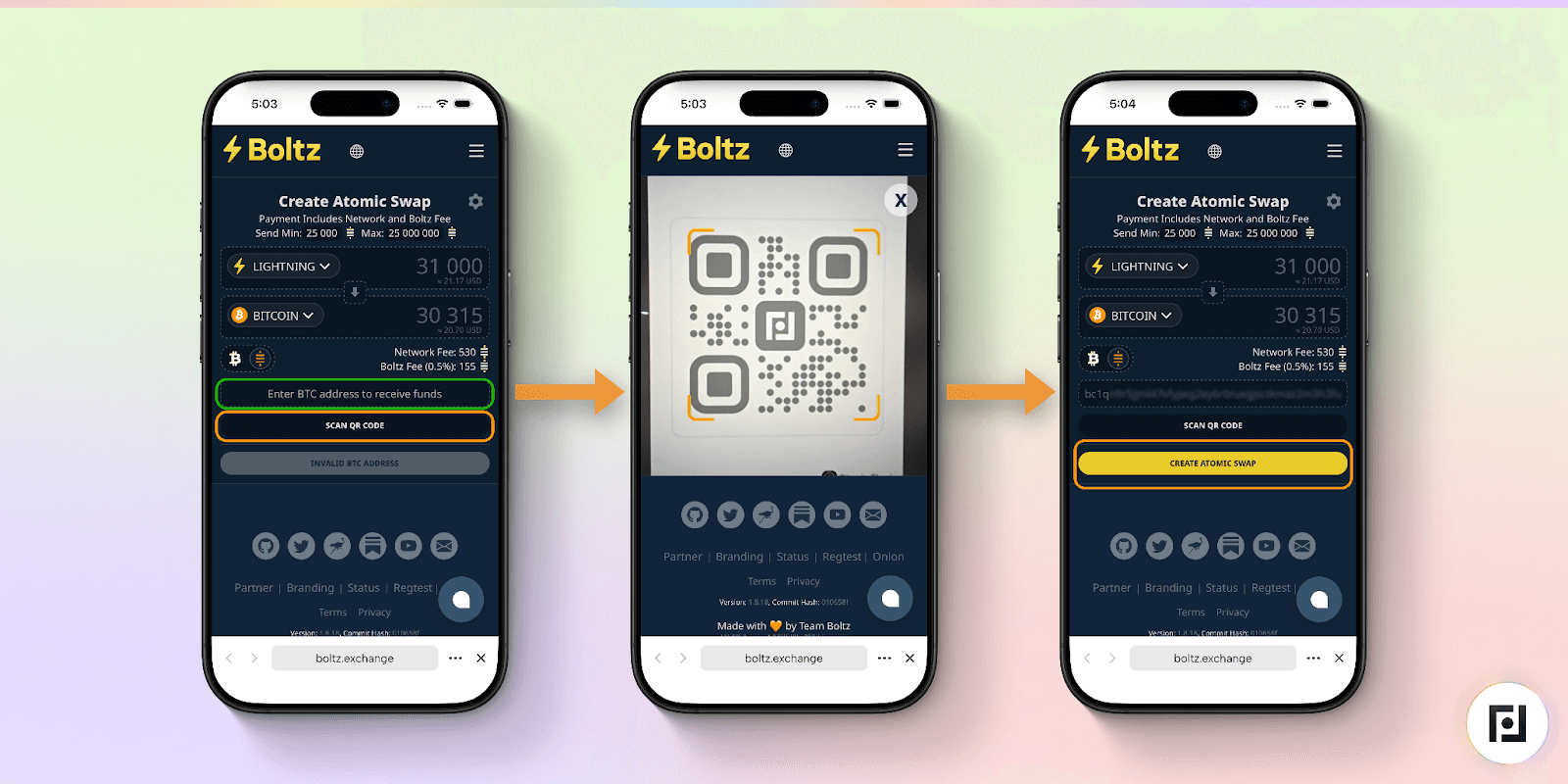
To send sats from Lightning to the Bitcoin base layer, you’ll first paste a Bitcoin address into the bar below the Lightning to Bitcoin swap where it says “Enter BTC address to receive funds”.
Pro tip from Rausch: Always check the first and last 4 to 6 characters of a Bitcoin address before you send funds to it to make sure that you’re sending the funds to the correct address.
If you prefer not to copy and paste the address and a QR code is available, you can also click the “Scan QR Code” button and then scan the QR code.
Once you’ve either copied and pasted the address or scanned the QR code, you’ll then tap the yellow “Create Atomic Swap” button.
Boltz will generate a Lightning invoice for you, which you can pay with your Fedi wallet. After you’ve paid the invoice, the sats will be sent to the base chain. It will take upwards of approximately 30 minutes for this transaction to settle, as it will need to be confirmed on the base chain. Base chain transactions are much slower than Lightning-to-Lightning transactions.
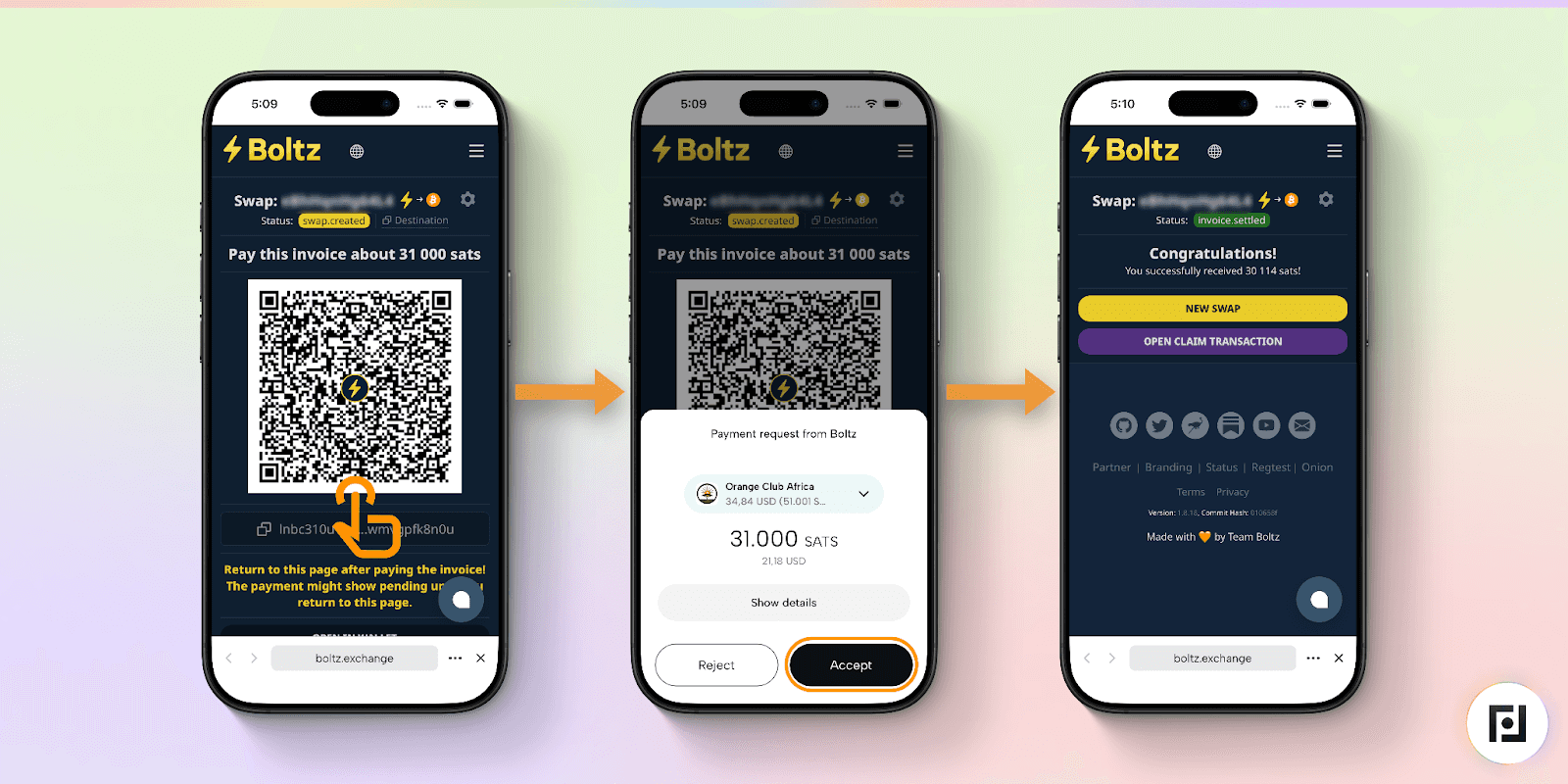
Finally, if you face any technical issues while attempting to send sats from Lightning to the Bitcoin base chain, the transaction should bounce back to your Lightning wallet by default.
“One amazing property of the Lightning Network is that Lightning payments are designed to bounce back if, for example, your internet or mobile connection breaks down while attempting to make a transfer,” explained Rausch. “In such a case, the Lightning payment would just roll back to or stay in your Fedi wallet.”
Boltz Aligns With Fedi’s Mission
Part of Fedi’s mission is to help its users to use Bitcoin more easily. Swapping between Bitcoin layers can be a challenging part of that process.
This is why Rausch is excited that Fedi users now have Boltz readily available to them as a Mini App, as he wants everyday Bitcoin users to use Bitcoin across various layers as easily as possible.
"Our goal is to make Bitcoin layers accessible to everyone,” said Rausch. “We’re proud to have Boltz natively available on Fedi to make Bitcoin transfers effortless for users.”
