March 16, 2026
Spend Bitcoin in Africa with the Cashwyre Mini App on Fedi
A lot of people in Africa hold bitcoin. Far fewer spend it on everyday things like paying local merchants for everyday household items or bank transfers to family members. It’s not because they don't want to use bitcoin to make payments, but because not all merchants or even family members want to receive it.
Cashwyre fixes this, allowing you to spend bitcoin even if your recipients don’t accept it, and you can now use it as a Mini App on Fedi.
With Cashwyre, so long as you have a Bitcoin or Lightning wallet, you can send some bitcoin and Cashwyre converts it to one of 19 different African currencies or the U.S. dollar so that the person on the other end of the transaction receives fiat.
“We recognized the gap in payments in Africa,” said Sunday Awa Okoro, co-founder of Cashwyre. “Sending money across the continent should be easy and accessible. It’s great to have Cashwyre in the hands of more people on the Fedi app.”
Currently, Cashwyre supports payment in 20 currencies in Africa, including the Nigerian naira, Ghanaian cedi, and Kenyan Shilling. That's a practical unlock for users across Africa who want access to global digital services without the friction of traditional dollar-based access.
Cashwyre also offers APIs that businesses can integrate into their own products. The same rails that help individuals pay their daily bills with bitcoin also enable companies to build payment products for their customers.
How to Add the Cashwyre Mini App on Fedi
Step 1: Tap the Mini Apps button at the bottom-right of your Fedi screen.
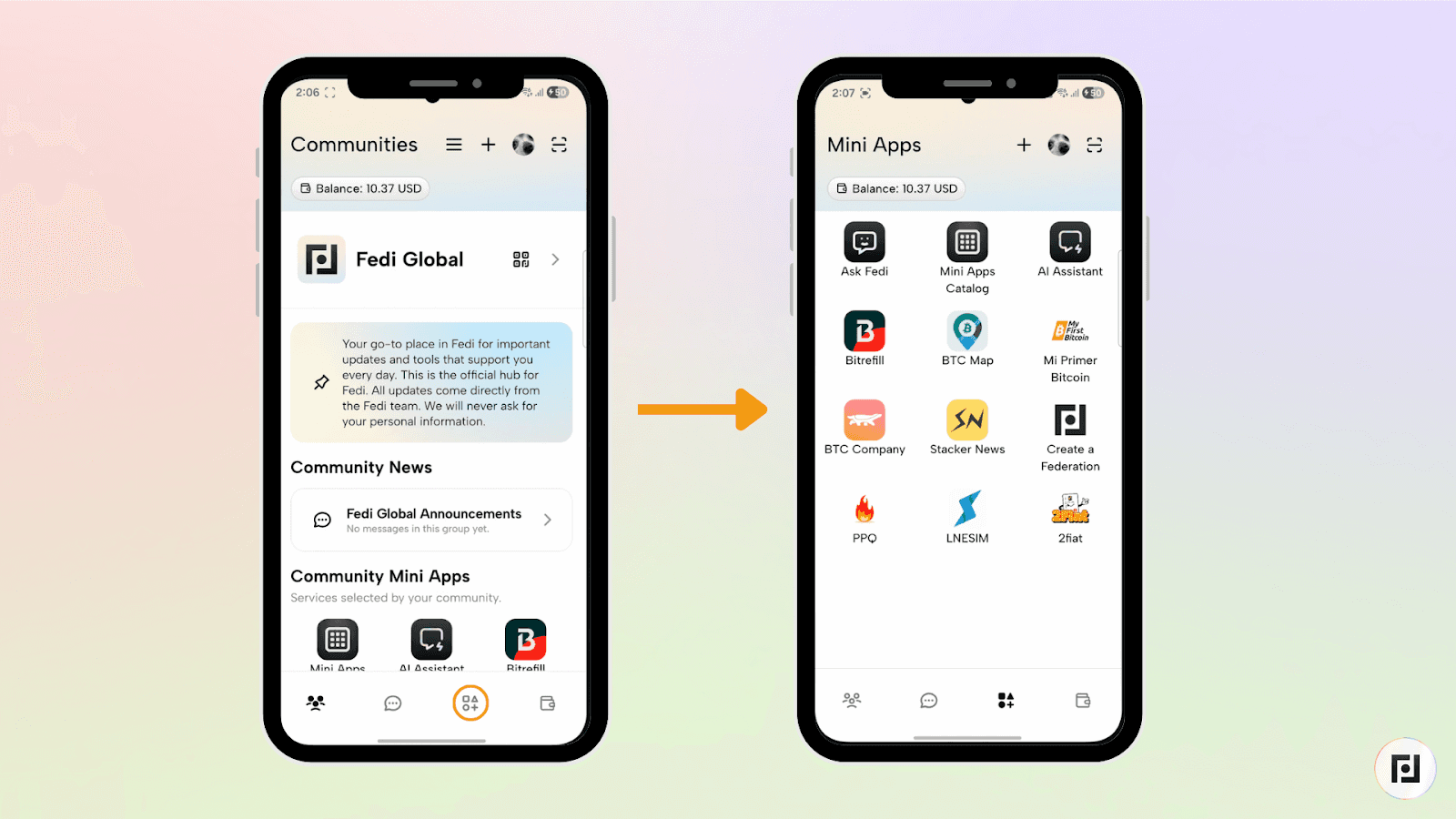
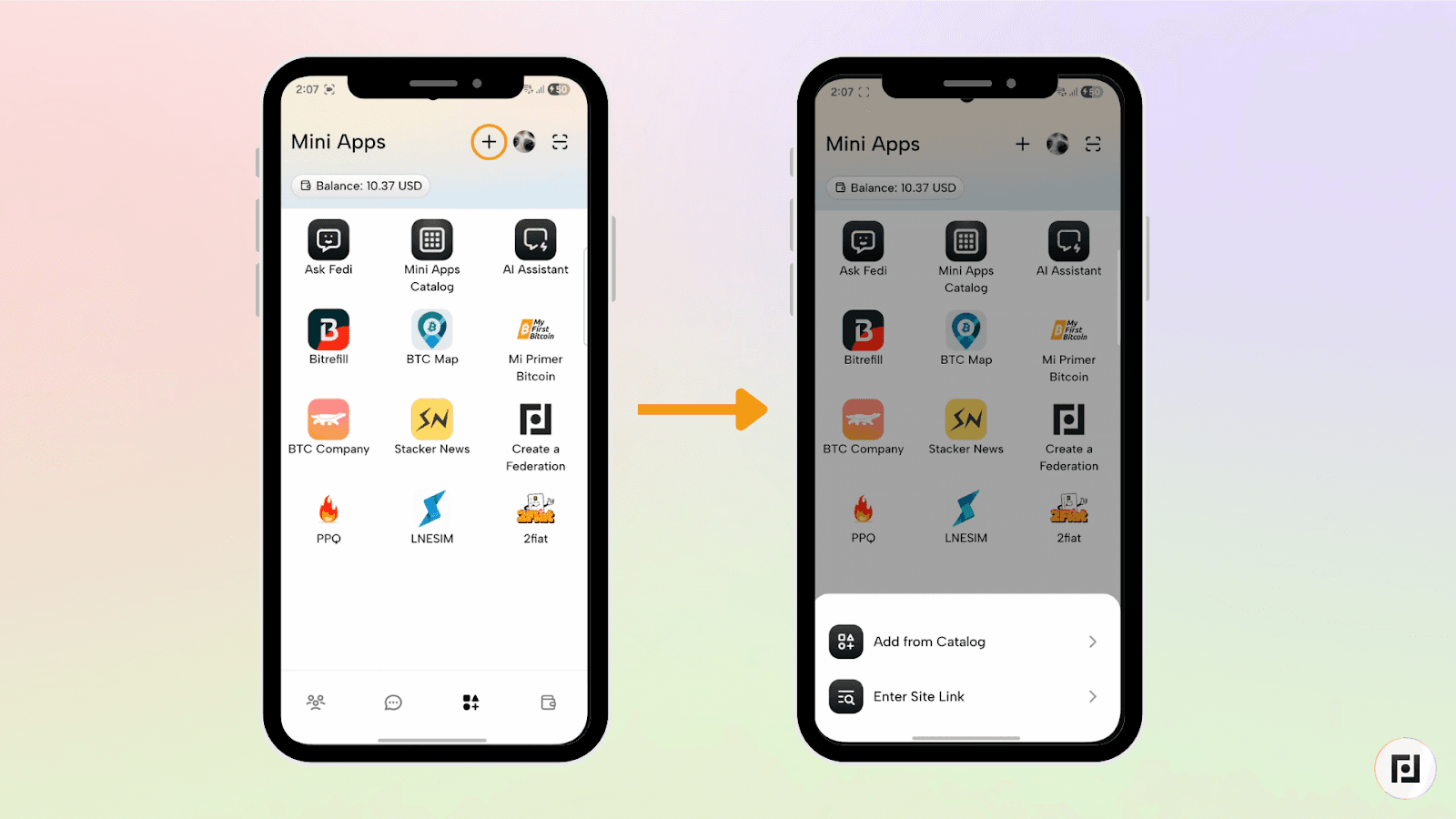
Step 2: Tap the plus sign (+) at the top right and select "Add from Catalog".
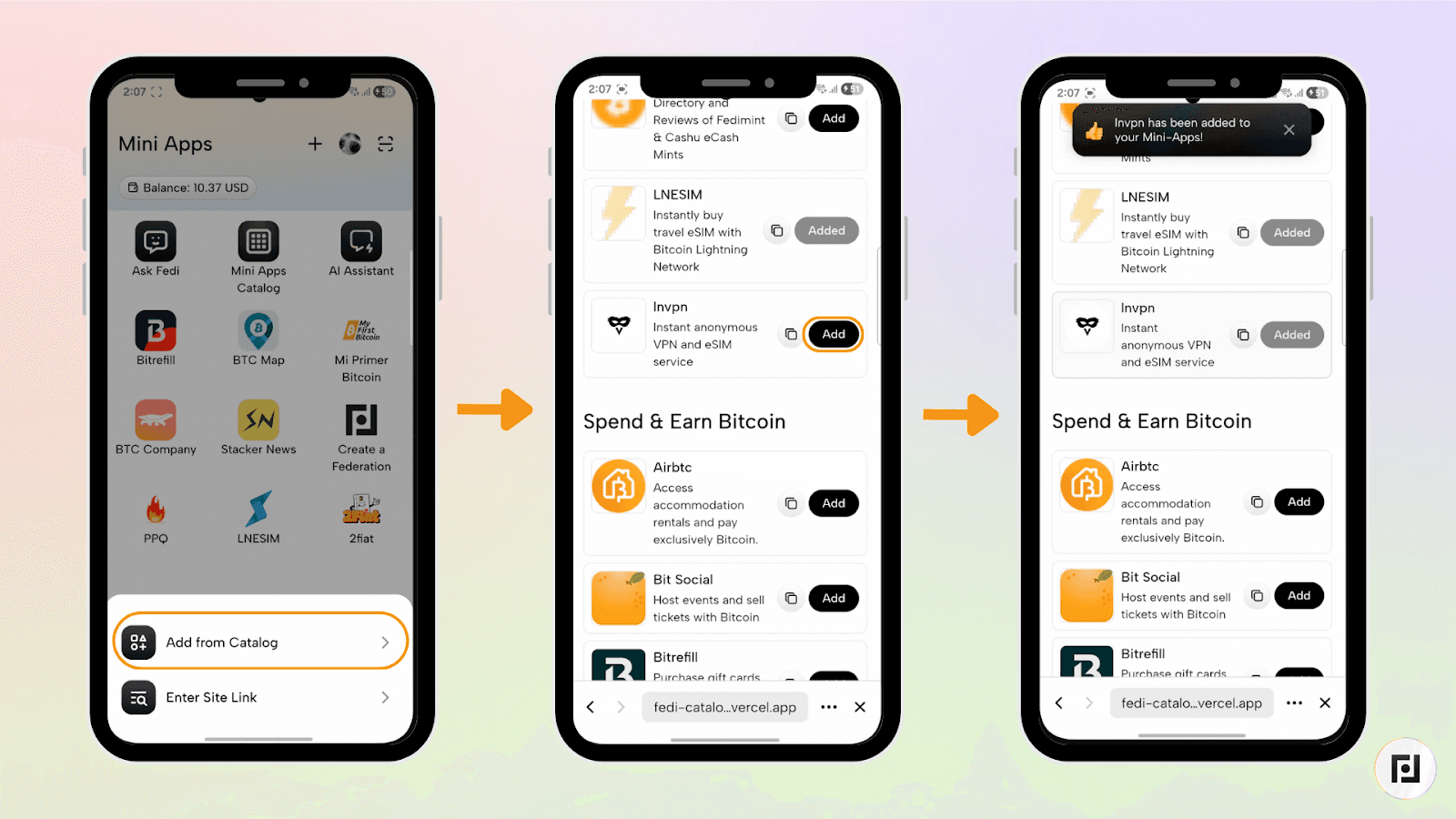
Step 3: Search for "Cashwyre" and tap "Add." Cashwyre will then appear in the Mini Apps of the Fedi app.
How to Make Payments with Cashwyre on Fedi
Step 1: Open the Cashwyre Mini App from your Mini Apps screen.
Step 2: Select the crypto asset you’d like to pay with in the “Crypto asset” section. Your choices include bitcoin onchain, bitcoin on the Lightning Network, Tether (USDT), and USD Coin (USDC).
Step 3: Select the chain on which you would like to send the asset with which you are paying in the “Chain” section. If you selected “Lightning Invoice” or “Bitcoin (Onchain)” in the previous section, the chain will default to “Lightning” and “Bitcoin (Onchain)”, respectively.
Step 4: In the “Receive currency” section, enter the fiat currency you would like your recipient to receive.
Step 5: Enter the amount of the fiat currency you’d like your recipient to receive in the “Receive amount” section. The required amount of crypto for the transaction will then appear in the “Crypto amount” section.
Step 6: Click the orange “Continue” button to complete your transaction.
Step 7: Select the name of the bank in the “Bank Name” section and then enter the bank or mobile money account number in the “Account Number” section as well as the recipient’s name in the “Account Name (Full name)” section.
Add Cashwyre as a Mini App on Fedi today.
Your bitcoin is ready to be put to work. Give it something to do with Cashwyre.
