
June 22, 2026
NadaNada: Get a Private VPN, eSIM, or New Mobile Number with Bitcoin on Fedi
NadaNada is a privacy service that lets you buy a no-log VPN, an anonymous eSIM for over 200 countries, or a disposable phone number all paid with bitcoin.
NadaNada started out as LNVPN. It has since expanded into a broader set of privacy tools, and you can add it as a Mini App on Fedi.
What is NadaNada?
NadaNada offers four services:
VPN: A WireGuard VPN with no logs, available in 14 countries. Plans start at $0.50 for a single day.
You pick a country, pay with bitcoin, and receive your VPN configuration immediately.
eSIM: Anonymous data-only eSIM plans for over 200 countries, starting at $0.99. This is for anyone who wants mobile data while travelling without handing their identity to a carrier.
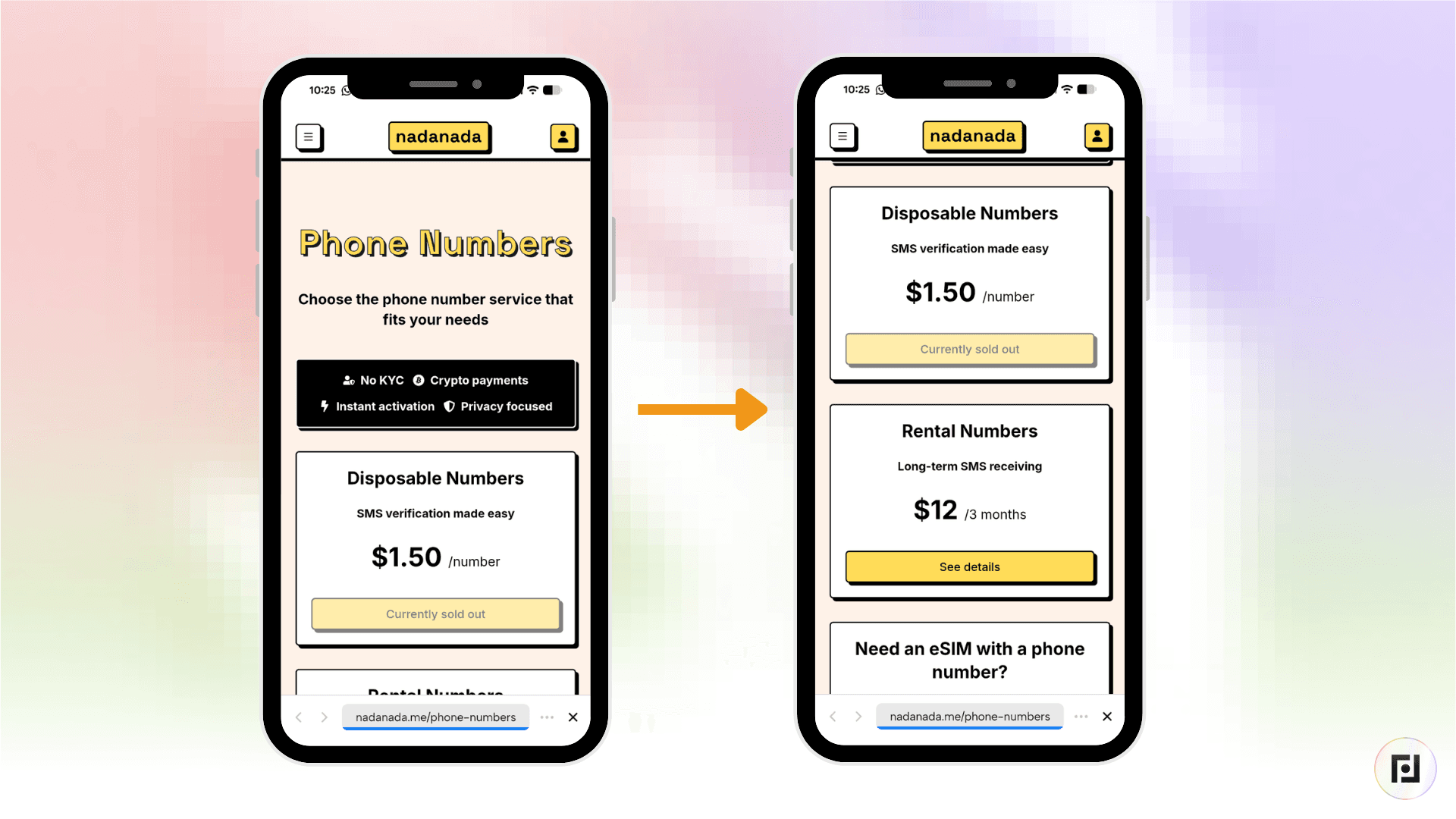
Disposable Phone Numbers: A temporary phone number that gives you 20 minutes to receive an SMS verification code, for $1.50. This service asks for your phone number and you would rather not give your real one.
Anonymous AI Chat: Free access to AI models including GPT, Grok, and Claude with no account, no login, and no conversation history stored on any server.
Additionally, your private key is generated entirely inside your browser. It never touches NadaNada's servers. IP logs are truncated and automatically deleted after seven days.
How to Add NadaNada as a Mini App on Fedi
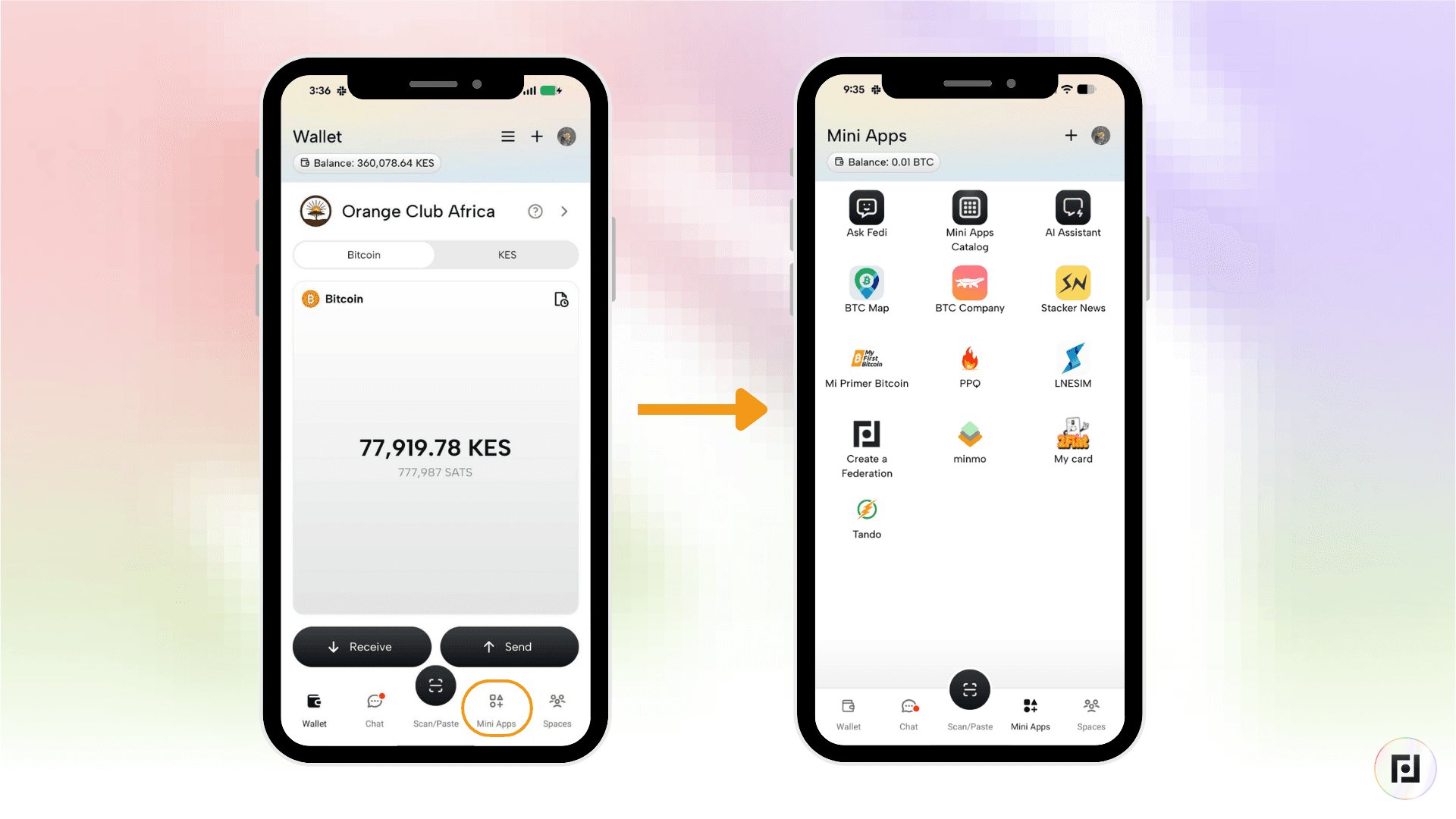
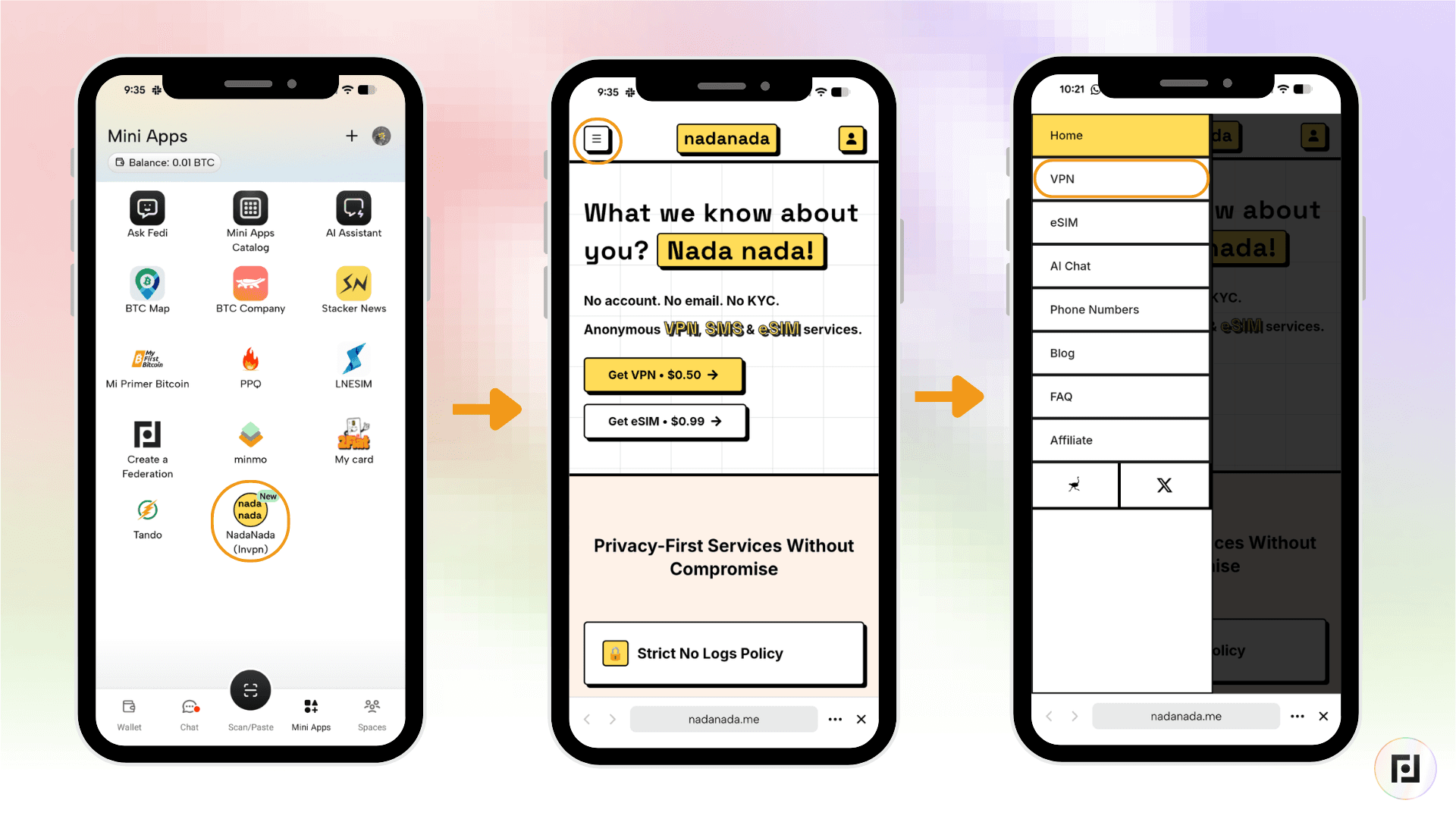
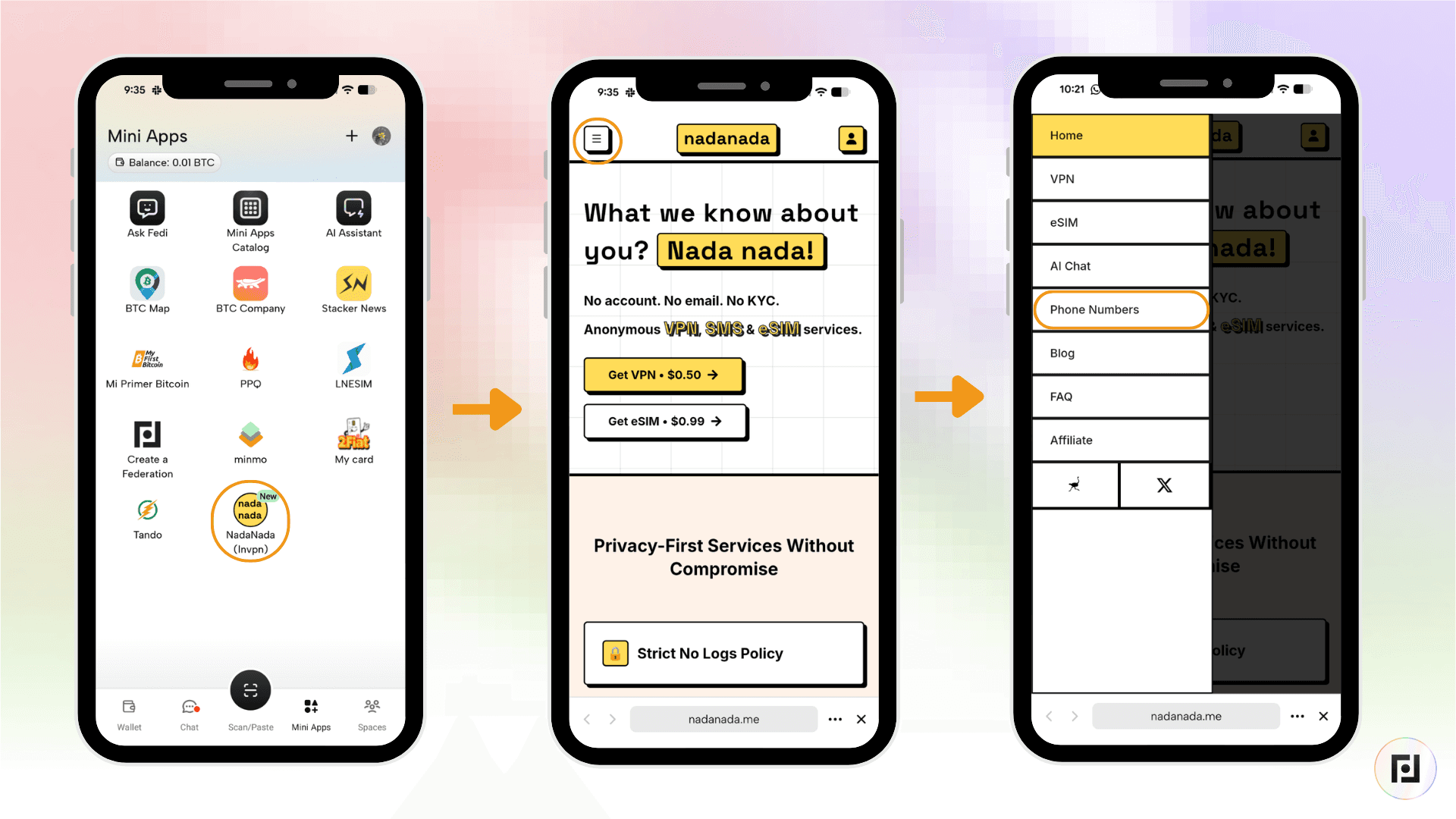
Step 1: Tap the "Mini Apps" button toward the bottom right of the Fedi screen.
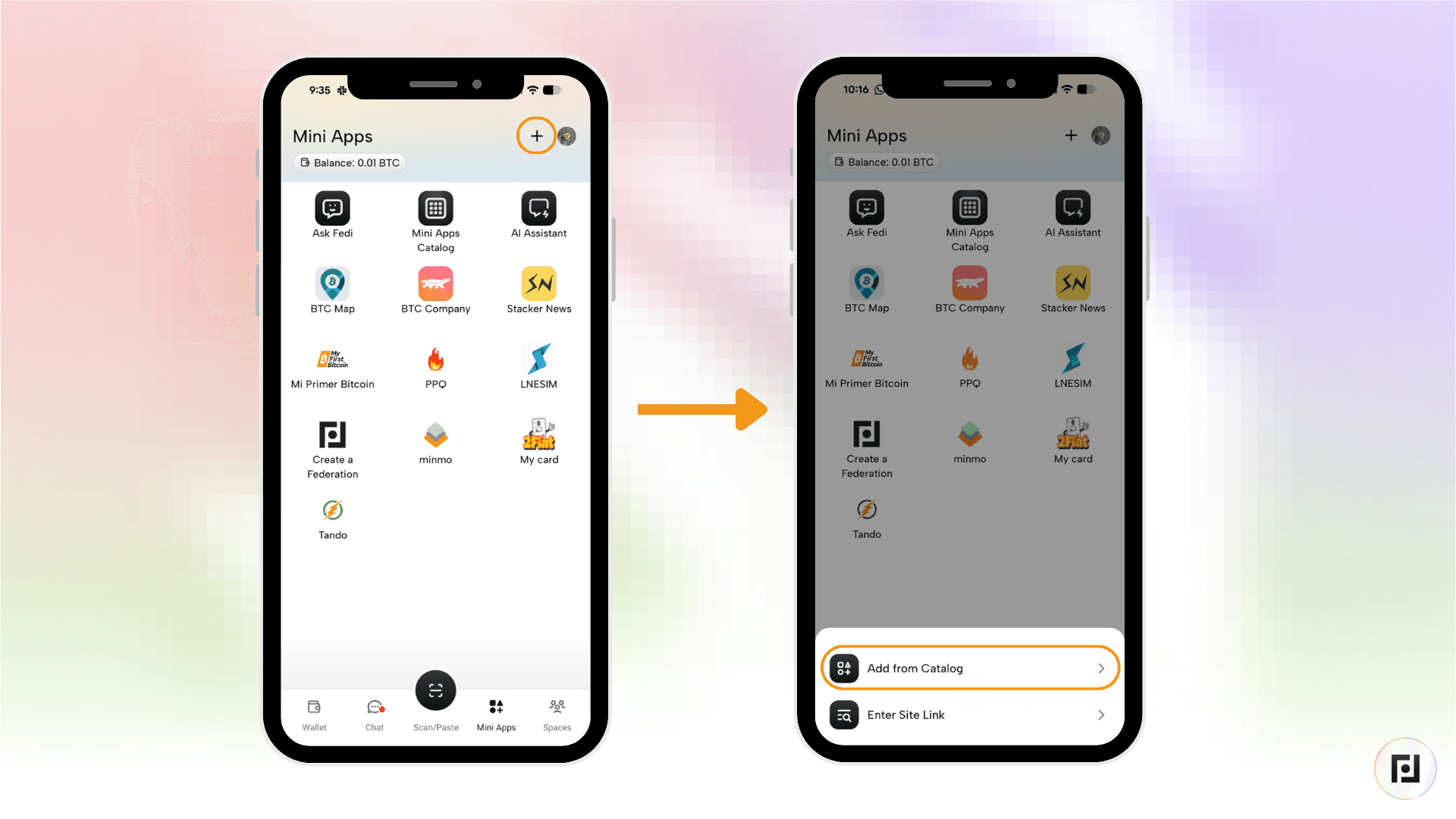
Step 2: Tap the plus sign (+) toward the top right and tap on "Add from Catalog."
Step 3: Search for "NadaNada" and tap "Add."
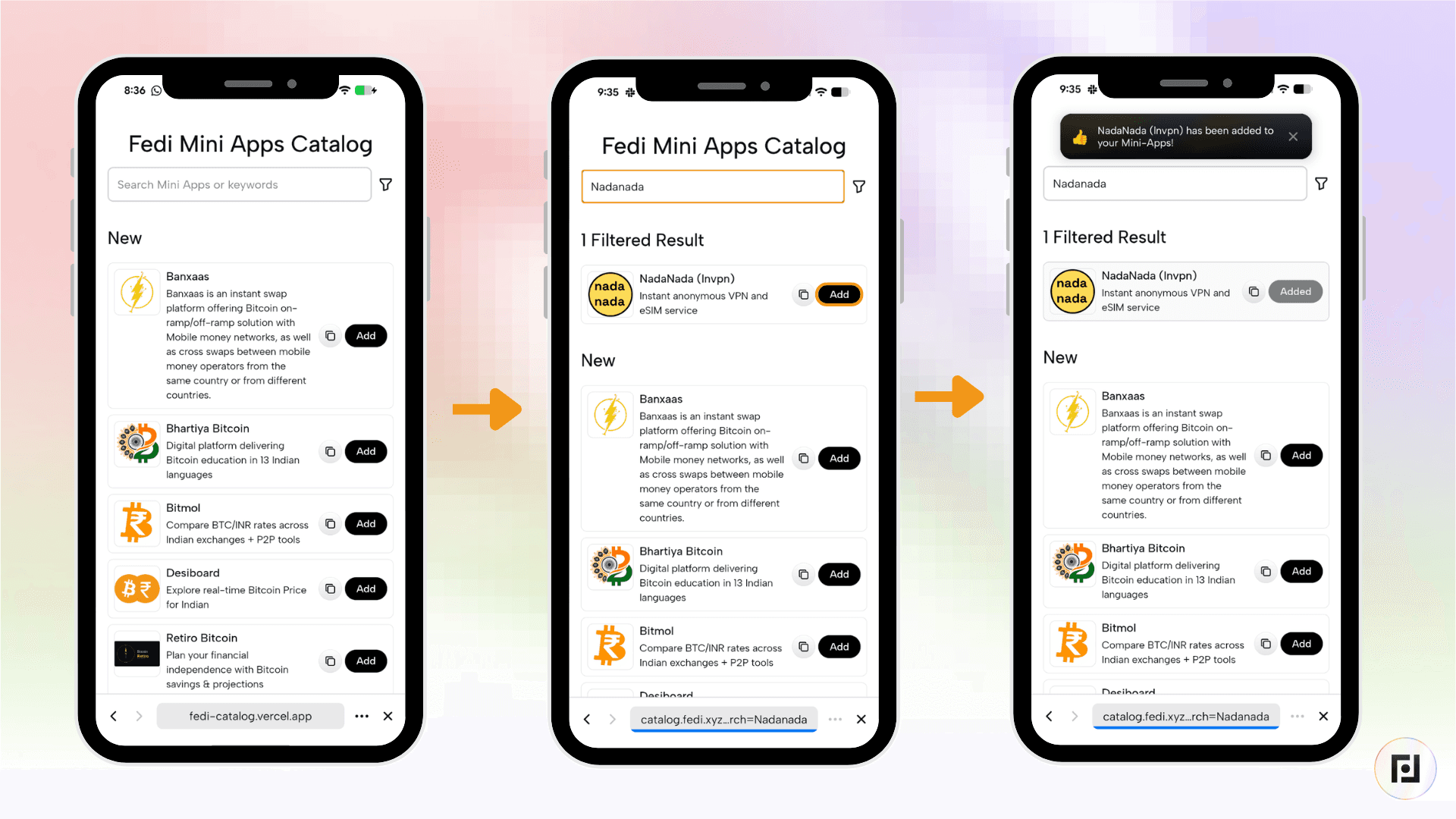
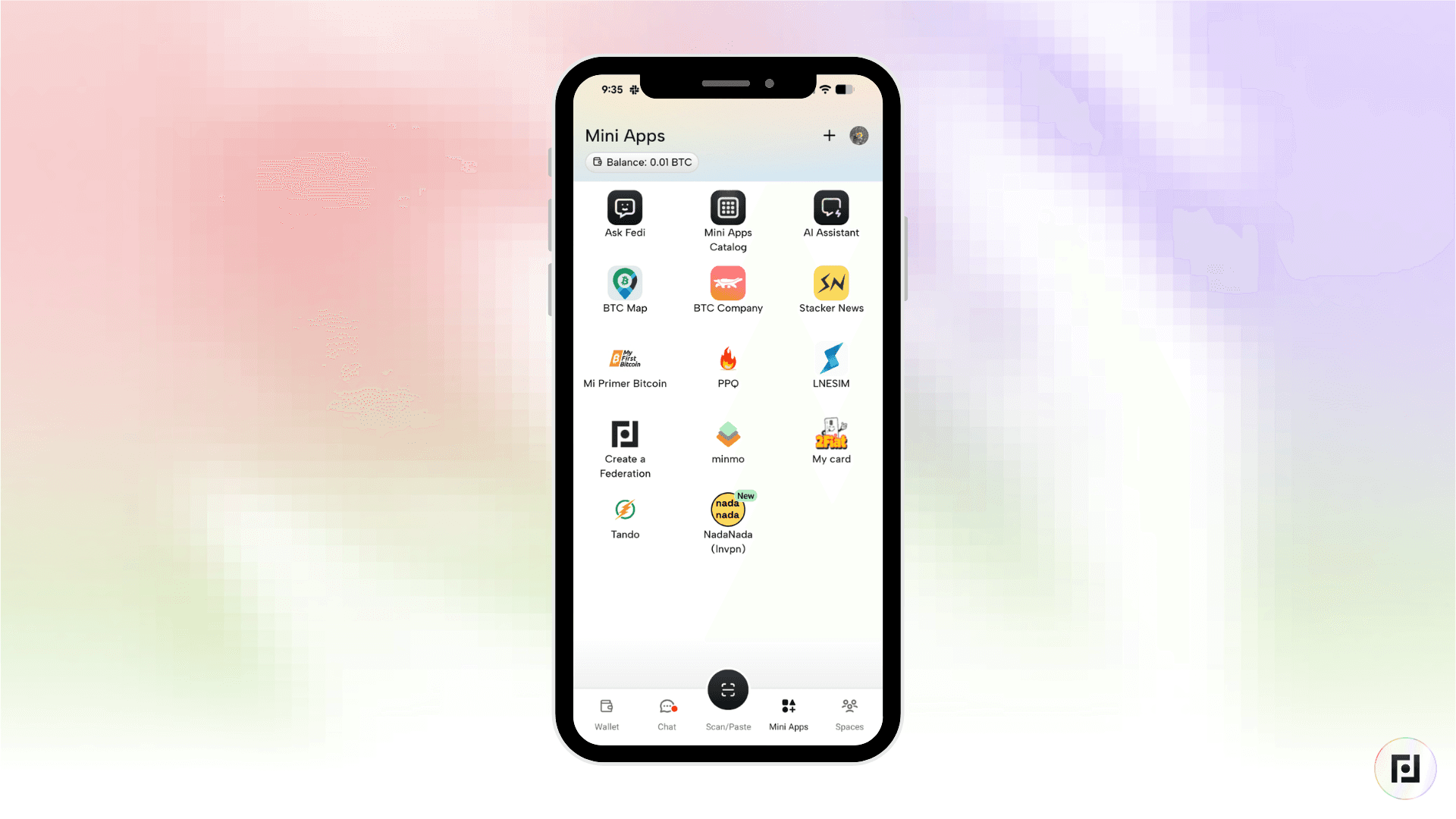
NadaNada now appears as one of your personal Mini Apps.
How to Get a VPN with Bitcoin on NadaNada
Step 1: Open the NadaNada Mini App, click on the menu, and tap VPN.
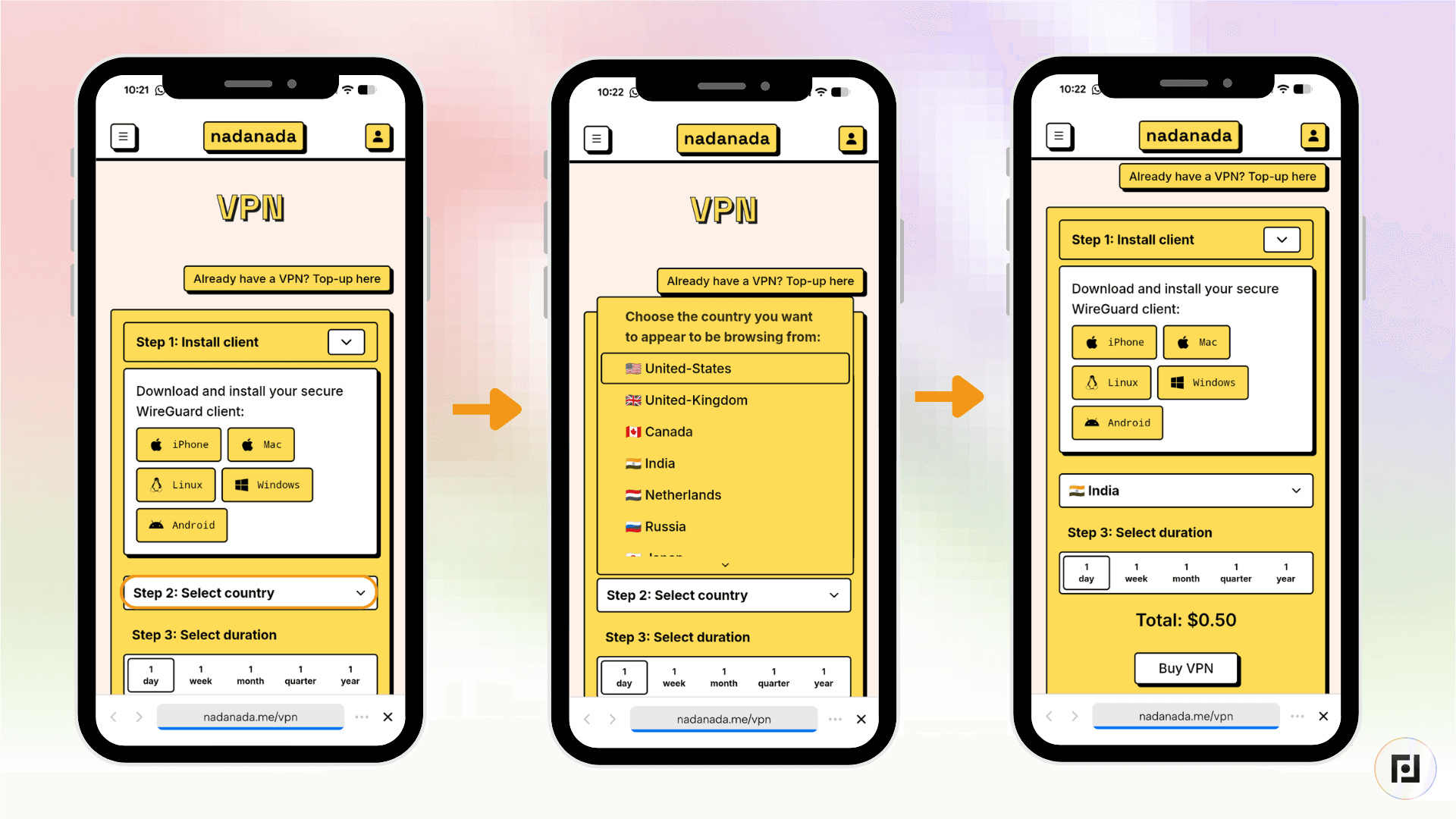
Step 2: Choose a server country. NadaNada has servers in 14 countries, including the United States, United Kingdom, Netherlands, India, Canada, Australia, and Singapore.
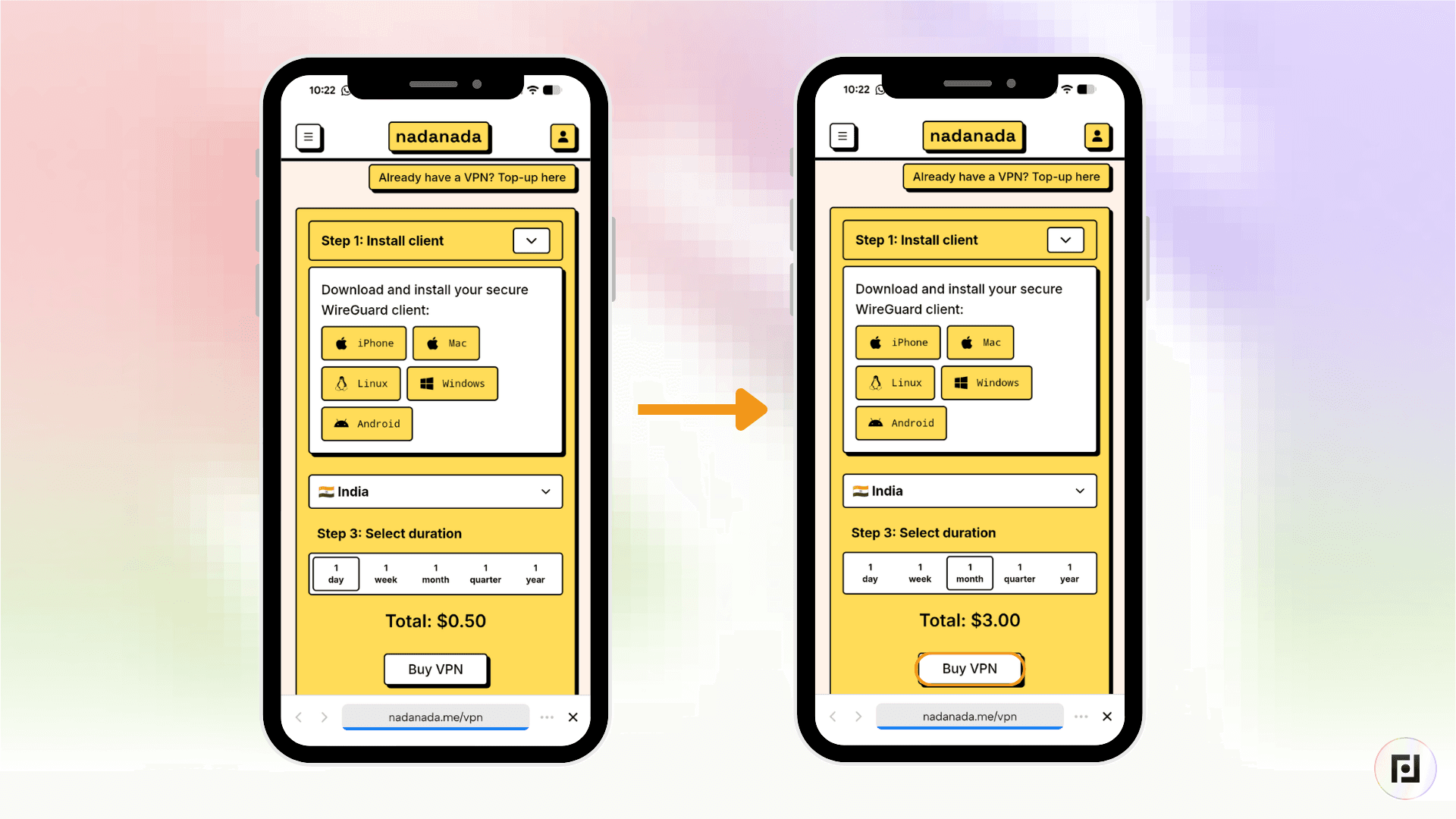
Step 3: Choose your plan. Options range from one day ($0.50) to one week ($1.50), one month ($3.00), three months ($8.00), or one year ($30.00). Next, click on “Buy VPN”.
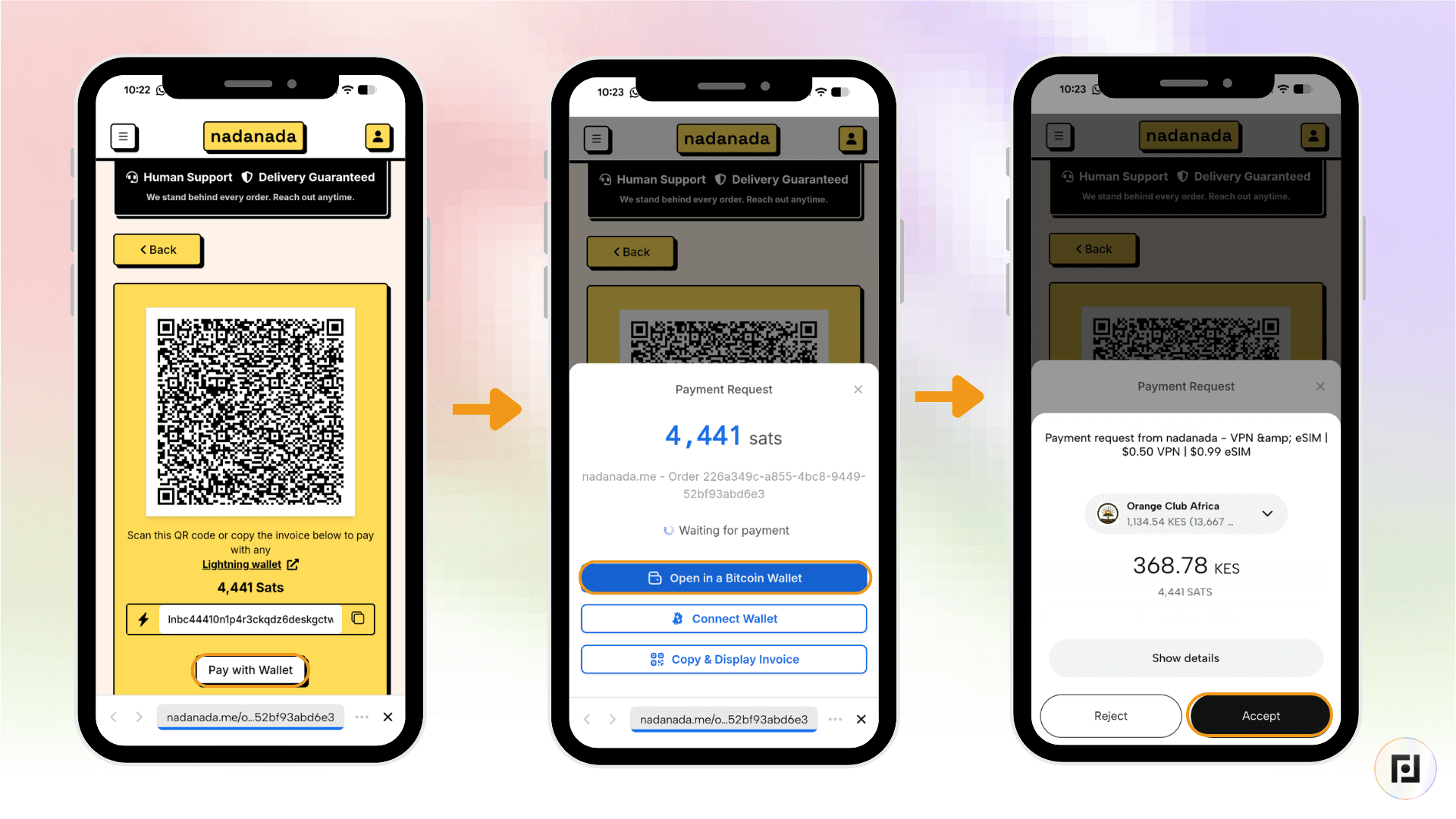
Step 4: Pay with bitcoin over Lightning from your Fedi wallet. Lightning payments receive a 5% discount.
Step 5: Your WireGuard configuration appears on screen immediately as a QR code for mobile or a downloadable file for desktop. Scan it with the WireGuard app to connect.
That's it. Your connection is live!
How to Get an Anonymous eSIM
Step 1: Open the NadaNada Mini App and tap eSIM.

Step 2: Search for your destination country or browse by region. NadaNada covers over 200 countries, with local, regional, and global plans available.
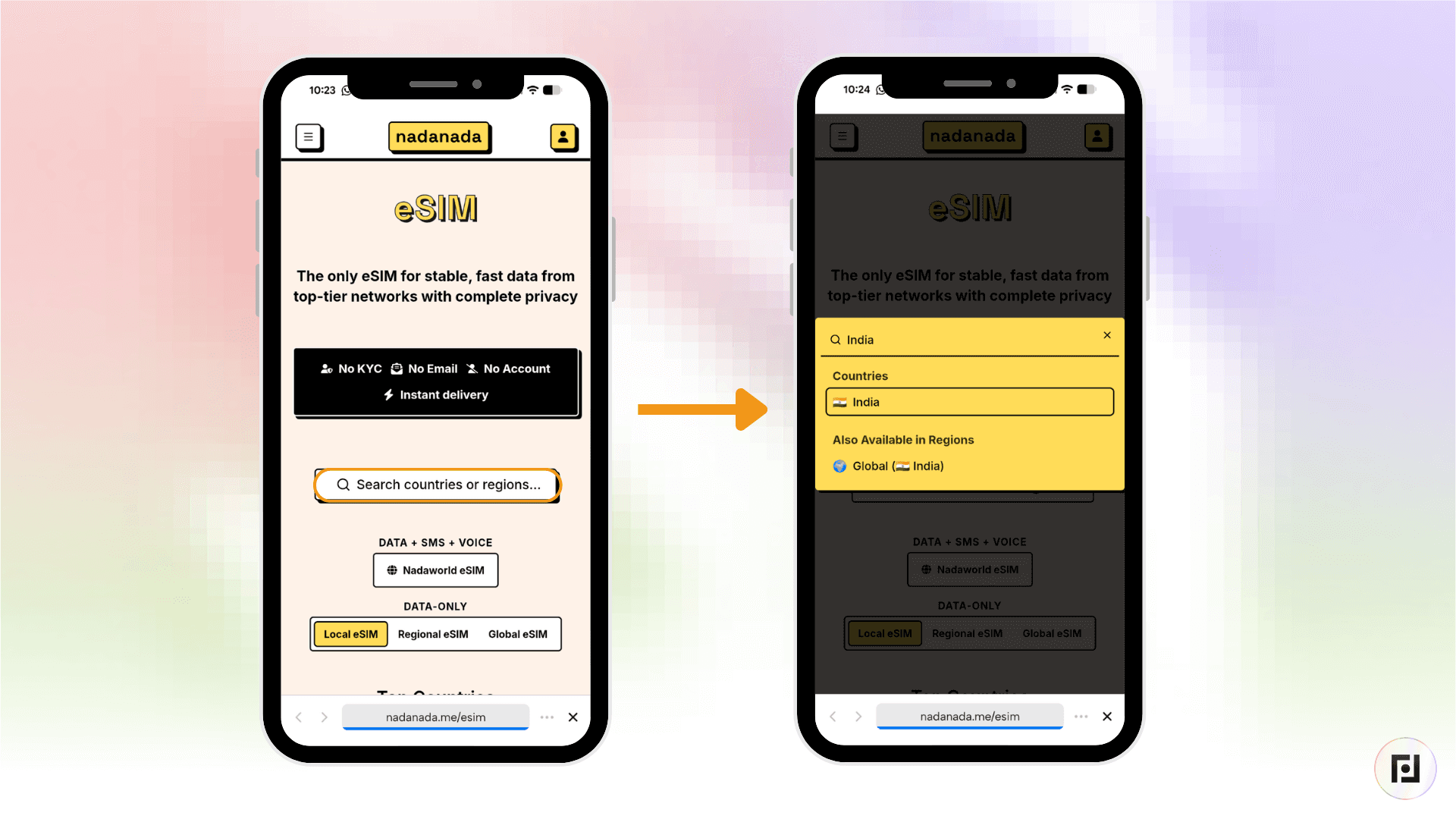
Step 3: Choose a data plan. Plans typically range from 1 GB to 20 GB, across durations of 7 to 30 days. If you need more data mid-trip, you can top up. Bundles queue automatically, so no data is wasted.

Step 4: Pay with bitcoin over Lightning from your Fedi wallet.
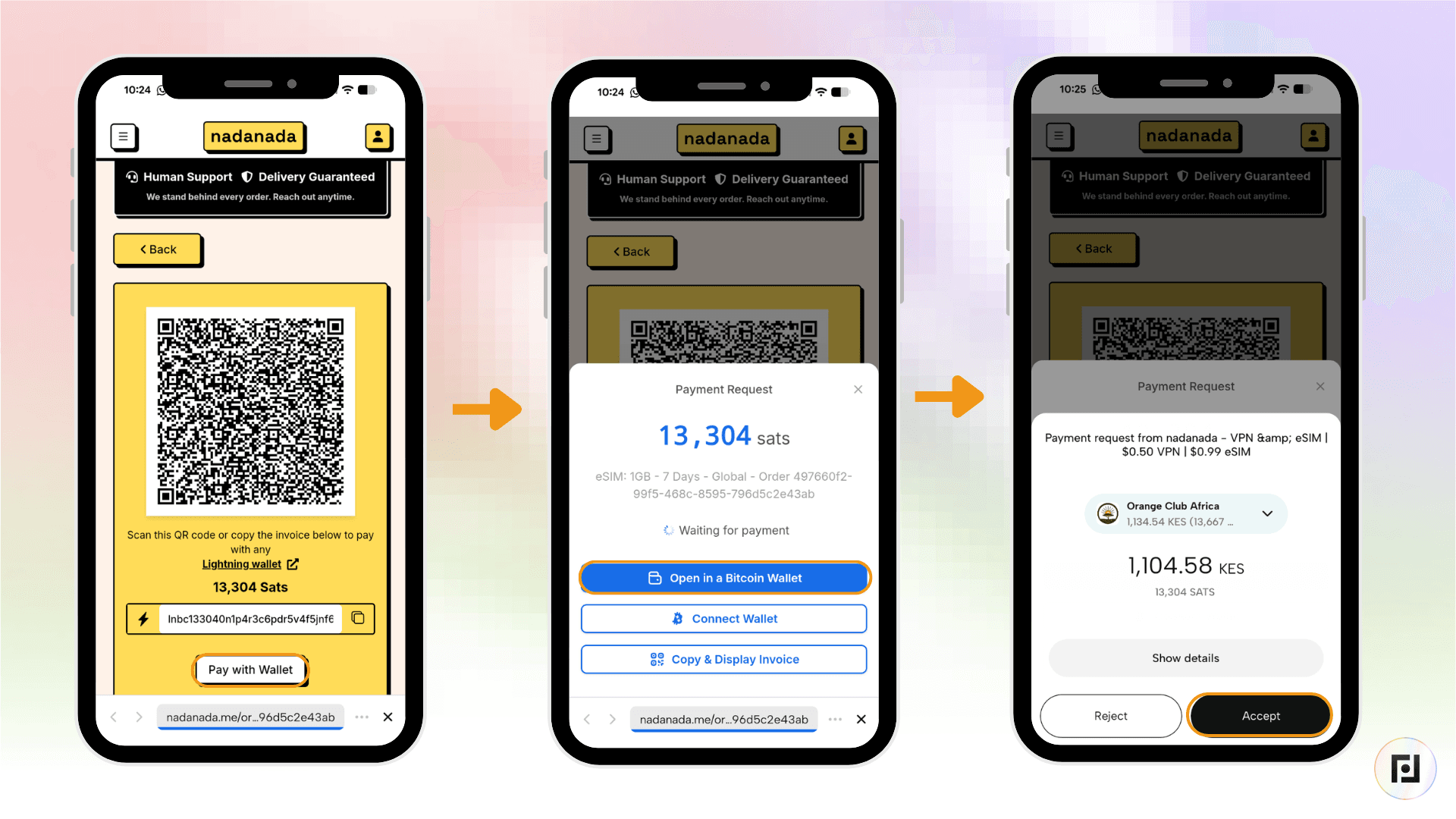
Step 5: Your eSIM QR code appears on screen straight after payment. Open your phone's cellular settings, scan the code, and your eSIM is installed.
How to Get a Phone Number
Sometimes an app or service asks you to verify your identity with a phone number. NadaNada lets you get a disposable phone number.
Step 1: Open the NadaNada Mini App and tap Phone Numbers, then tap Disposable Number.
Step 2: Select the service you want to use.
Step 3: Pay with bitcoin over Lightning from your Fedi wallet. NadaNada uses a hold-invoice for this. If no SMS code arrives within your 20-minute window, the payment is automatically refunded.
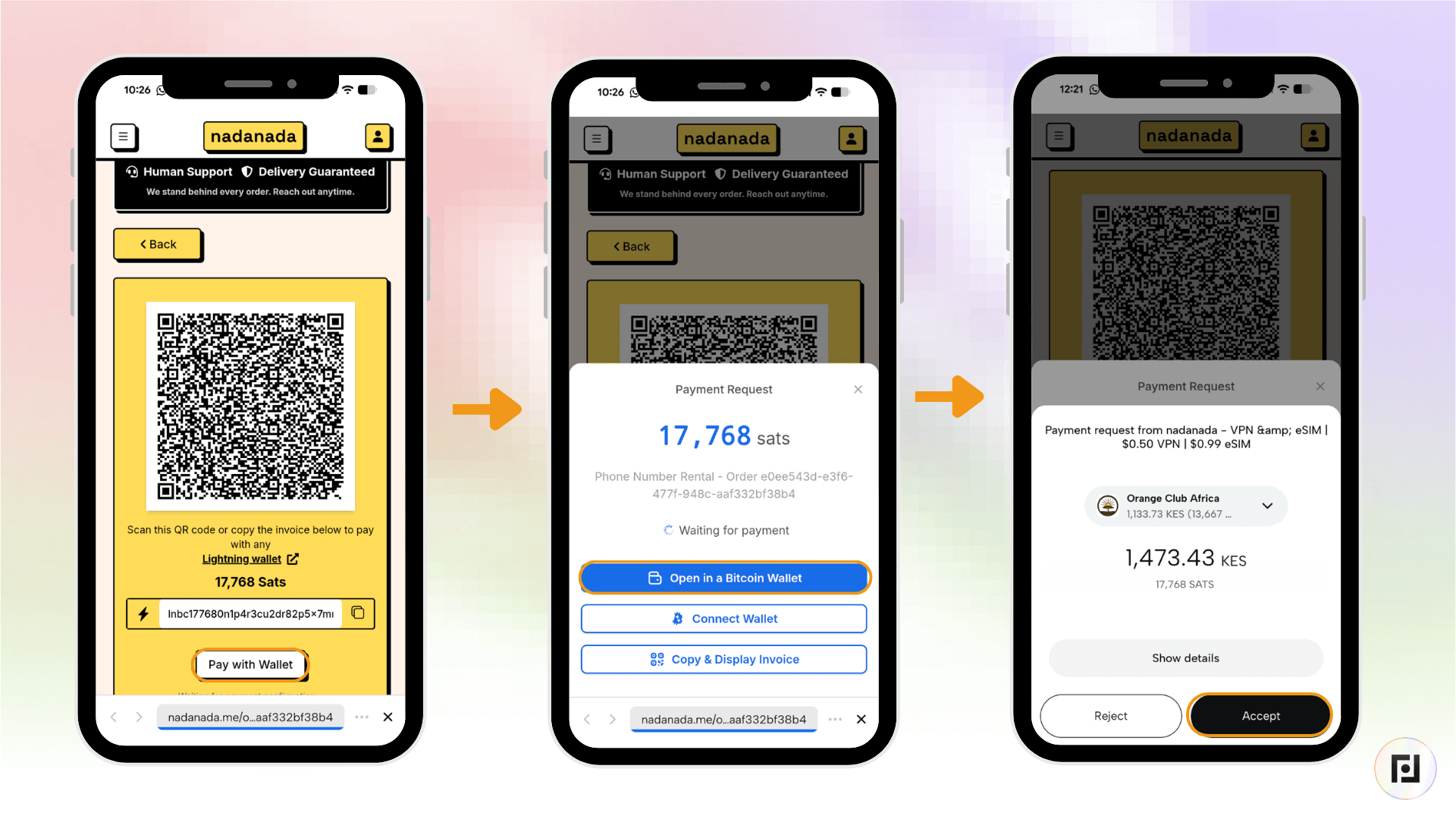
Step 4: Your verification code appears on screen as soon as it arrives.
You pay only if it works.
