February 25, 2026
How the Bitrefill Mini App Keeps You Connected on Your Travels
Mini Apps let you do more with your bitcoin on Fedi. When you add Bitrefill to your Fedi, travel becomes much more practical.
Bitrefill gives you access to eSIMs, call credits, data bundles, Uber and Uber Eats vouchers, Starbucks gift cards, Airbnb gift cards, flight gift cards, and more — all payable with bitcoin. Think of it as a travel companion that fits in your pocket.
How to Add Bitrefill to Your Fedi
Setting up takes about 30 seconds:
How-to Guide
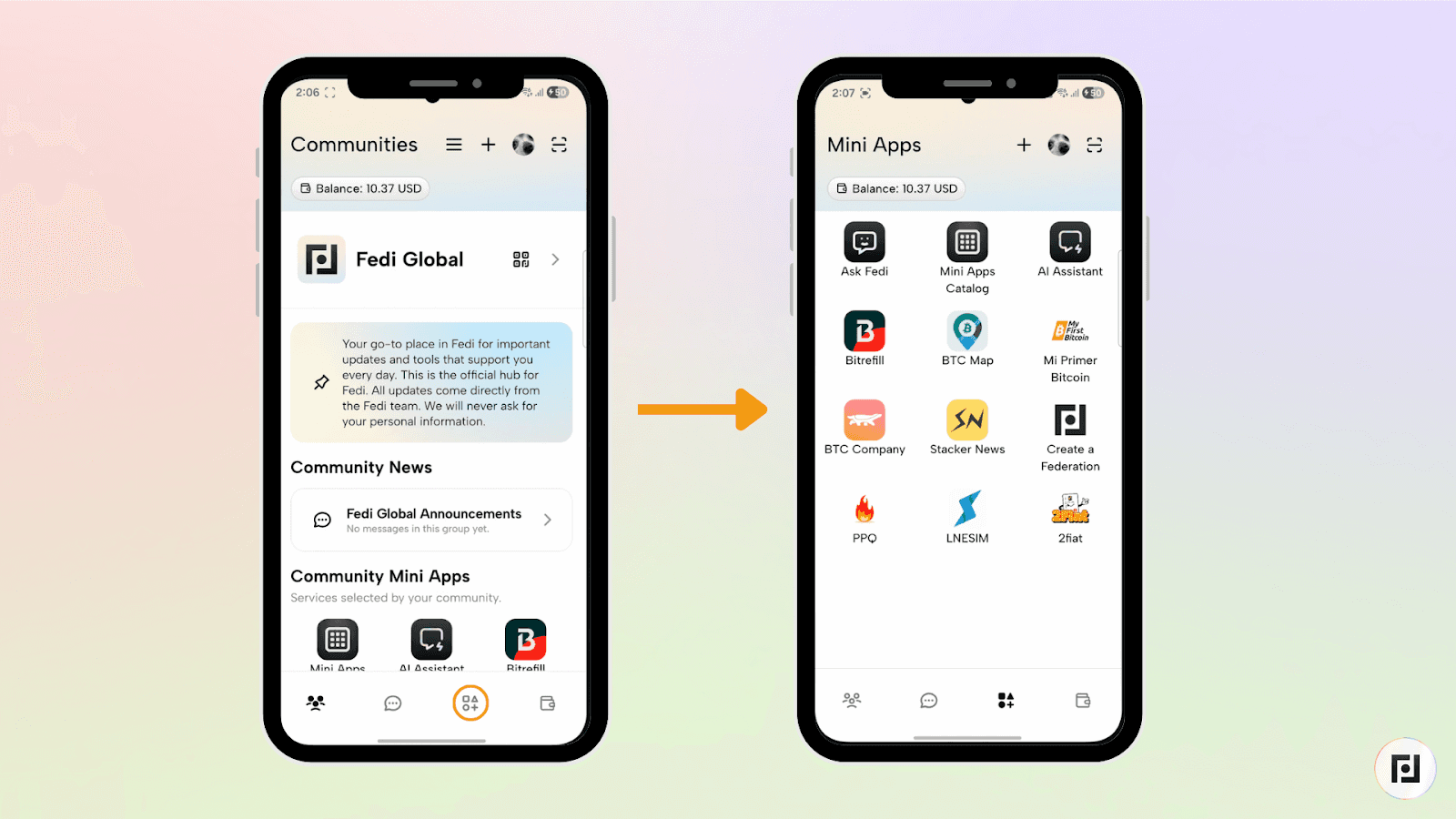
Step 1: Click the Mini Apps button at the bottom-right of your screen to access your personal Mini Apps.
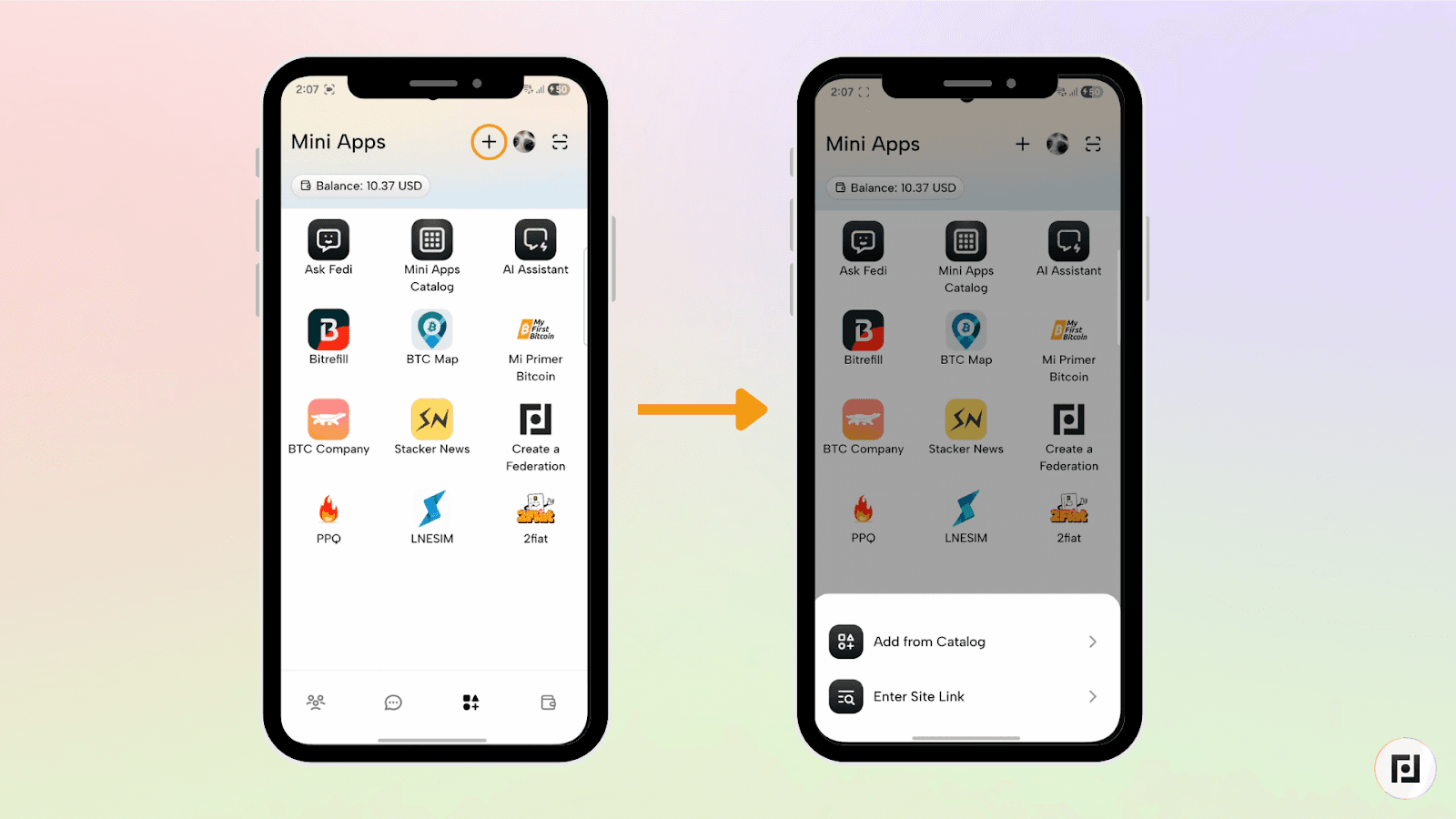
Step 2: Click the plus sign (+) at the top right of the screen.
Step 3: Click on “Add from Catalog”.
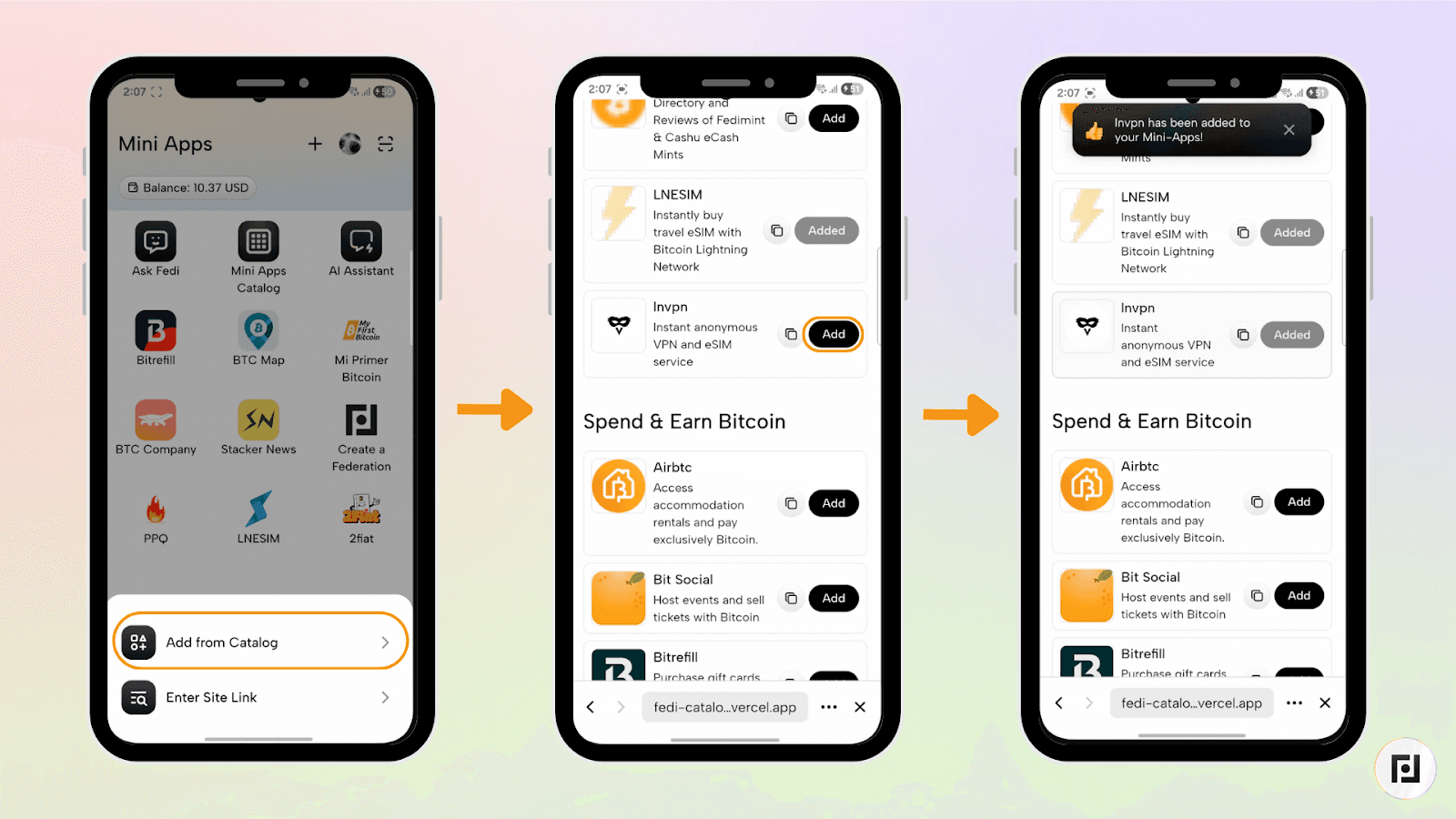
With “Add from Catalog”, you can browse through the Fedi Mini App Catalog and click the “Add” button next to the Mini App of your choice. Use the search bar at the top to search for Bitrefill, then click on the “Add” button. Bitrefill now lives inside your Fedi and is ready when you are.
How to Buy an eSIM on Bitrefil
Say you've got a trip coming up and want data the moment you land. Here's how to buy an eSIM through Bitrefill on Fedi. The same process works for any Bitrefill product like Uber vouchers, Starbucks cards, Airbnb gift cards, you name it.
Check that your phone supports eSIMs
Most modern smartphones do. Bitrefill has a compatibility guide to confirm if your phone is among the list of compatible phones for the eSIM.
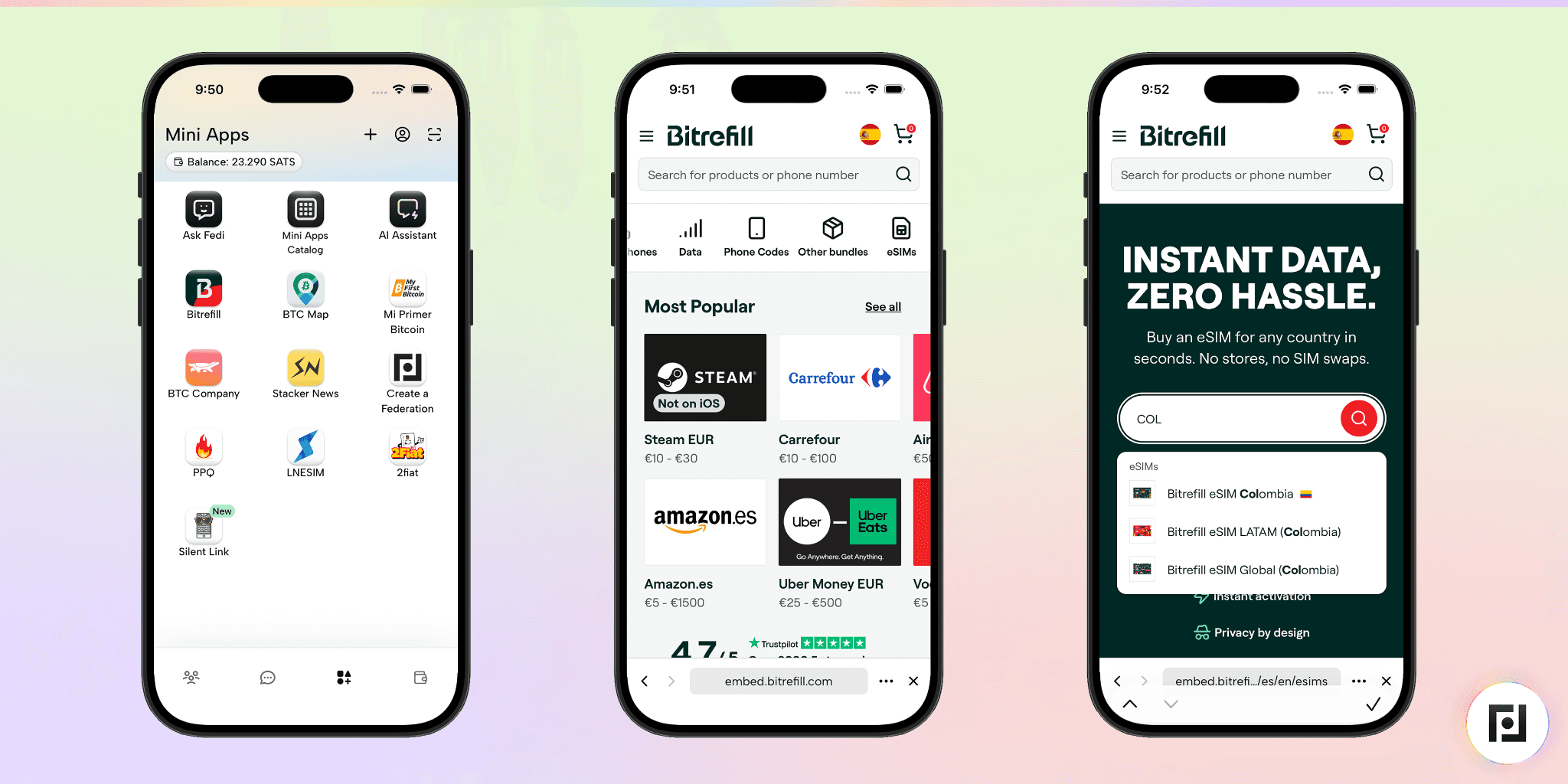
Pick your eSIMs plan
Open Bitrefill from your Fedi mini apps. Select “eSIMs” from the menu. Browse eSIM options by country or region and choose a data plan that matches your trip. You'll find local, regional, and global options.
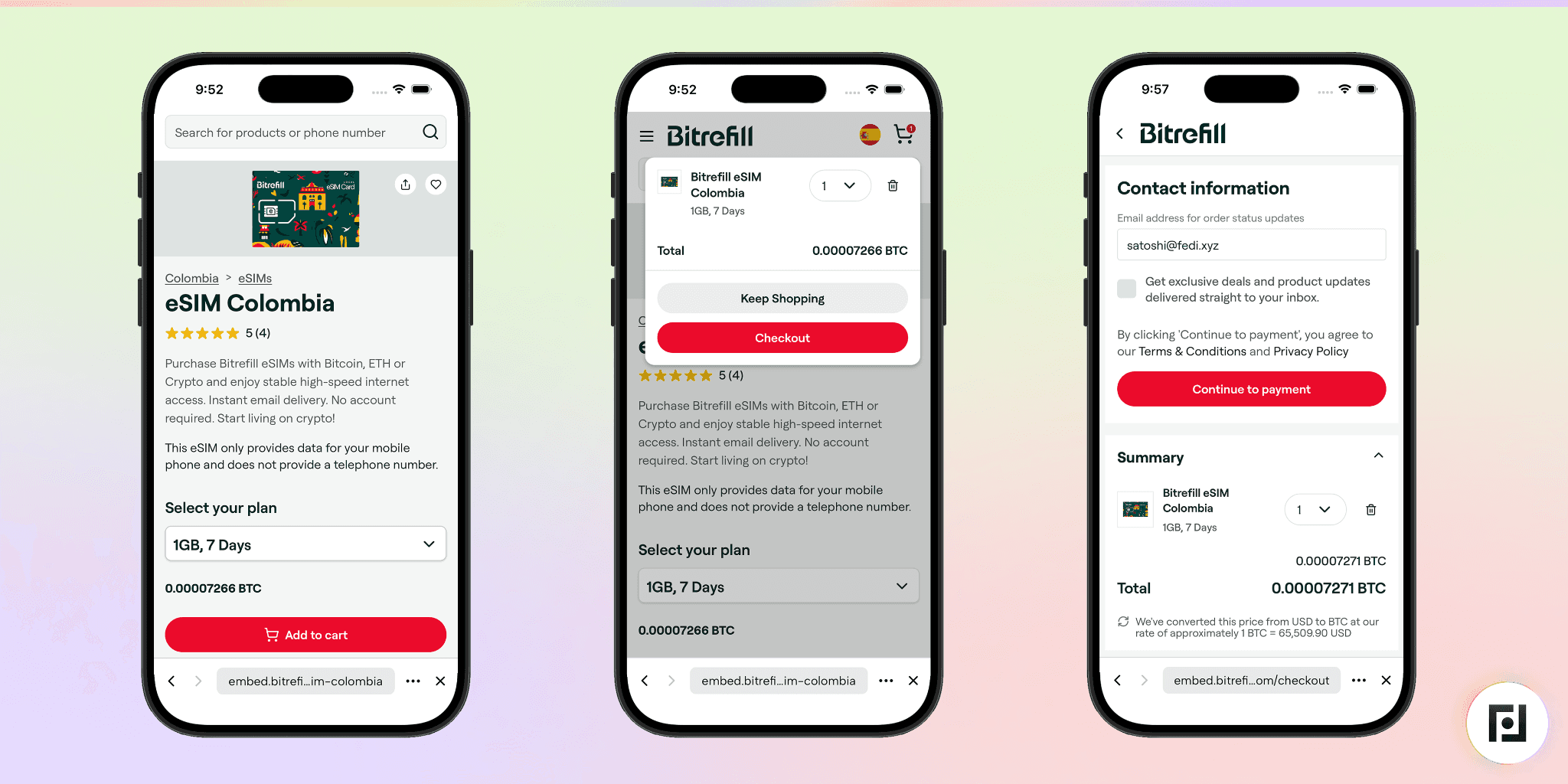
Pay with bitcoin
Add the plan to your cart and proceed to checkout. You may be asked to put in your email. Next, pay with your Fedi wallet. Confirmation typically comes through in under a minute.
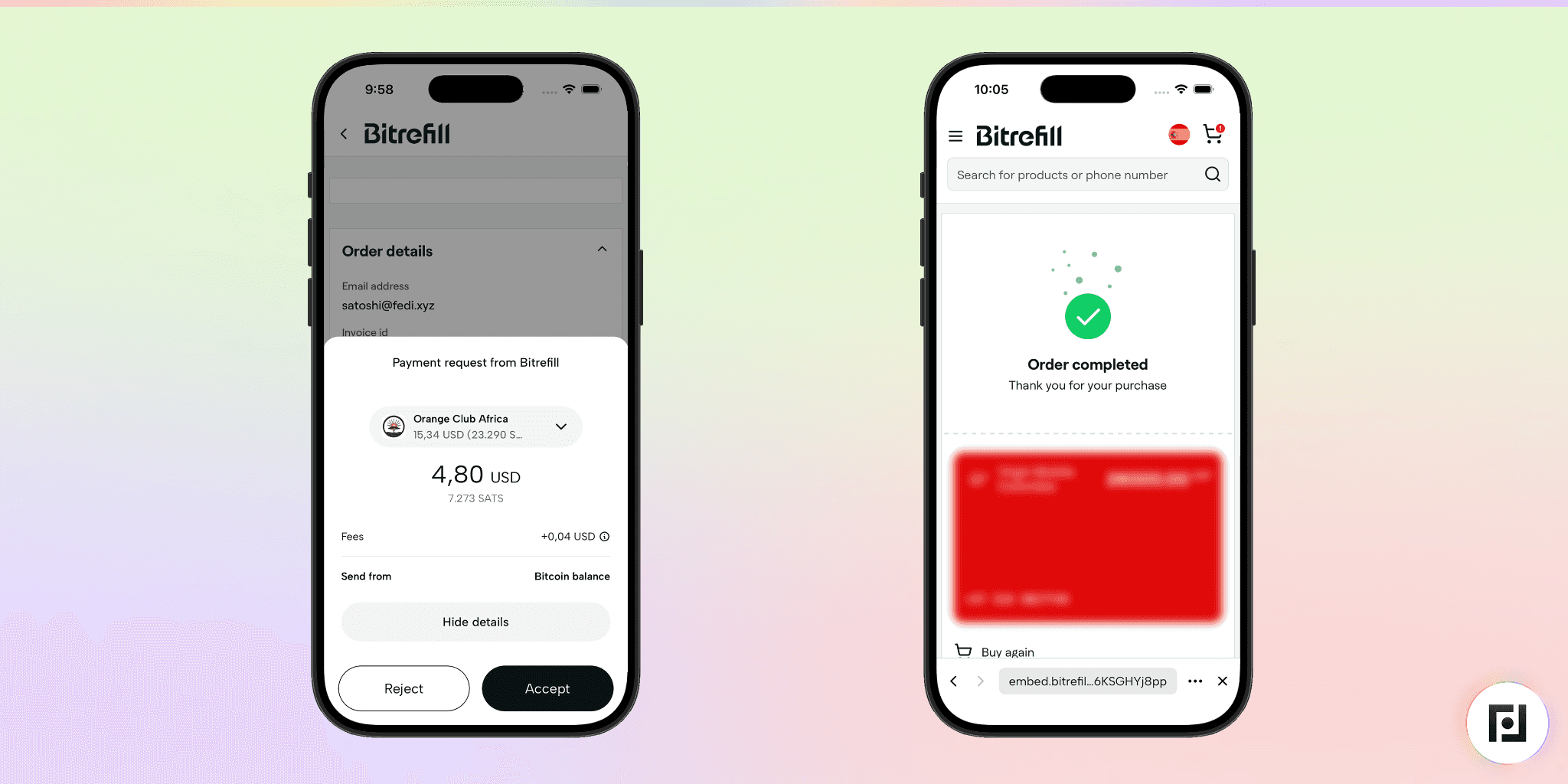
Install the eSIM
You'll receive a QR code after purchase. Head to your phone's cellular settings, select the option to add an eSIM, and scan the code. Follow the prompts to label your plan and finish the setup. Bitrefill also has a detailed eSIM installation guide to guide you through the process.Turn on the eSIM when you land
Enable data roaming in your settings and set your new eSIM as the cellular data source. It connects automatically once you're in the coverage area. Your regular SIM stays active, so WhatsApp, Signal, and your other apps continue to work on your usual number.
A good tip: install the eSIM before your flight so you have a working connection the second you touch down.
Your Bitcoin, Working for You
“We built Bitrefill so people can use bitcoin for the things they need in daily life. Availability as a Mini App on Fedi means users can grab an eSIM, book accommodation, or sort out a ride without ever leaving the app they already use for their bitcoin. That's the kind of experience we want to make possible," said Sergej Kotlia, co-founder and CEO of Bitrefill.
Bitrefill on Fedi makes it simple to spend bitcoin on the things you actually need when you travel — data, rides, food, accommodation, and flights. And because it runs as a mini app inside Fedi, you don't need to juggle extra apps or accounts to get it done.
Curious what else Fedi Mini Apps can do? Explore the full catalog.
