June 8, 2026
Get Paid to Post and Curate Content with the Stacker News Mini App on Fedi
Stacker News lets you read articles, share links, join discussions and earn bitcoin for doing it.
And it’s a default Mini App on Fedi, which means you can start using it right away. .
What is Stacker News?
Stacker News is a forum similar to Reddit or Hacker News. When someone reads your post or comment on Stacker News, they can send you a small amount of bitcoin as their way of upvoting your content.
The platform was started in 2021 by Keyan Kousha in Austin, Texas. He was going to a monthly Bitcoin BitDevs meetup but wanted Bitcoin to be more prevalent in his day-to-day life. So, he built a news forum that runs on bitcoin.
Stacker News contributors now cover everything from Bitcoin and global news to books, sports, and economics.
How Does Stacker News Work within Fedi?
To get started with the Stacker News Mini App, you simply need to open the app, create an account, and then begin “zapping” (it’s similar to tipping) writers or receiving zaps for your writing.
Create an Account on Stacker News
You don’t need an account to read posts on Stacker News, but you do if you want to create posts, support other creators, and receive bitcoin for the posts you made.
Here’s how to create an account:
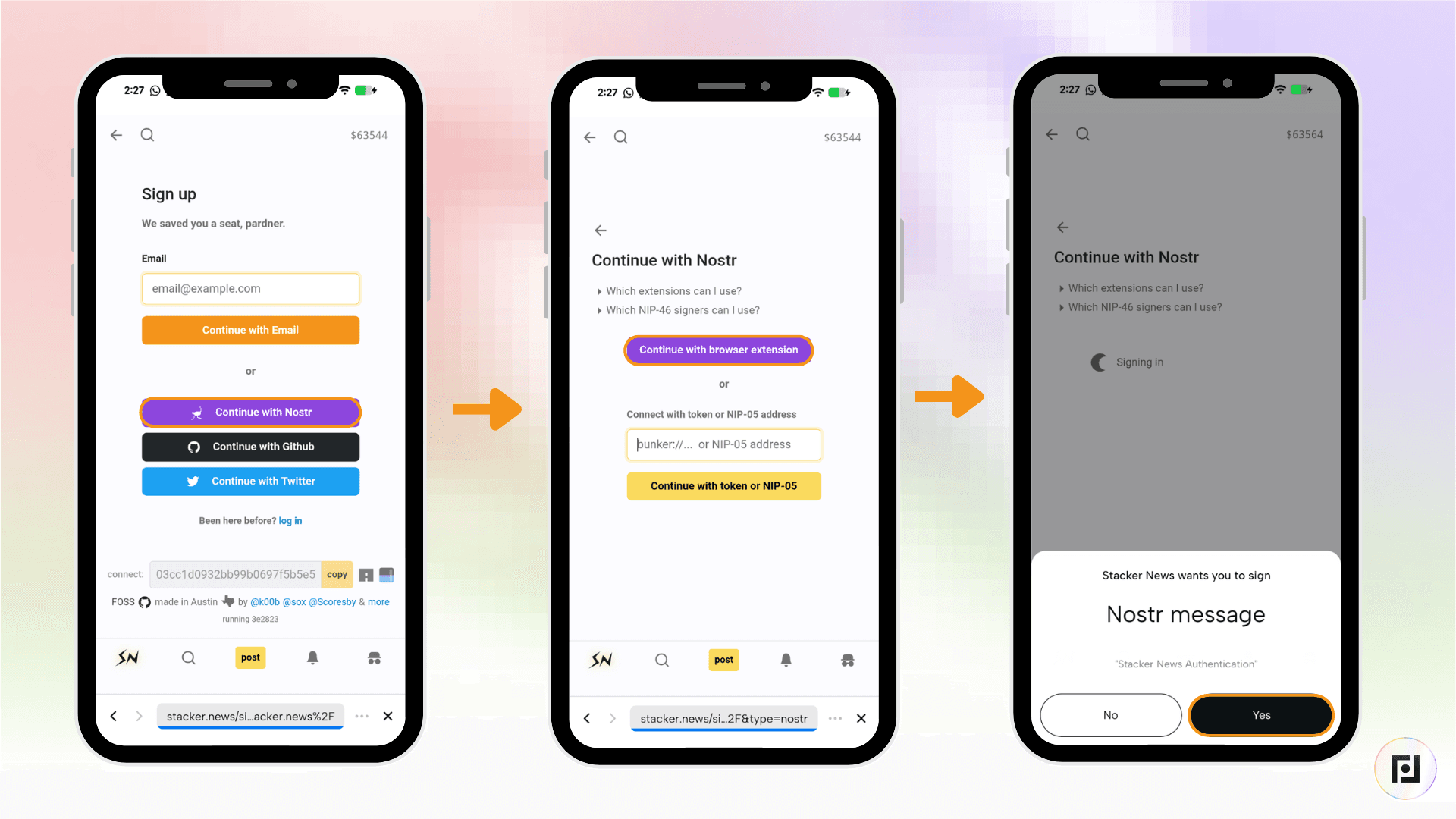
Step 1: Tap the “Mini Apps” button at the bottom right of your Fedi screen.
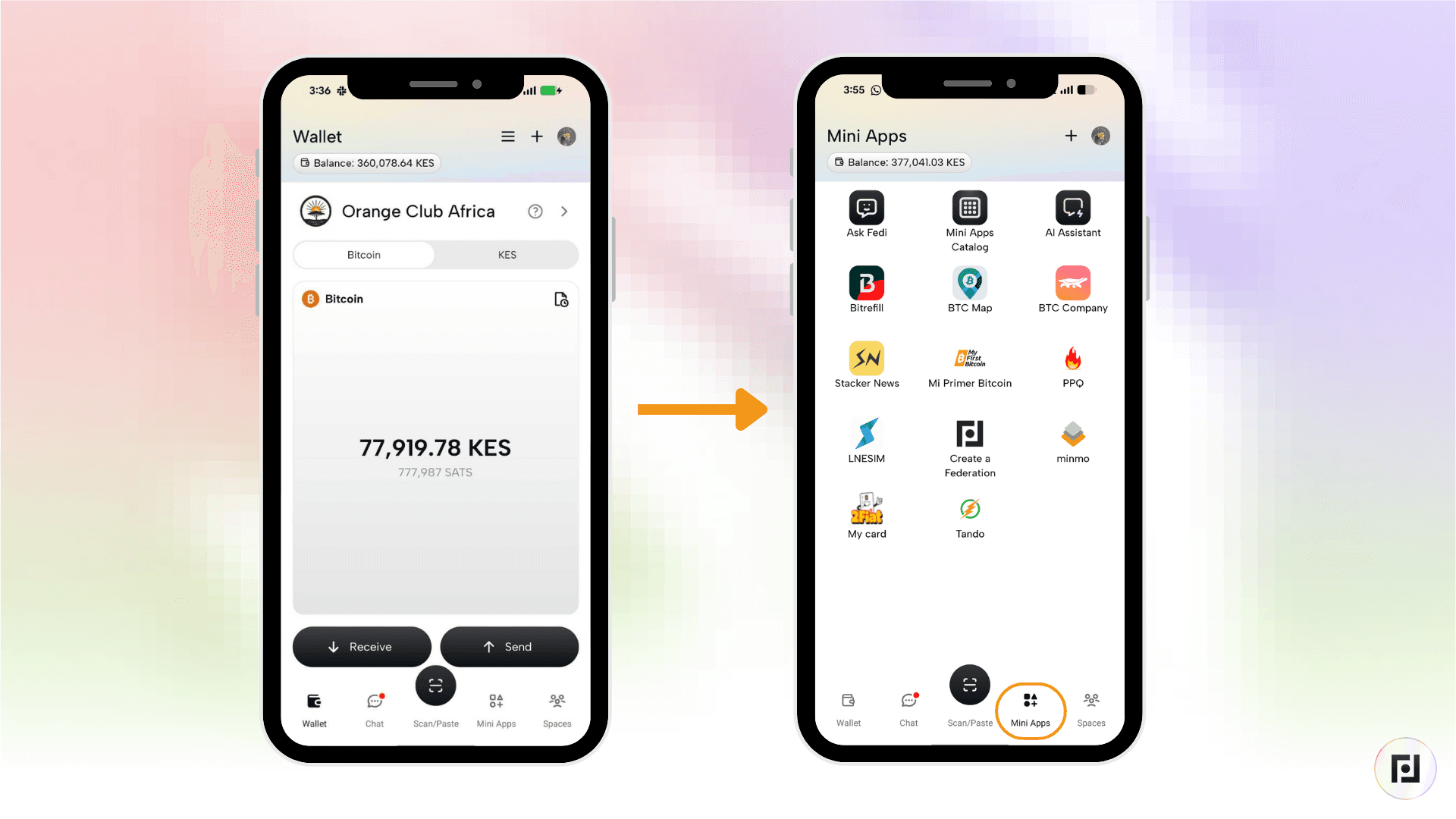
Step 2: Tap the Stacker News icon in your personal Mini Apps list.
Step 3: Tap “Sign Up” to create a new account or “Login” if you already have one.
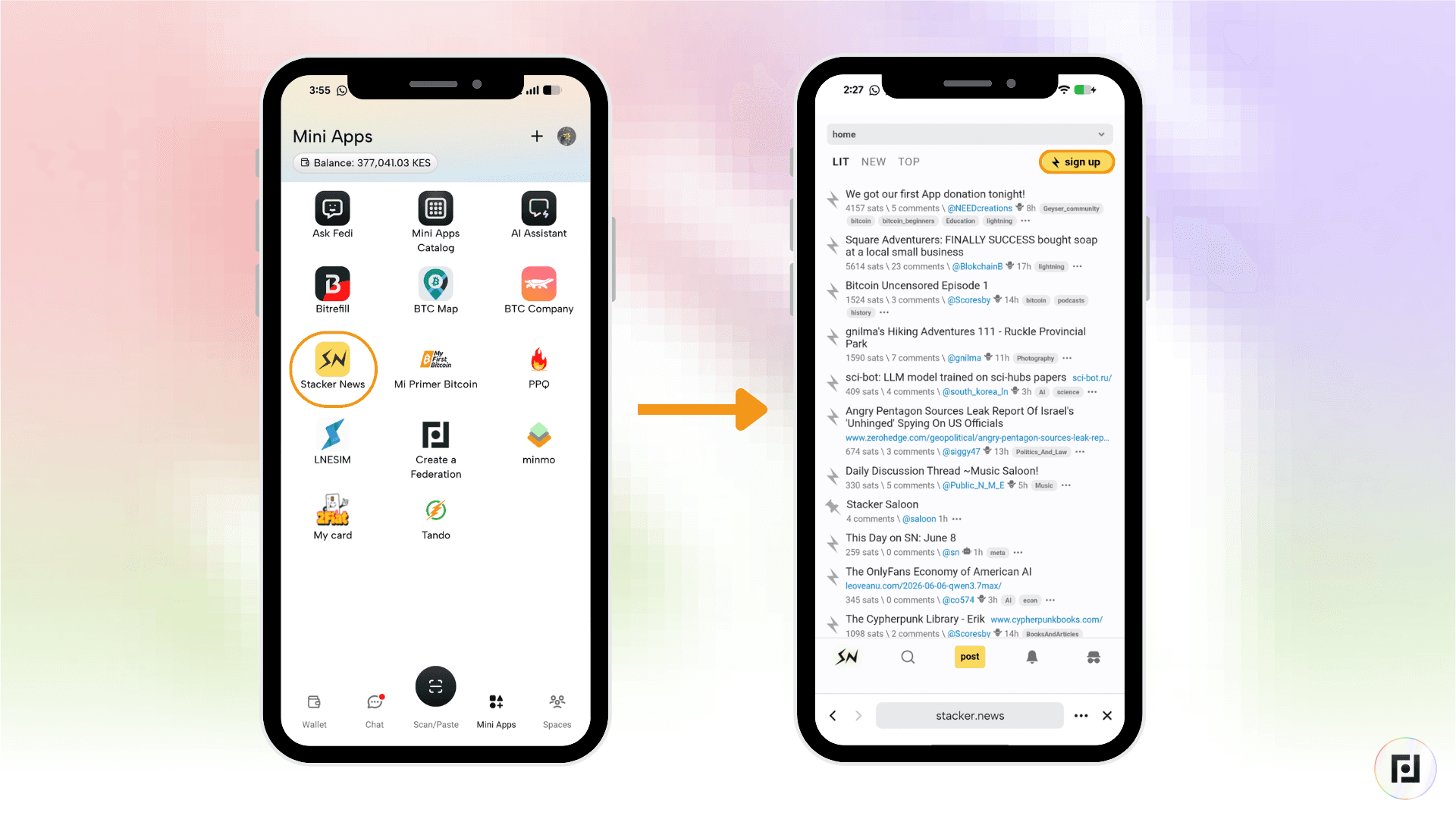
When you create an account on Fedi, you’re given a Nostr identity. Sign up on Stacker News with Nostr.
How to Zap a Writer
Zap is a term used to describe a micro transaction made via Bitcoin’s Lightning Network (Lightning).
When you send a small amount of bitcoin (also known as “satoshis” or “sats”) to support or upvote someone’s post, you’ve “zapped” the writer.
Here’s how to do it:
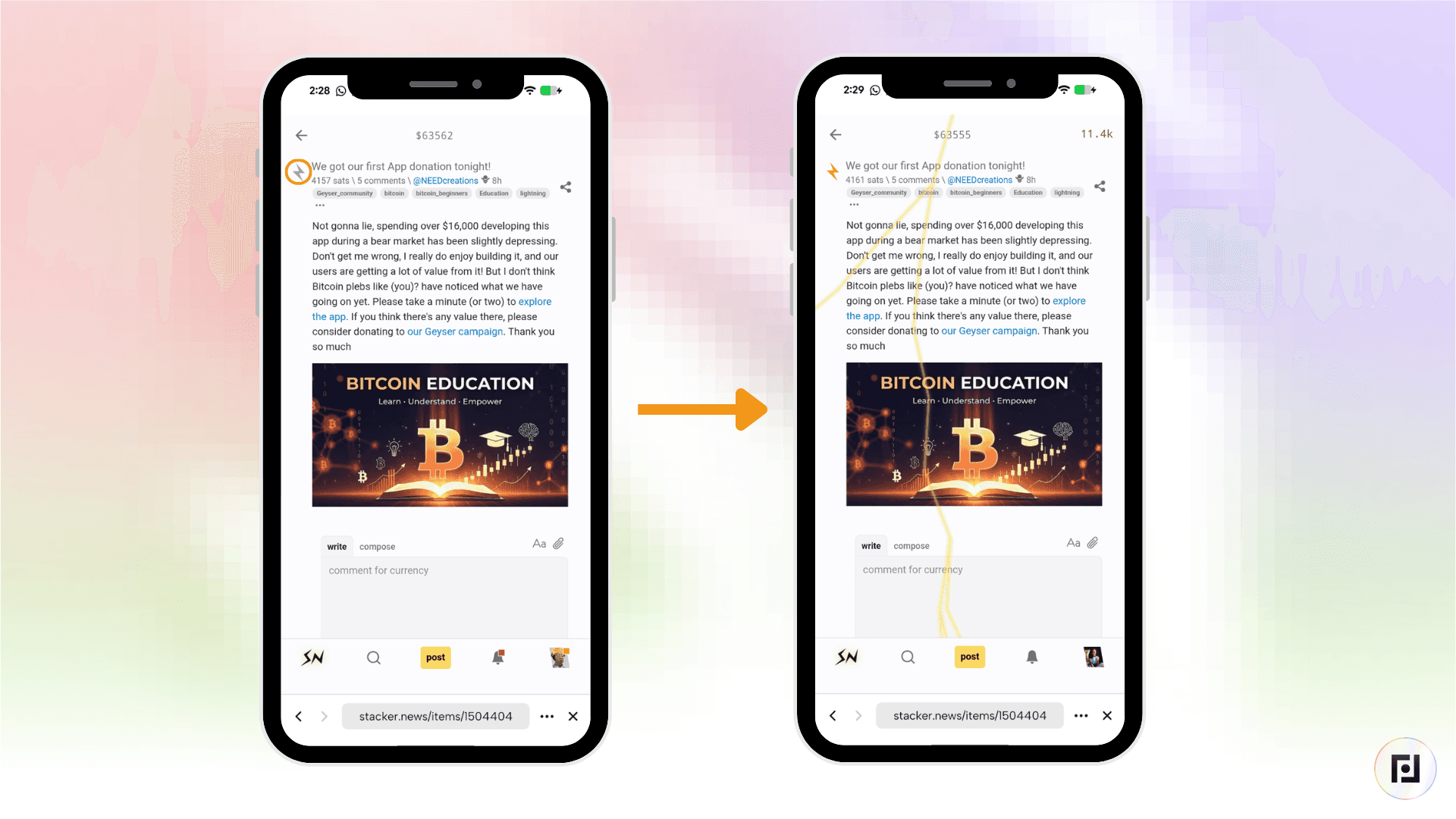
Step 1: Find a post or comment you want to support.
Step 2: Tap the lightning bolt icon next to it. A small amount of satoshis leaves your wallet and goes to the writer instantly.
Step 3: To choose a specific amount, press and hold the bolt icon.
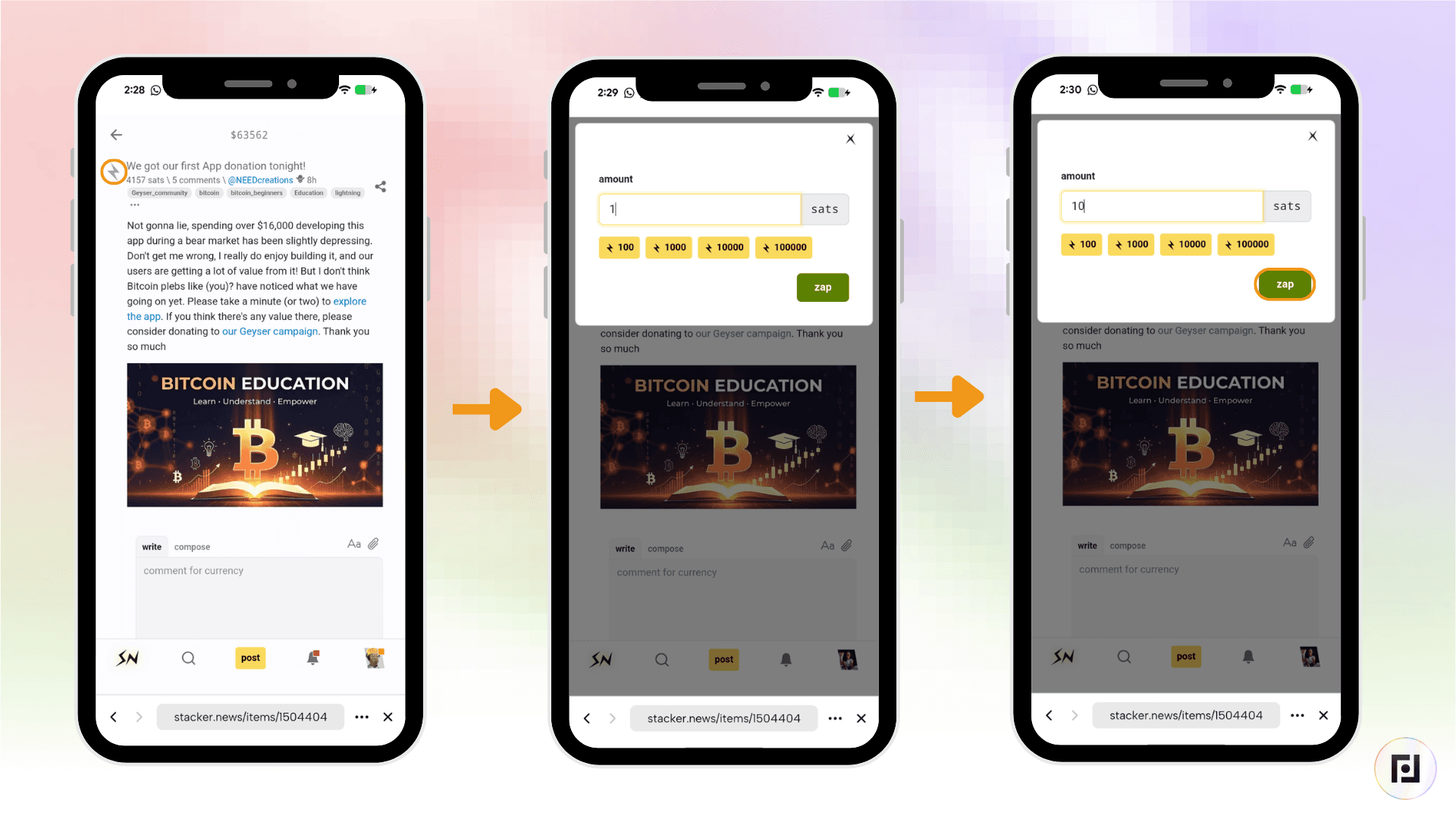
Of every zap you send, 70% goes to the author. The rest goes to the creator of the “territory” or category and a daily rewards pool that Stacker News distributes to top contributors.
How to Receive Bitcoin for Content You Create
On Stacker News, both posts and comments can be zapped.
When someone zaps your content, 70% of the payment arrives in your wallet automatically.
Stacker News also runs a daily rewards pool. Good content earns a share of it,
If you zap a post early and it later climbs the rankings, Stacker News pays you a bonus for finding it first.
How to Connect Your Fedi Wallet to Stacker News
There are two stages to connecting your Fedi wallet to Stacker News.
Stage 1: Generate a Lightning Address that Connects to Your LNURL on Fedi
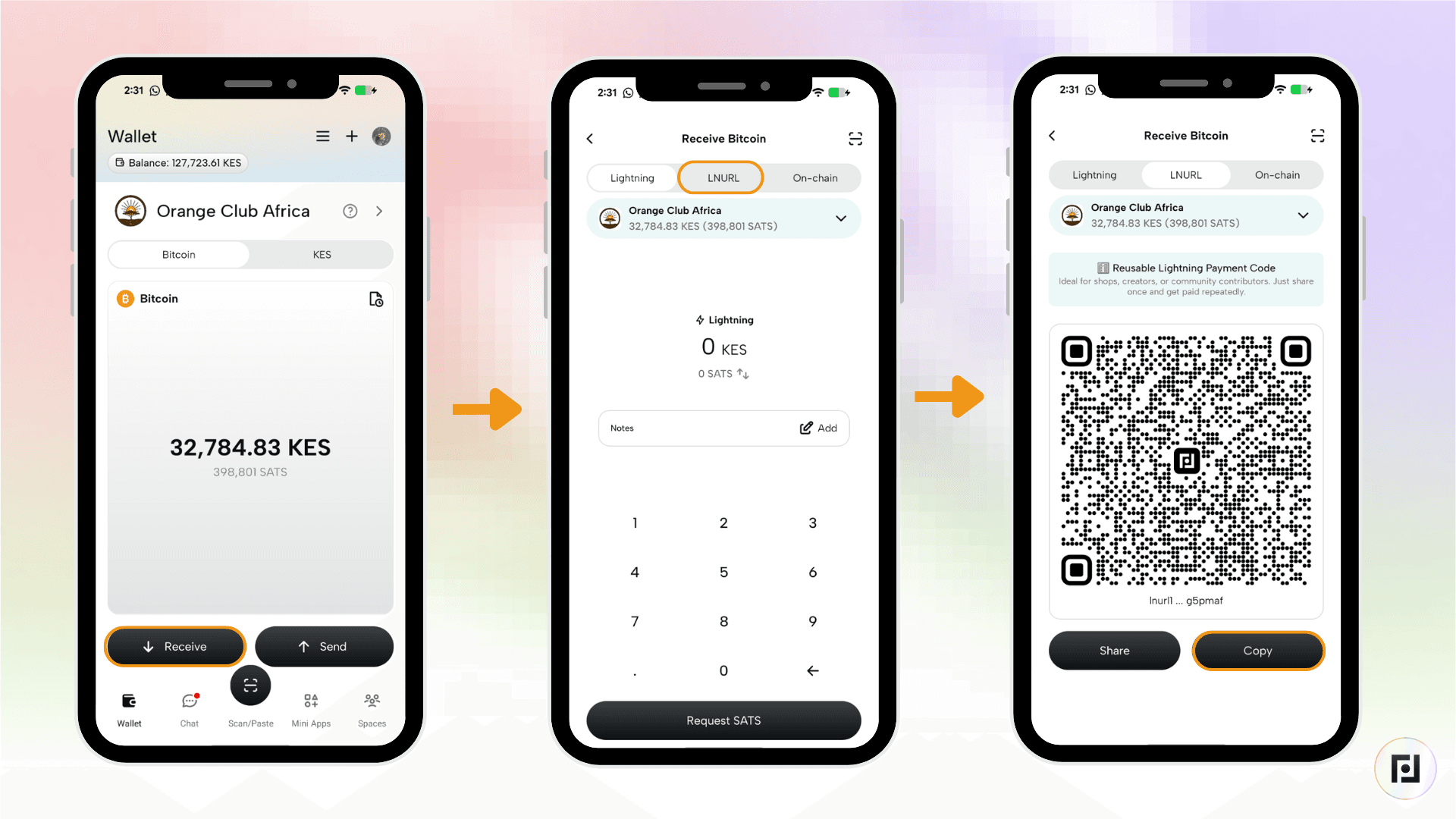
Step 1: On “Wallets” select the wallet you want to use to receive your earnings from Stacker News and click on “Receive”.
Step 2: Next click on the “LNURL”, then click on “Copy” to copy the LNURL address.
Step3: On your browser go to https://lnaddr.org/. This is where you will generate a Lightning address using your LNURL.
Step 4: Input the username of your choice. This is what will appear on your Lighting address (eg. username@lnaddr.org). Next, paste the LNURL that you copied on the Fedi app. Once that’s done click “Register”.
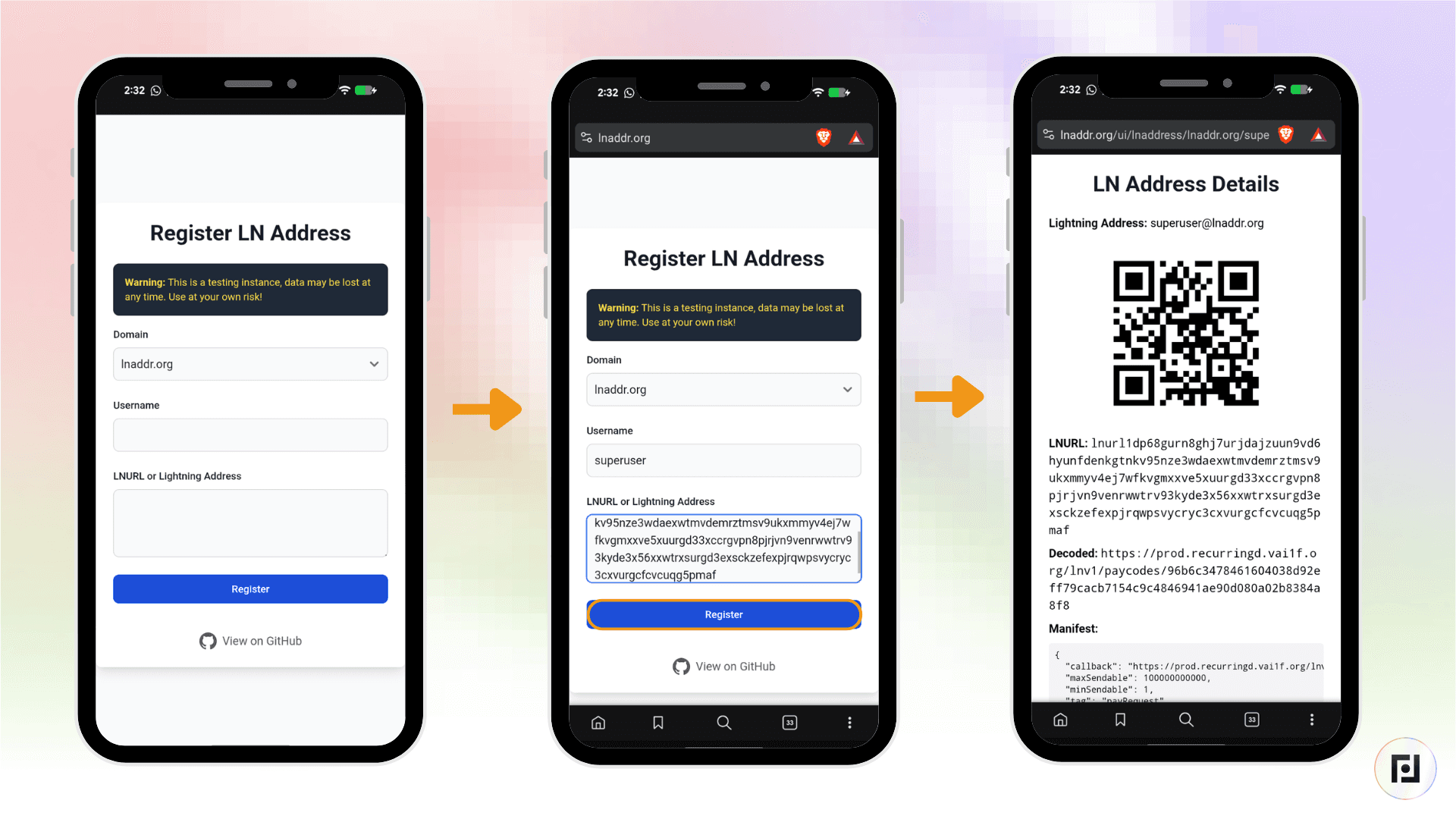
Voila! Anytime you’re sent bitcoin to that Lightning address, you’ll receive it in your Fedi wallet.
Before adding the Lightning address to Stacker News, send some satoshis to that Lightning address to test if it works.
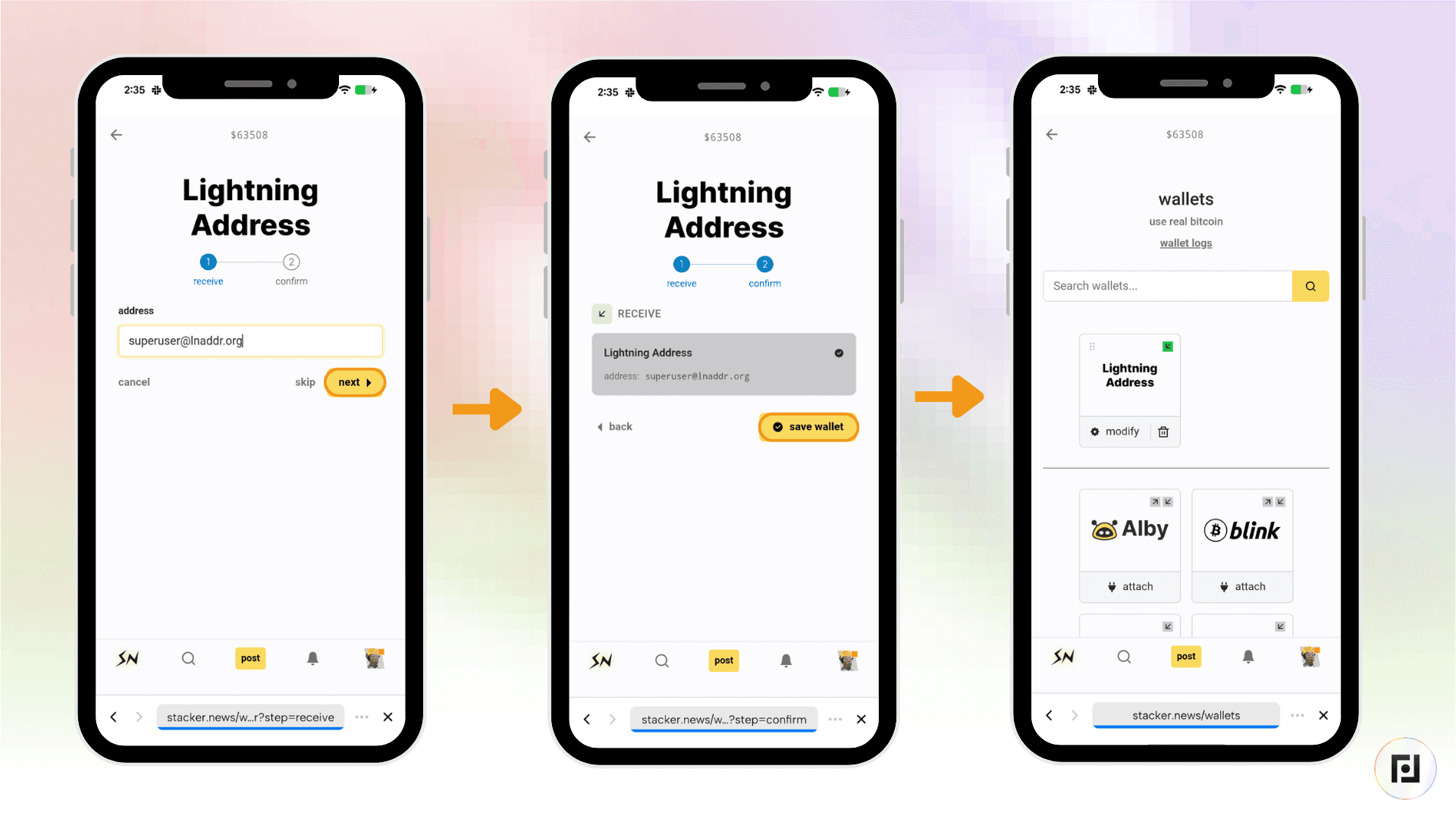
Stage 2: Connect the Lightning Address to Stacker News
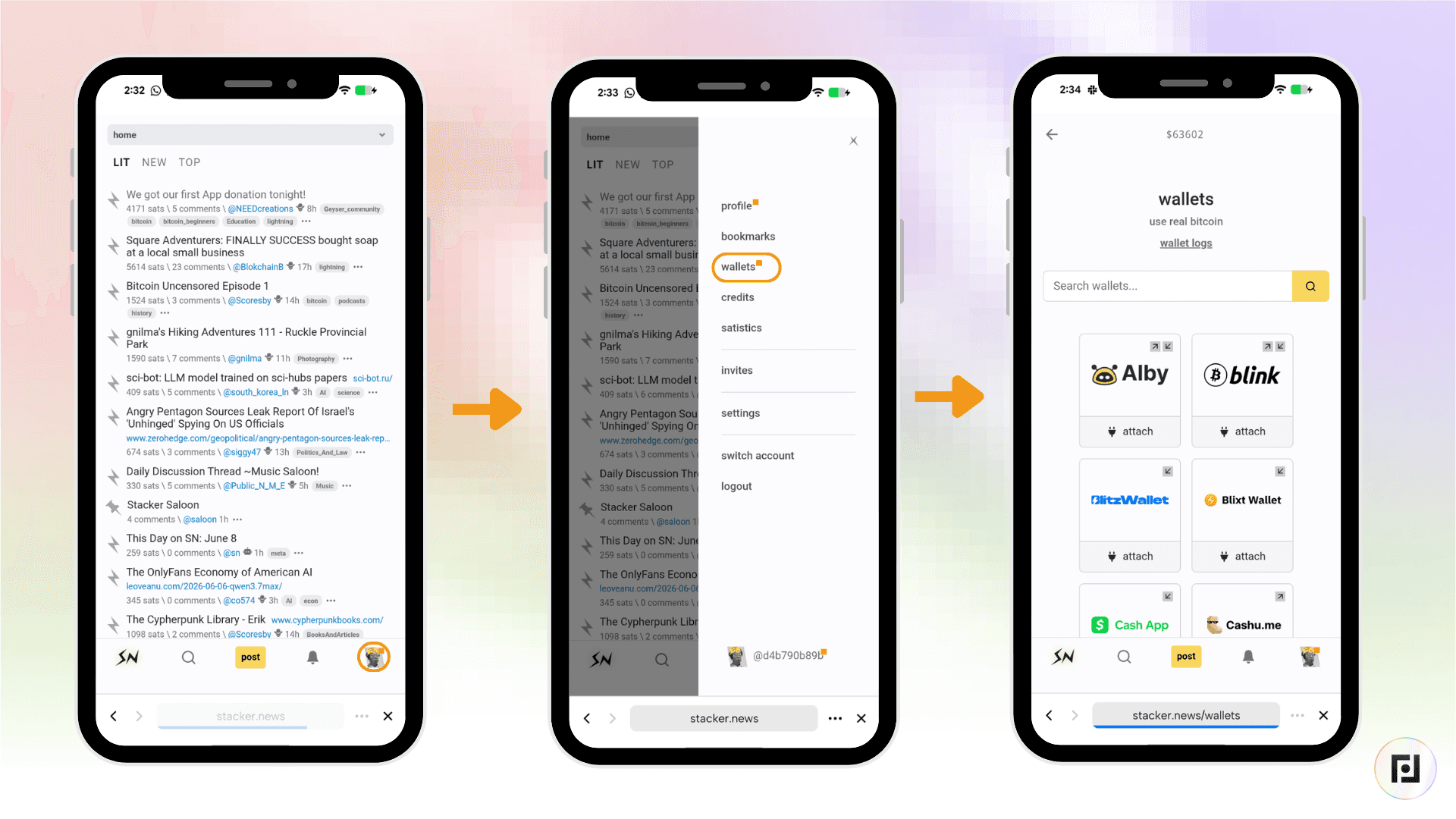
Step 1: Open the Stacker News Mini App on Fedi and then tap your username in the bottom right and click “Wallets”.
Step 2: Scroll through the list and on the “Lightning Address” option click “Attach”.
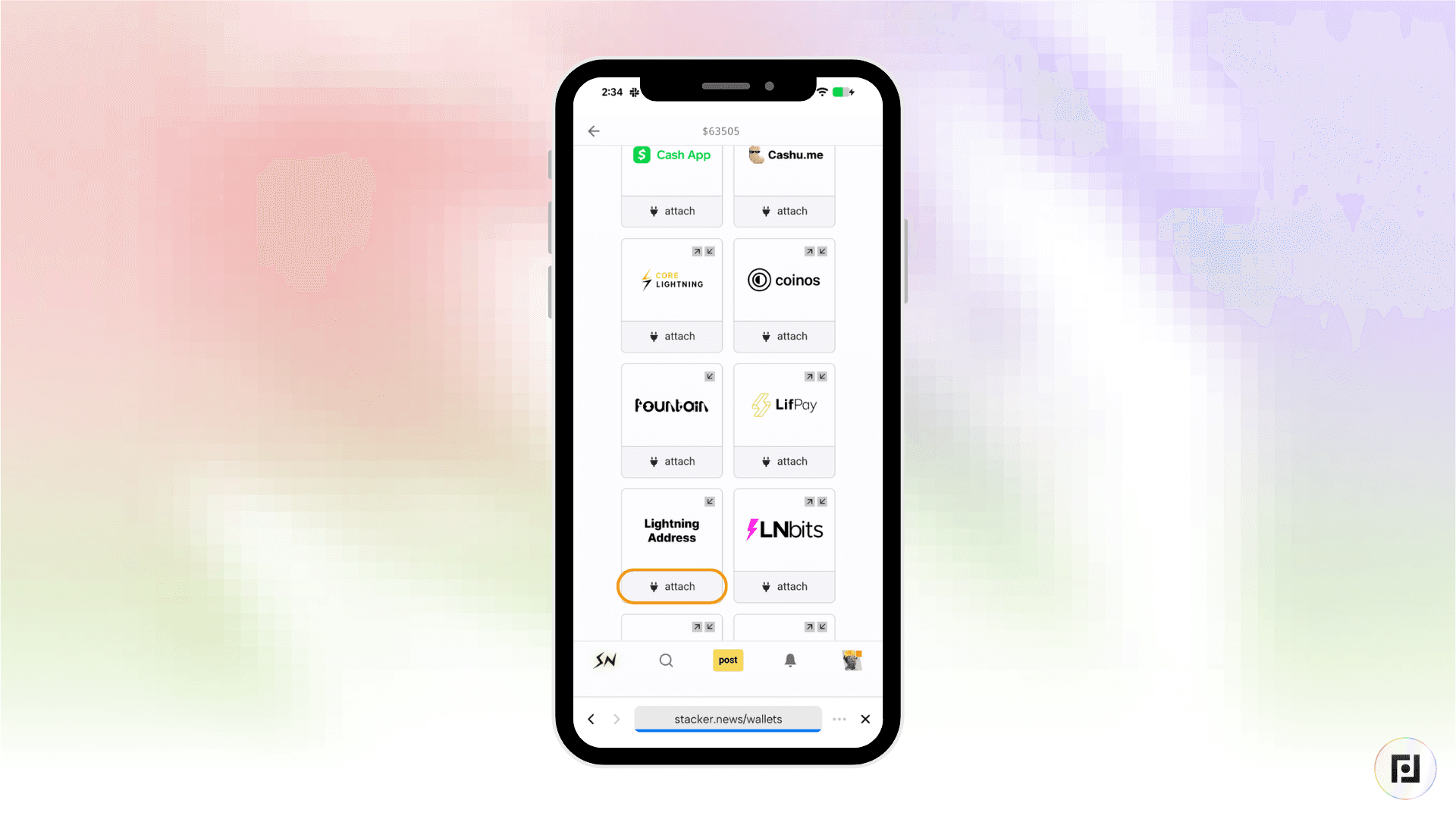
Step 3: Type your new Lightning address and click “Next”. Once the Lightning address is verified as a valid address, click “Save wallet”.