May 18, 2026
ChapSmart: Send Bitcoin and Receive Tanzanian Shillings over M-Pesa with This New Fedi Mini App
ChapSmart lets you send bitcoin from your Lightning wallet and have that payment settle over the M-Pesa network in Tanzania, and you can now use it as a Fedi Mini App.
ChapSmart is a Bitcoin payment service built specifically for Tanzania and it makes it easy to spend bitcoin almost anywhere in the country.
What is ChapSmart?
When you use ChapSmart, a merchant or the person with whom you are transacting doesn’t need to download an app or know anything about Bitcoin. They simply accept an M-Pesa payment as they normally would.
ChapSmart also offers a full suite of Bitcoin tools for everyday use in Tanzania:
Airtime Top-Up: Buy airtime for any Tanzanian mobile number using bitcoin. Pay the Lightning invoice and airtime is delivered instantly.
Buy Sats: Pay with M-Pesa and receive bitcoin directly to your Lightning wallet, at live market rates.
Merchant Pay: Businesses can accept bitcoin and receive M-Pesa instantly, with zero setup fee and a full business dashboard.
How ChapSmart Works
Using ChapSmart on Fedi is easy. Here’s how it works:
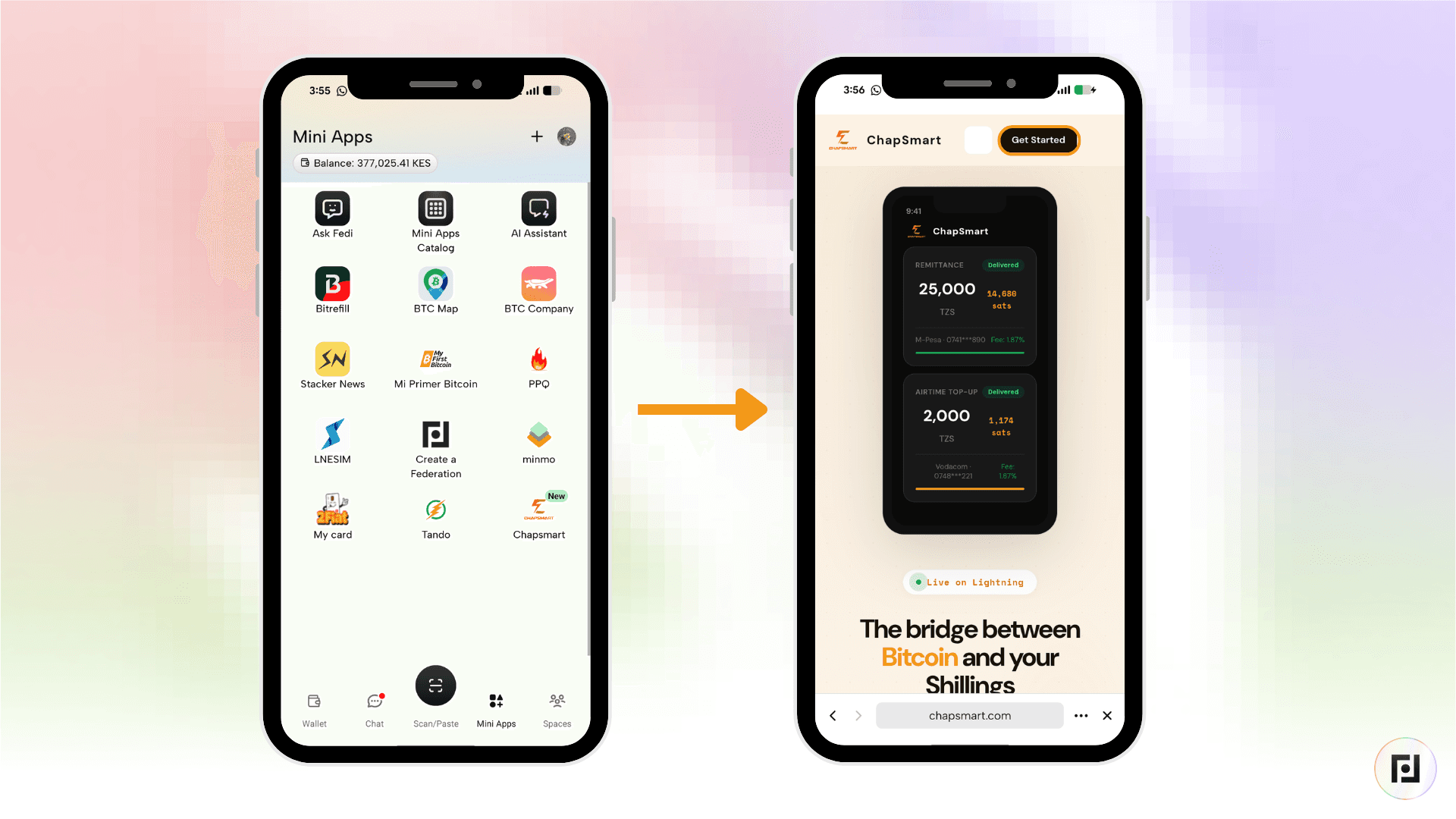
Step 1: Open the ChapSmart Mini App inside Fedi and click on “Get Started” at the top.
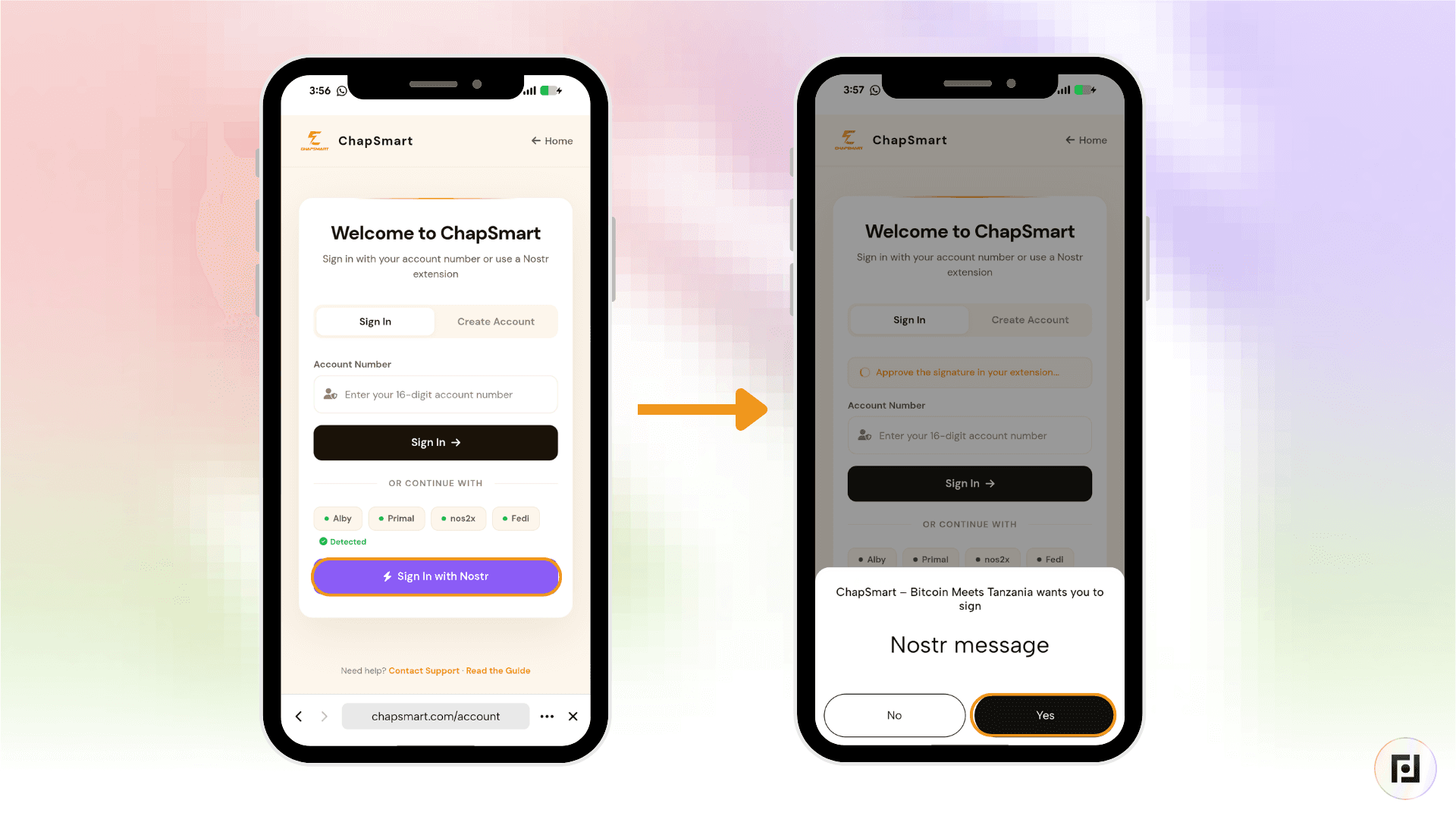
Step 2: Click on “Login with Nostr” to create an account.
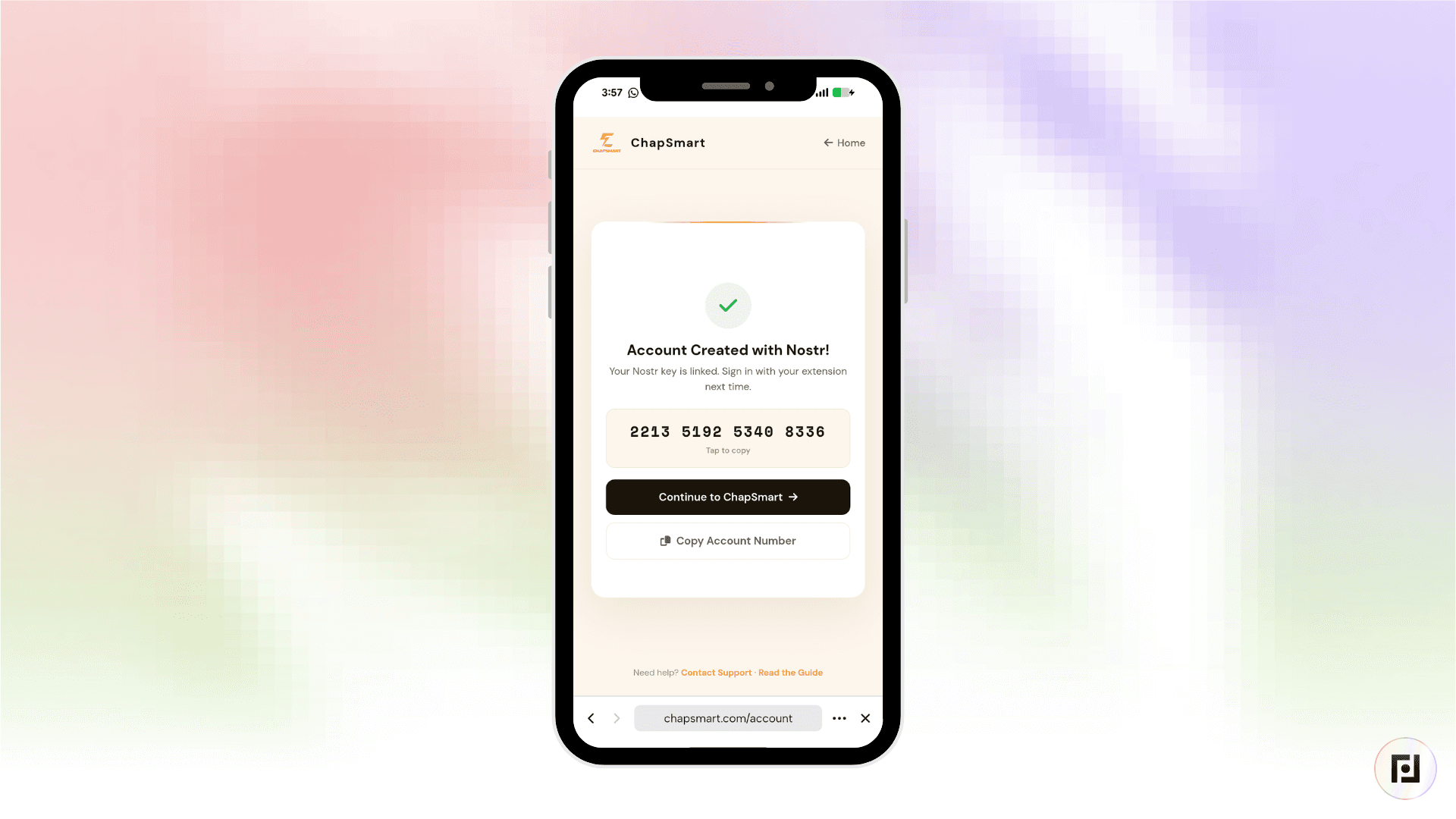
Accounts use 16-digit anonymous numbers which you must keep safe. Those 16 digits will enable you to log into your ChapSmart account.
Step 3: Enter the recipient's M-Pesa number and the amount in Tanzanian shillings. ChapSmart shows you the exact amount in satoshis and the fee upfront.
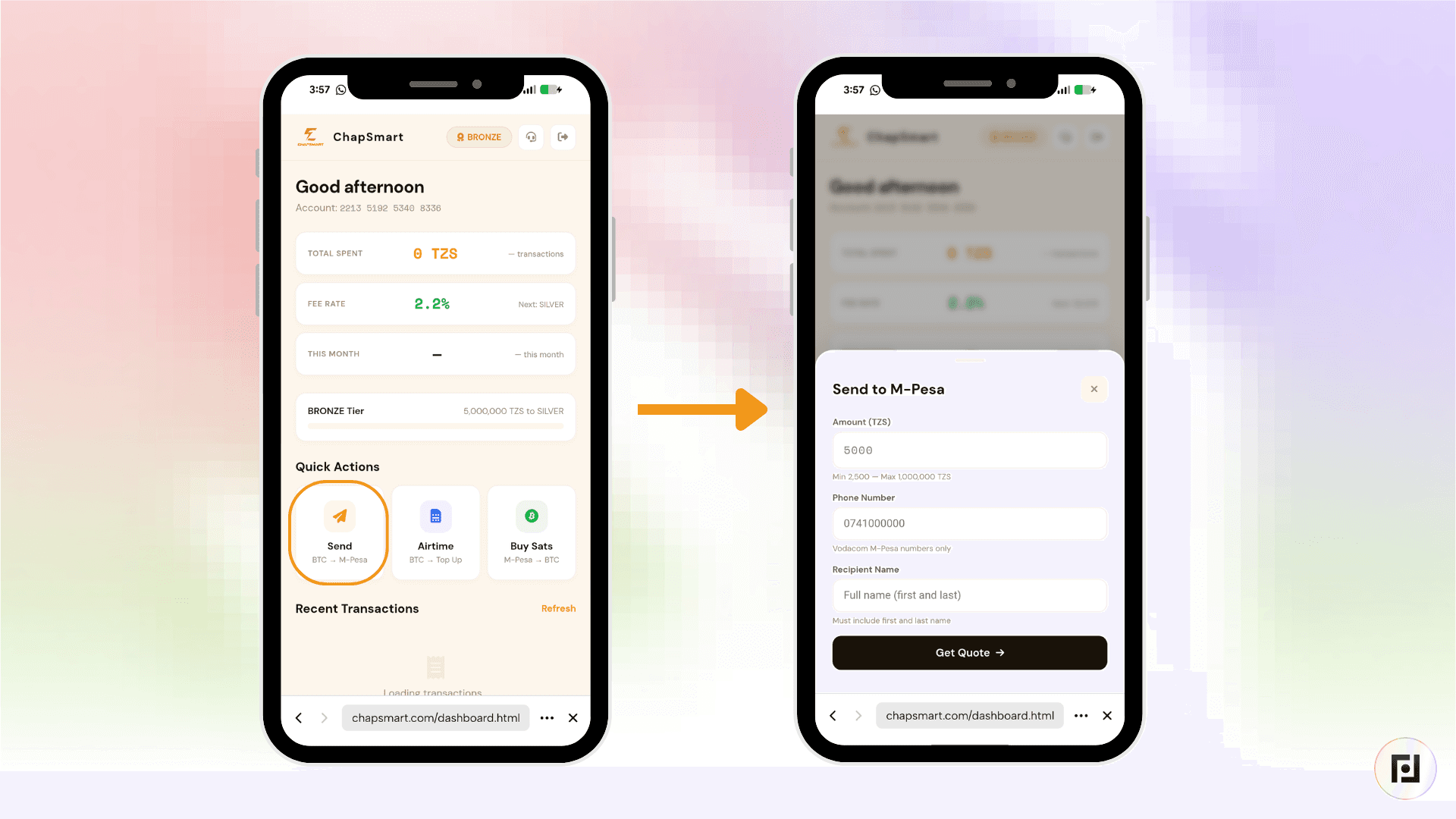
Step 4: Pay the Lightning invoice, which ChapSmart generates automatically, from your Fedi wallet. The recipient receives Tanzanian shillings on M-Pesa.
That's it!
How to Add ChapSmart as a Mini App on Fedi
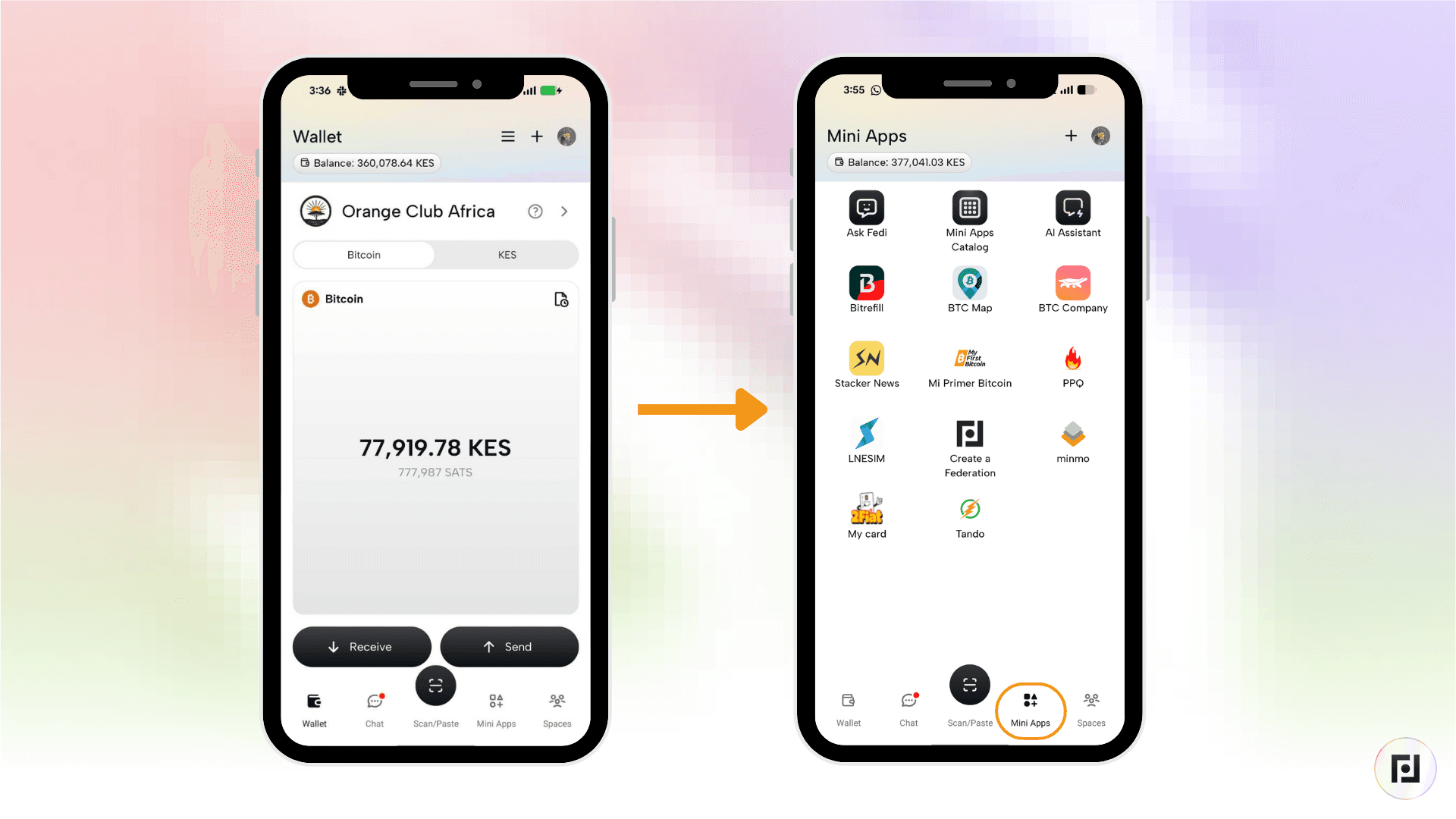
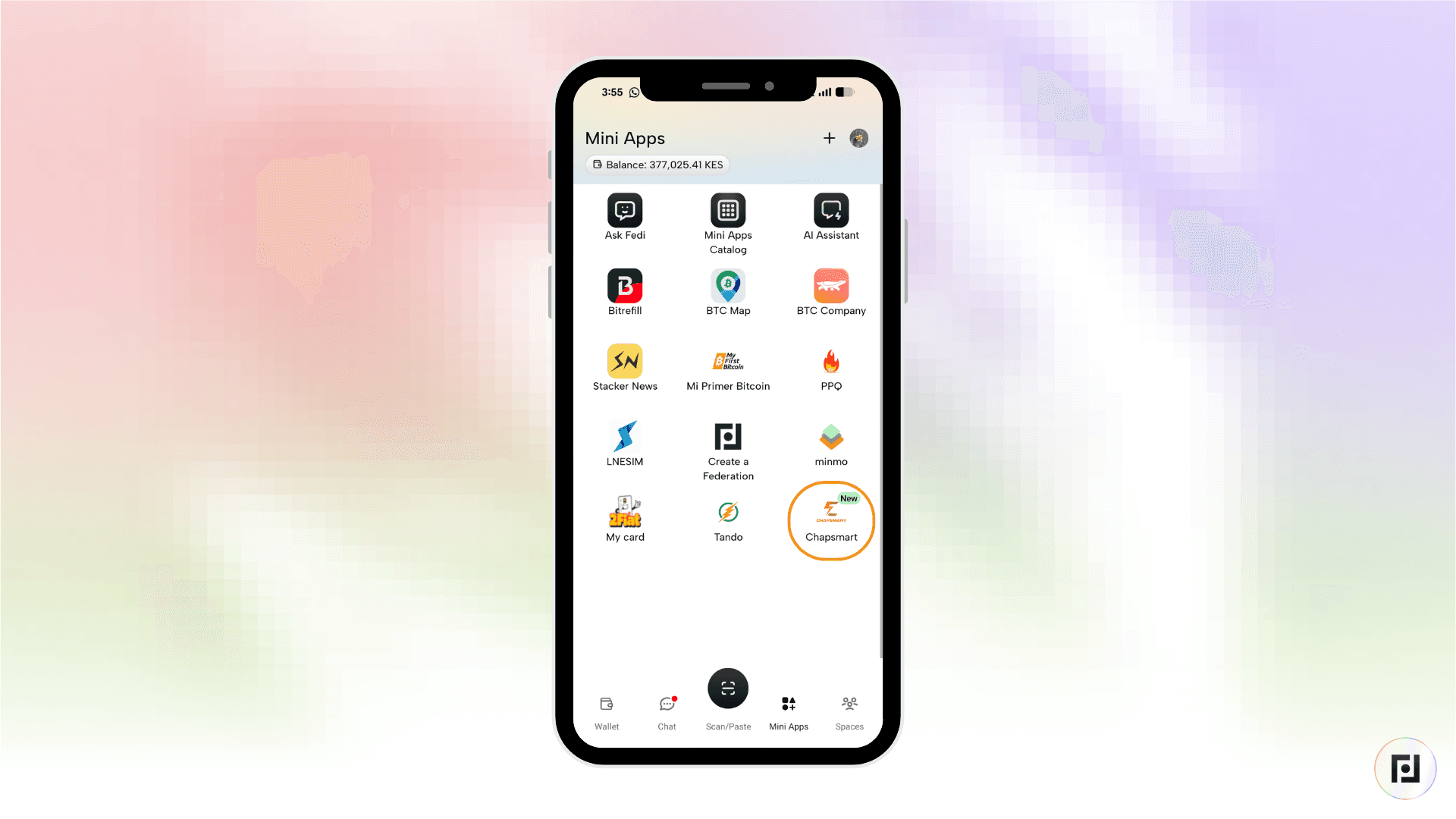
Step 1: Tap the "Mini Apps" button toward the bottom right of the Fedi screen.
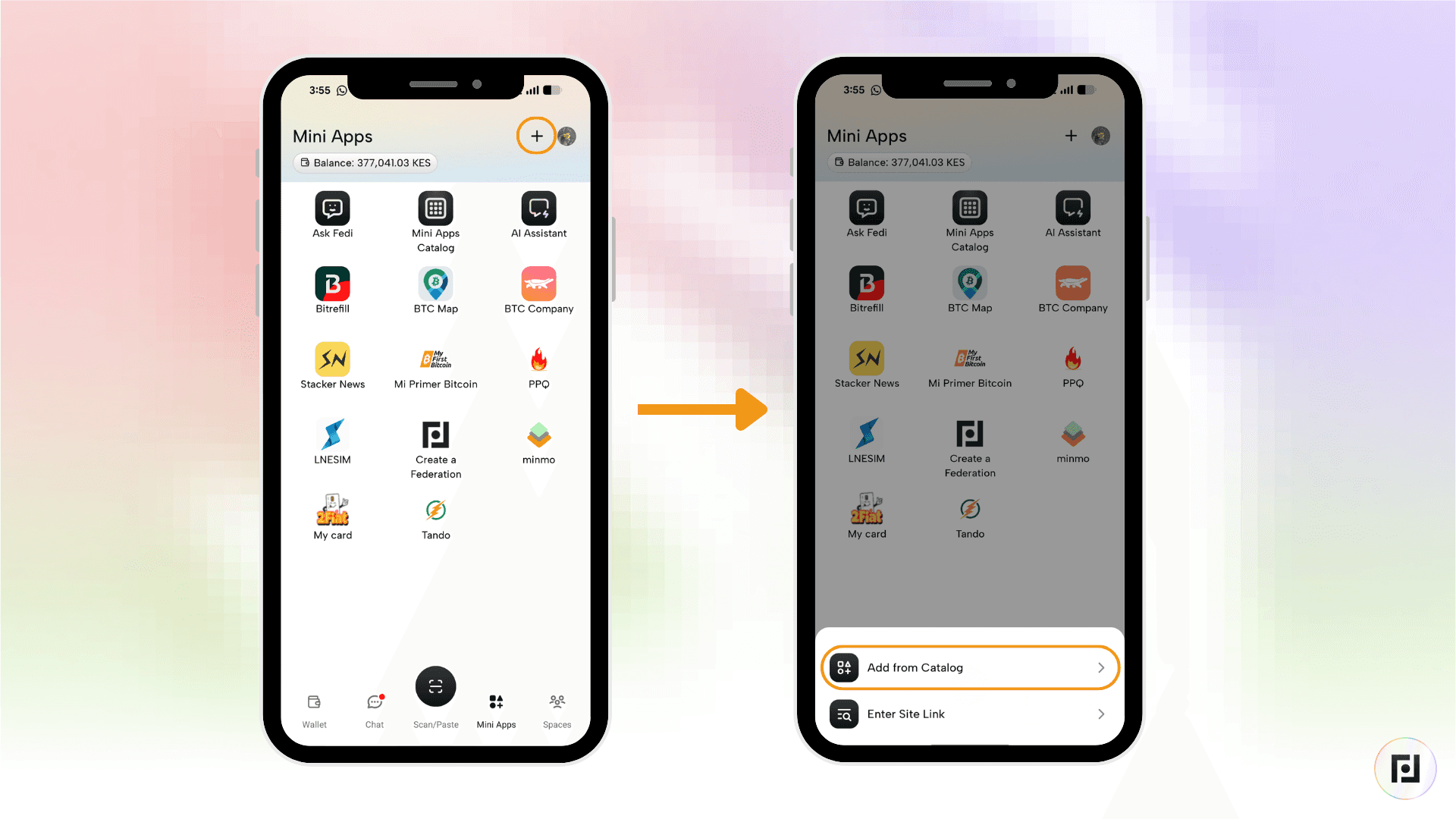
Step 2: Tap the plus sign (+) toward the top right and tap on "Add from Catalog."
Step 3: Search for "ChapSmart" and tap "Add."
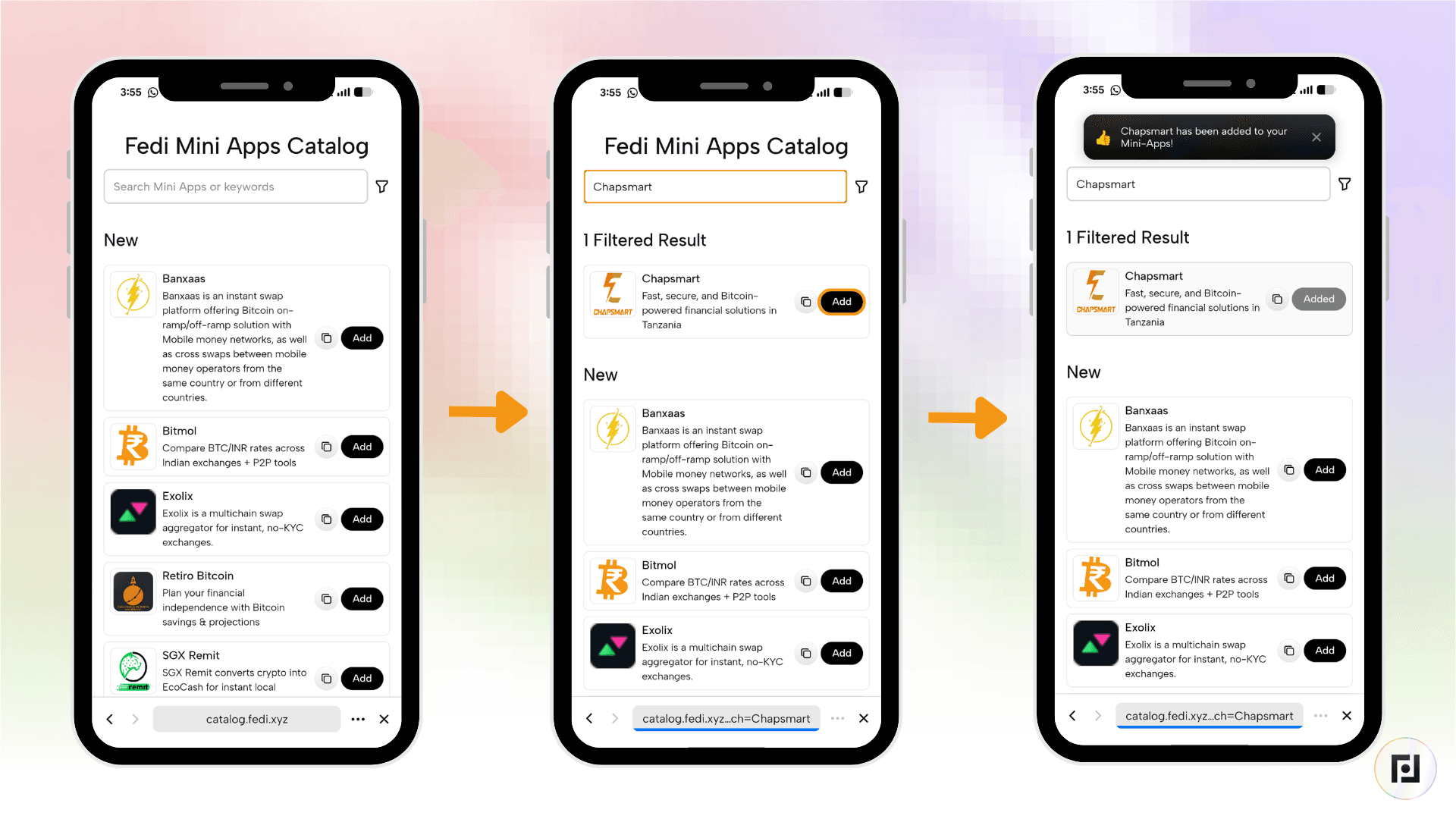
ChapSmart now appears as one of your personal Mini Apps.
Download Fedi to give it a try.
