April 13, 2026
256D: Unlock Bitcoin Payments Across India’s UPI Merchant Network with Fedi
You can now make a payment with bitcoin and have that payment settle over India’s UPI (Unified Payments Interface) network using 256D, a Mini App recently added to Fedi.
With 256D, people in India can spend up to 200 INR (Indian rupees) worth of bitcoin at any merchant, whether or not the merchant accepts bitcoin.
This app is also very useful if you’re visiting India and you want to spend your bitcoin instead of going through the painstaking process of converting your fiat currency for spending money.
What is UPI?

The Paytm UPI QR code propped up at the shopkeeper’s stall in India | Photo credit: Ankit Rainloure
Walk into a tea stall in Mumbai or a vegetable market in Bengaluru, and you will find the same thing on the wall: a small printed QR code.
Scan it, confirm the payment amount, and voilà — you’ve made your purchase.
That is India’s UPI, a government-built system that links every bank account in the country to a single, instant payment rail. This is comparable to M-PESA in East Africa.
UPI now connects over 500 million consumers and 65 million merchants and accounts for nearly half of all real-time payment volume on the planet.
Payments settle near instantly over the UPI system, just as they do when you pay with 256D.
How 256D Works
256D is an interface between the Bitcoin Lightning Network and UPI.
When added as a Mini App on Fedi, it lets you spend sats from your Fedi wallet and have that payment settle via a UPI address.
The recipient gets rupees and never even has to know what Lightning or Bitcoin is.
They just see money arrive on UPI, the same way it always does.
256D charges a 7 INR fee for all transactions and a premium that ranges from between 4% to 10%.
How to Add 256D as a Mini App on Fedi
Step 1: Tap the “Mini Apps” button toward the bottom right of the Fedi screen.
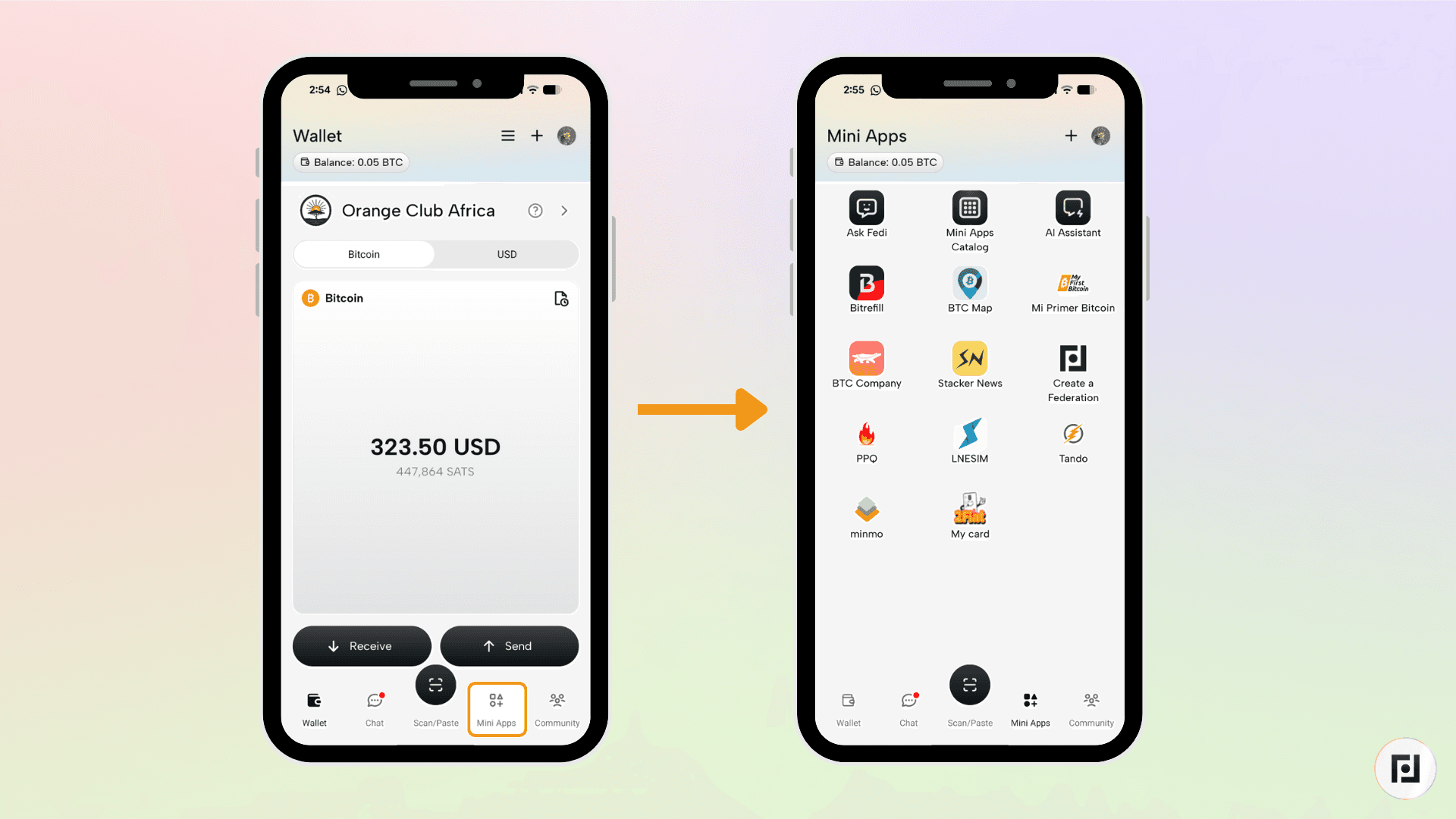
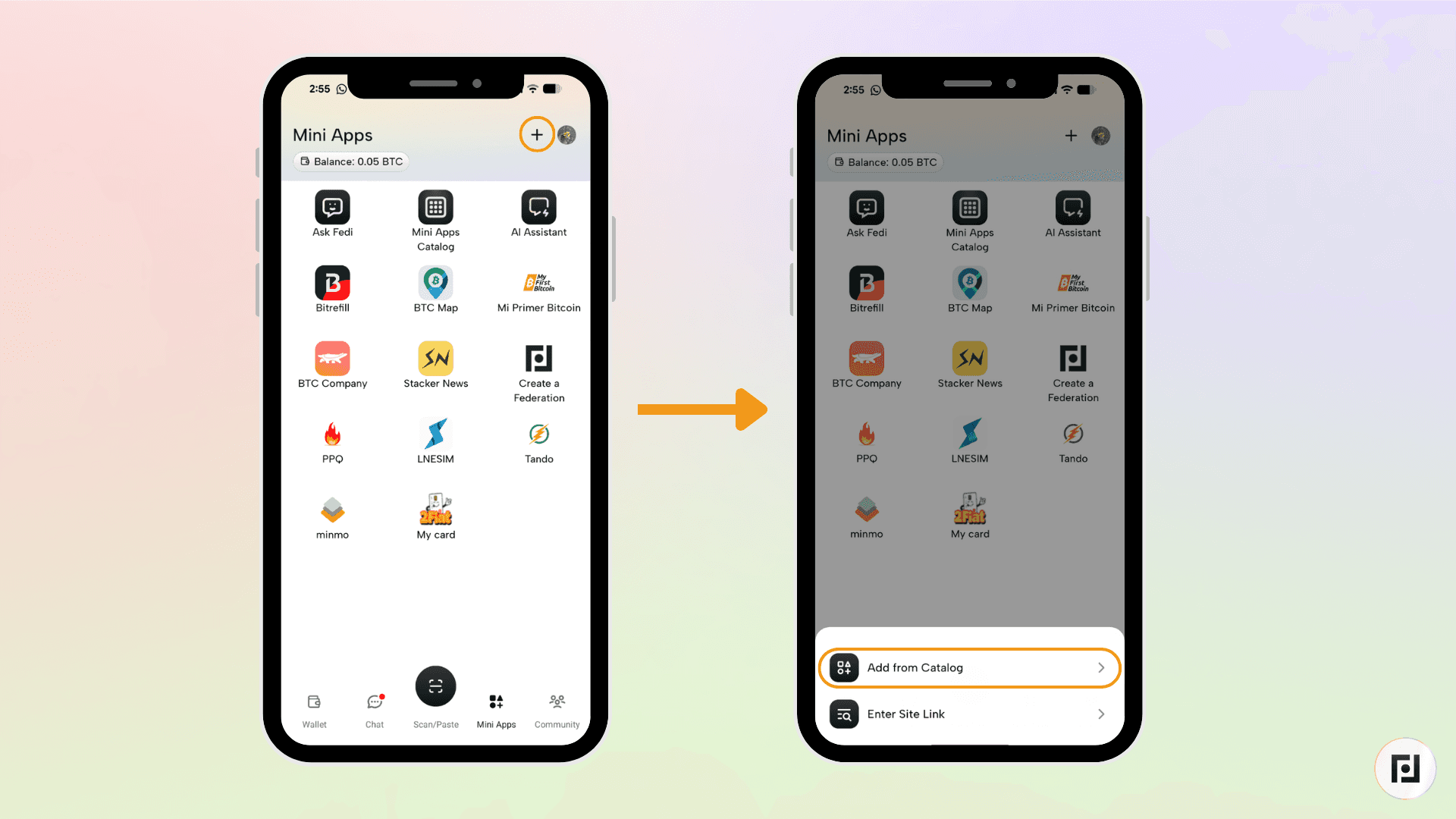
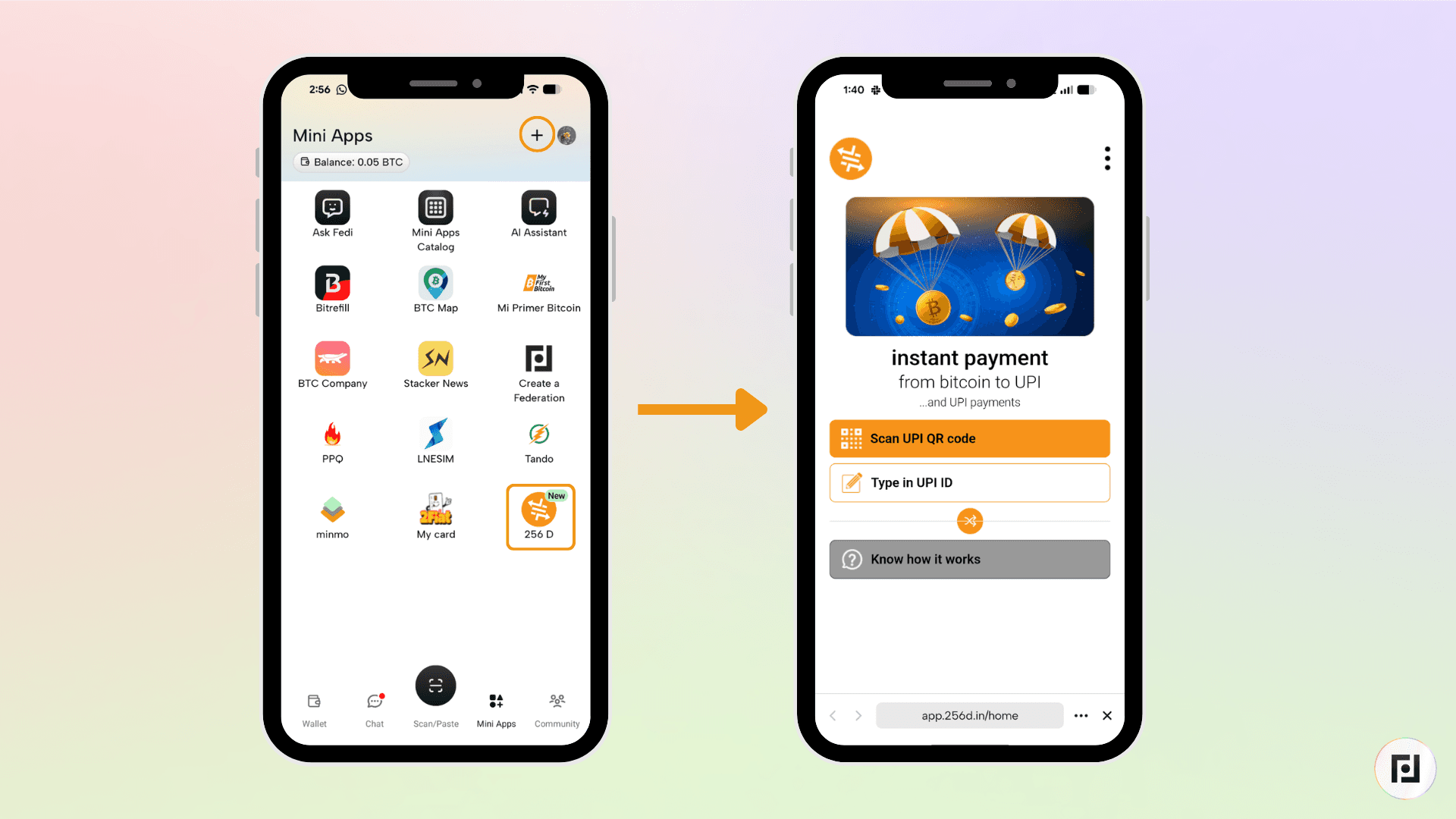
Step 2: Tap the plus sign (+) toward the top right and tap on "Add from Catalog”.
Step 3: Search for "256D" and tap "Add."
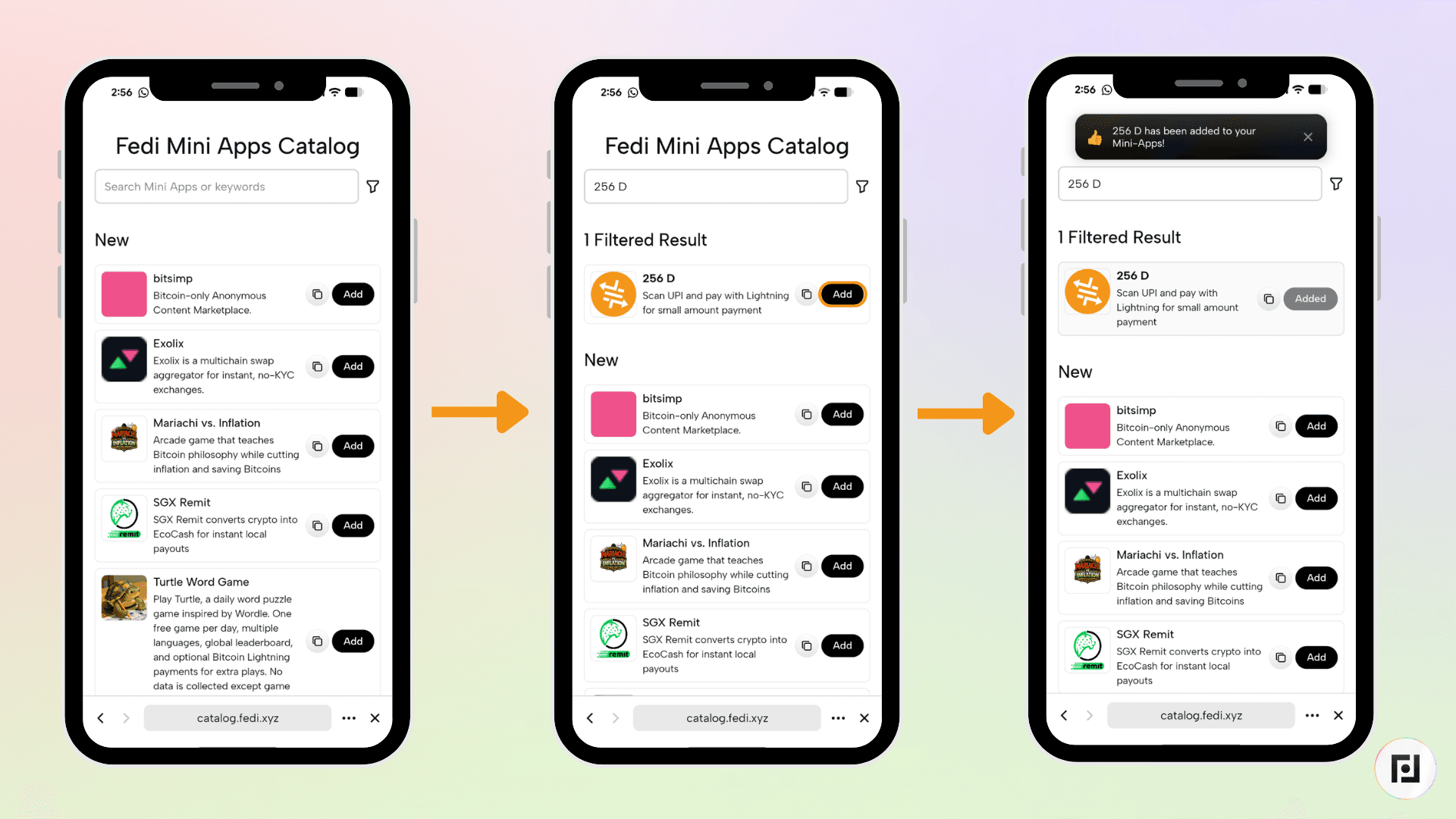
256D now appears as one of your personal Mini Apps.
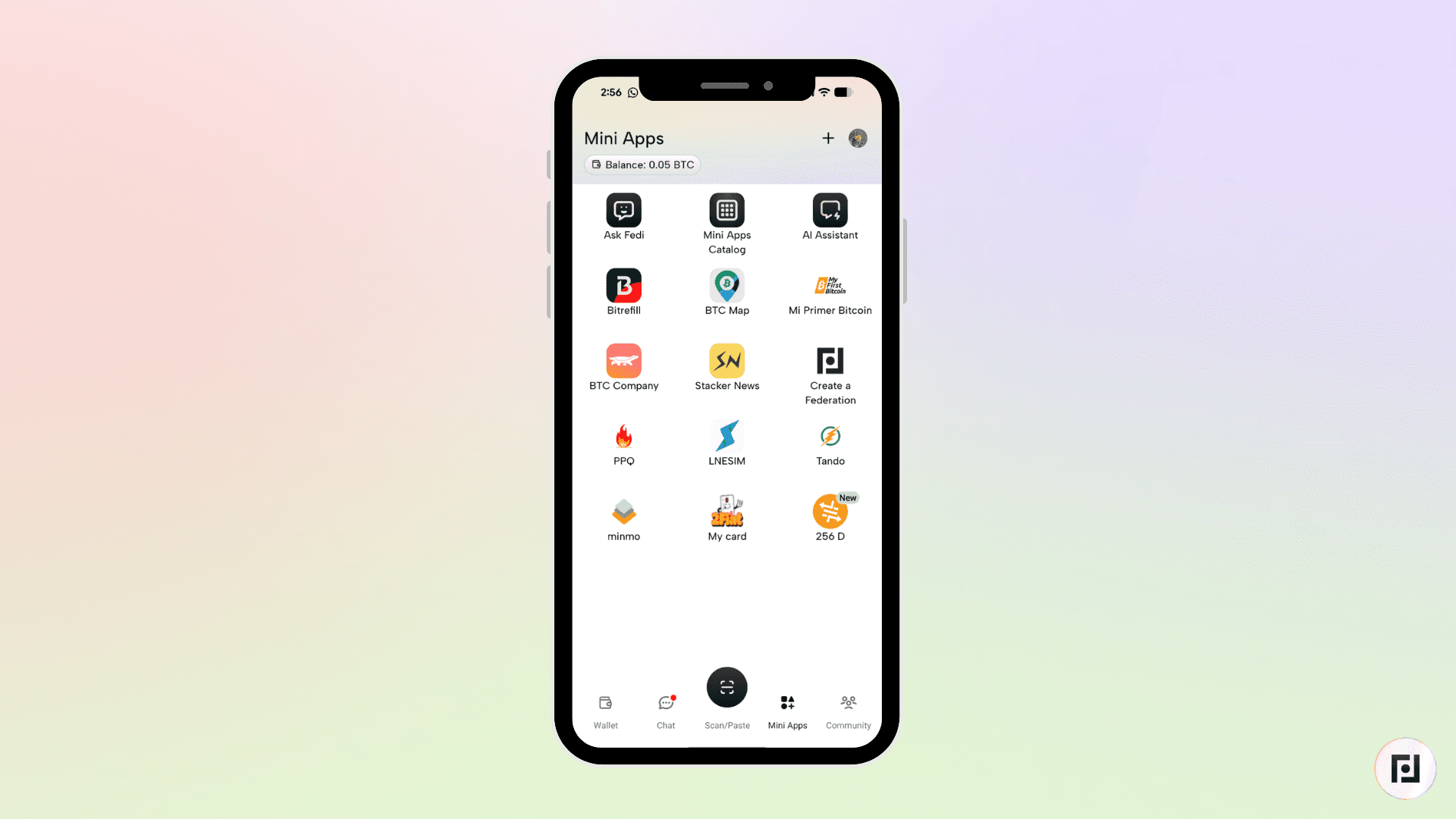
How to Use 256D
Step 1: Open the 256D Mini App and scan a UPI QR code or type a UPI ID.
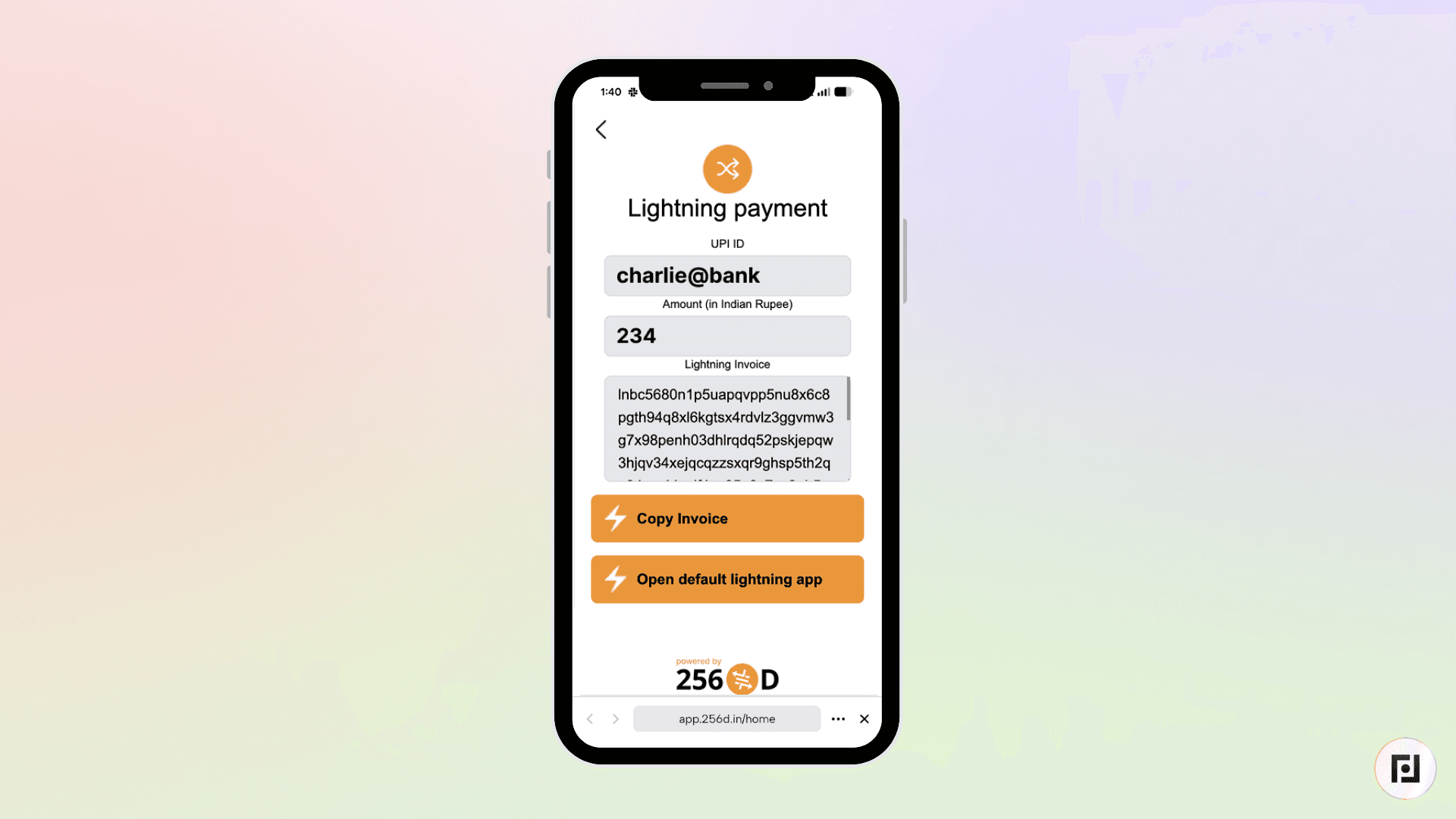
Step 2: Once 256D validates the recipient, it generates a Lightning invoice showing the amount in bitcoin and who you are paying.
Next, pay the invoice from your Fedi wallet. 256D converts the payment and initiates the UPI transfer automatically.
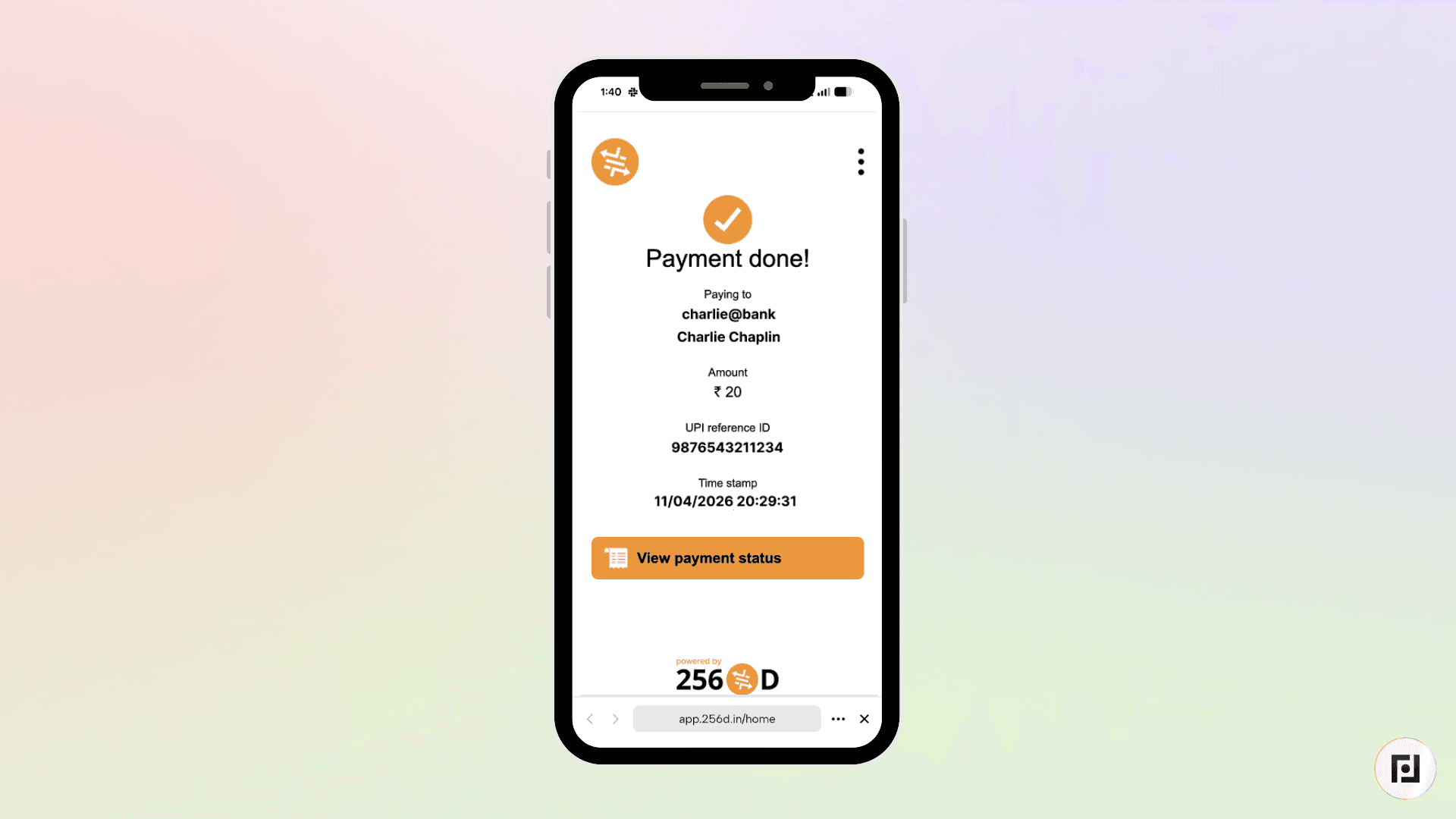
The confirmation screen shows a UPI Reference Number
256D is now accessible to you on Fedi as a Mini App.
Download Fedi to give it a try.
